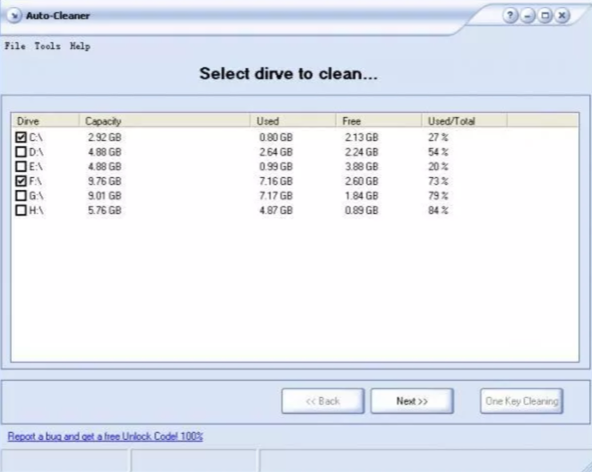
Auto Cleaner — for junk removal and boosting system performance; the program has no interface of its own, all control is via the context menu. From it you can start the cleaning process, configure autorun, or quit the program. While running, options include: auto‑start with the system, unscheduled cleaning, enable/disable notifications about deleting temporary files, and exit.
Many developers of programs that clean temporary and unnecessary files claim that such tools bring huge benefits to the system when used regularly. Some even assert that the accumulation of these files can lead to system malfunctions or even a complete crash.
In reality, temporary files do not affect system stability at all. To the system, they are just dead weight that it ignores and never uses. Nevertheless, timely deletion of temporary files does offer benefits.
Temporary files take up considerable space on your computer’s hard drives, which often becomes a headache when using small-capacity drives. The second problem is that temporary files can cause heavy fragmentation of hard drives — especially large files.
Increased fragmentation leads to reduced system performance and greater wear on the hard drives themselves, because the drive’s magnetic heads make many extra movements when reading or writing data, searching for scattered pieces of files. When a drive is heavily fragmented, the system writes these pieces across different areas of the magnetic disk surface.
If you need to set up regular system cleaning, open the program-generated report file in ordinary Notepad, change the number of hours in the line HowOftenToRunHours=*.*, then restart the program for the change to take effect.
The program works with all Temp folders, even if they are located on different partitions of the hard drive or on different physical drives. In addition, it scans all available disk space and deletes all temporary files created by some programs in non‑traditional folders.
The program causes no problems for system operation, so it can be used safely.