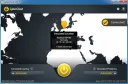
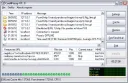
Fast Proxy Expert is a compact software that does not require installation, functioning as a proxy server operability monitor.
The program has a very simple and user-friendly interface, works in "automatic" mode, meaning you can launch the program and go about your business. In automatic mode, it can extract a list of proxy servers from text documents (tхt, html, etc.).
Feature of Fast Proxy Expert
In this case, the source file can contain absolutely any information, not necessarily proxies. A space on both sides is the separator for entries. The program is more reliable and flexible because it does not use Internet Explorer components. Checking with Fast Proxy Expert is multi-threaded, meaning several proxy servers can be checked simultaneously.
The essence of the program is bypassing website blocks for internet users in CIS countries (Belarus, Kazakhstan, Ukraine). Due to privacy policies, sanctions, and tightening internet legislation, many websites are hidden from access for users in certain regions. Often these are useful file-sharing sites, torrents, online series, etc. Fast Proxy Expert has a large database of such sites (it is constantly updated) and searches for available proxy servers so that the user can bypass the bans.
The program is downloaded for free, without registration and entering personal data, works completely autonomously, does not burden the operating system, does not slow down the overall operation of the computer and the Internet, and does not insert ads anywhere. During use, no fees are charged. There is no demo version that expires and then requires payment.
Operating Principle
The Fast Proxy Expert program works as follows: only blocked websites are launched through it. All other pages do not go through the program, so the traffic load remains practically unchanged. In any user actions, their login credentials are not requested. Users need not fear any additional advertising insertions – the program does not make them. Installation of the program is very simple, free, and small in size. After installation, nothing needs to be changed or additionally installed in the computer settings. Technical support for the application is available on the social network VKontakte and in the Chrome Web Store.
In groups and on support sites there are:
- instructions for installing the program in various browsers;
- accepting requests for new blocked websites;
- answers to the most common user questions;
- also in these communities users will find a lot of useful information about internet privacy policies, website bans, and program updates.
Interface Features
Proxy List – contains 2 input fields: source file and destination file. Below, in numbers, the number of tested proxy servers, the number of active servers, and the IP address of the active server. The "Start" button to search for servers.
Options – performing the functions "send signal" or downloading a file with a specific proxy server. Specify the website to open on the Internet and a file containing a list of proxy servers. You can also set the response timeout.
About – help on using, about the program, instructions.
Disadvantages
The program is not yet localized into Russian, but all terms are common, so even a beginner will understand how to work with it. The authors of the program work every day on updates, additions, speed, reliability, add new servers, expand the list of blocked websites, taking into account new bans, censorship and sanctions on websites.
When downloading, you may notice that the last program update was just a few days ago. This means that Fast Proxy Expert keeps up with the times and cares about its users.