
説明
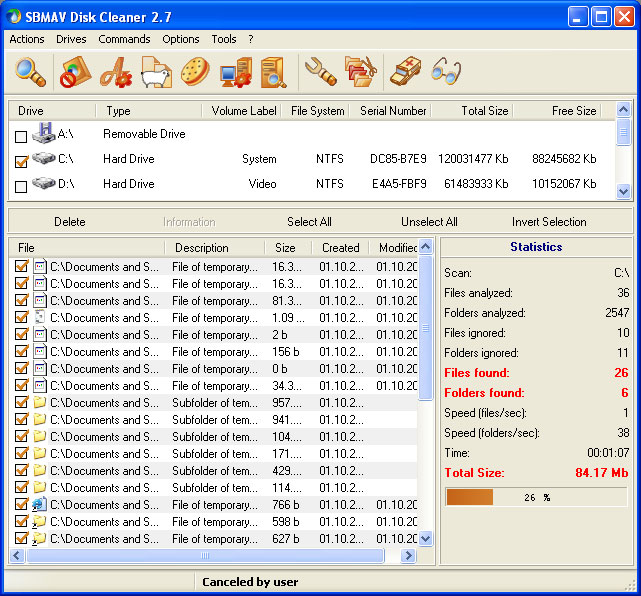
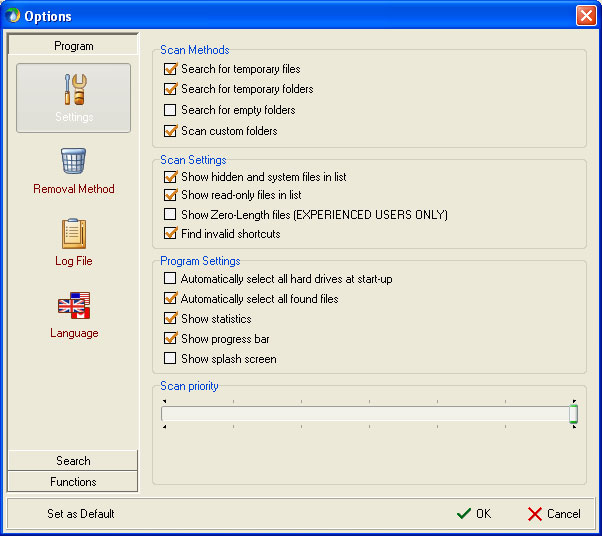
SBMAV Disk Cleaner will help you clean your storage media from extraneous and unnecessary information. Once you install this application on your computer, you can easily find temporary files (both those of the system as a whole and those of individual programs) and delete them.
You will get rid of incorrect shortcuts on your desktop, unnecessary folders, documents, programs, and settings for websites you haven't visited in a long time. The latter typically store email addresses, credit card numbers, and phone numbers.
As for user files, they can also be identified and deleted.
Main Features of SBMAV Disk Cleaner
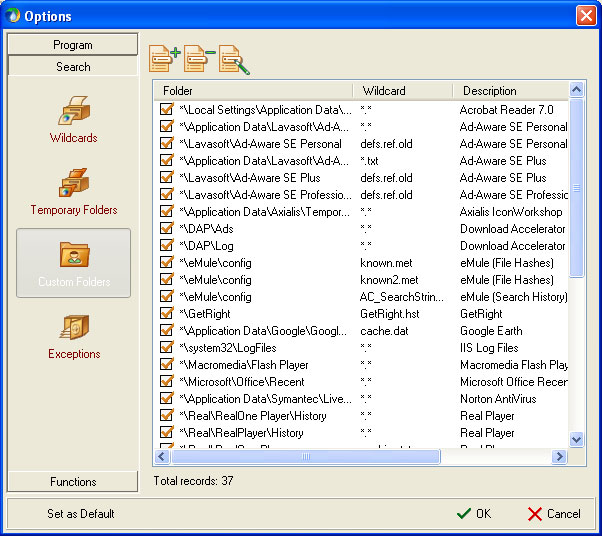
- Working with temporary documents, specifically searching for and deleting them. During standard cleaning, information from standard folders is often erased. However, hard drives contain a lot more useless data that only hinders the proper operation of the system. This application handles such documents as well.
- Scanning disks using the unique MAVQSM™ system. Moreover, it is performed literally in a matter of seconds, saving you time. Folder scanning is compatible with Ad-Aware SE Personal, Accelerator Plus, Norton AntiVirus, GetRight, Ad-Aware SE Professional, Macromedia Flash Player, Acrobat Reader, Download eMule, Sun Java, Remote Desktop, Ad-Aware SE Plus, ZoneAlarm, Google Earth, Tivo Desktop, Axialis IconWorkshop, Opera, Real Player, SpyBot Search and Destroy, and others.
- Software uninstallation. This is an analogue of the built-in operating system feature with additional capabilities. This option lets you get rid of several unnecessary utilities at once.
- A download manager that creates, deletes, enables, and disables processes.
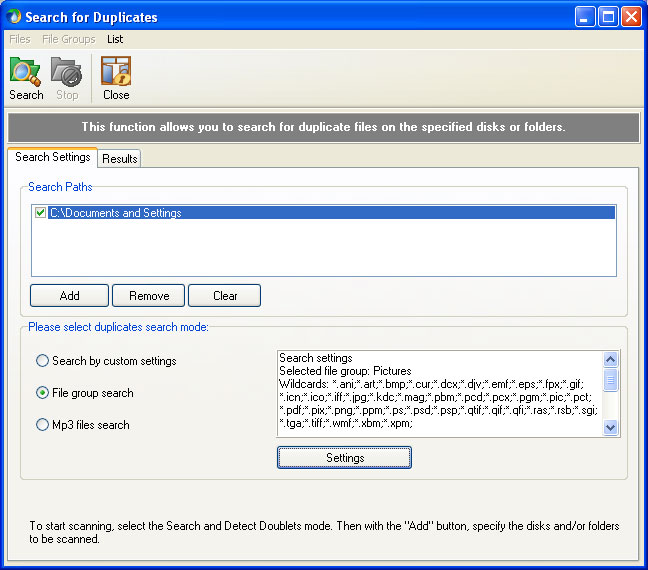
- Searching for duplicates using various criteria.
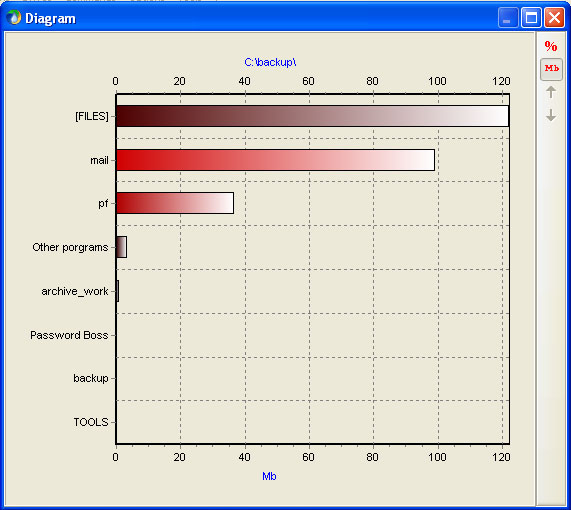
- Using the space analyzer available on the media, it identifies the smallest and largest folders.
- The program deletes information in several ways: standard deletion, moving to the Recycle Bin, and irreversible deletion.
Screenshots
スペック
| バージョン | 3.5 |
| Platforms | Windows, macOS |
| Developer | SBMAV Software |
| サイズ | 6.52 Мб |
| ライセンス | Free |
| Views | 595 |
From this category
もっと見る
Disk Write Copyは、何らかの障害が発生した場合にオペレーティングシステムの動作を復元することができます。Disk Write Copyを使用すれば、未知のプログラムでもコンピュータに脅威を与えることはありません。システム障害が発生した場合、再起動するとすべての情報が復元されます。Disk Write Copyの主な機能:悪意のあるアプリケーション、トロイの木馬、ワームの侵入と保存を防ぎ、それによりコンピュータに保存された情報を保護します。可能
PC-3000 DiskAnalyzerは、通常接続されたドライブ(SCSI、HDD、外付けUSB HDD/Flash、SATA、SSD)をテストします。ディスクデバイスにアクセスするために、アプリケーションは以下のツールを使用します:SCSI Pass Through IOCTL(SPTI) – これは記録情報の読み取り操作を担当し、SCSIパスポート(ディスク識別データ)へのアクセスを提供するメカニズムです。S.M.A.R.T. IOCTLはS.M.A.R.T.ステータスに関する情報を提供します。必要に応じて、しきい値の読み取りコマンドを発行し、
DMDE (DMディスクエディタ)は、フロッピーディスクやハードディスクに保存された情報の復元と編集に必要です。また、論理ドライブとそのパーティションの復元にも役立ちます。このプログラムはコンピュータにインストールする必要はなく、任意のメディアに保存するだけで十分です。パーティションテーブル、FAT/FAT32/NTFSブートセクタ、NTFSファイルシステムディレクトリ、16進数/テキスト、FAT/FAT32ディレクトリ、FAT/FAT32クラスタテーブルなどのモードで動作するディスクエディタが含まれています。fa
Popular downloads
もっと見る
Windows Movie Maker - さまざまなエフェクトを追加して、素早く便利に動画を作成・編集できます。Microsoft Windowsに含まれていますが、代替となるWindows Movie Makerは、Microsoftの無料Windows Liveソフトウェアパッケージの一部です。Windows Movie Makerの機能: さまざまなソース(カムコーダー、携帯電話、デジタルビデオカメラ、デジタルカメラなど)からビデオをキャプチャします。Windows Movie Makerで動画を作成する際、背景のオーディオトラックを追加したり、間で使用したりできます。

Starus File Recoveryは、さまざまなメディアから削除されたデータを復元できるプログラムです。このプログラムを使用すると、さまざまな方法で失われたファイルを復元できます。たとえば、ごみ箱を経由せずに削除されたもの、悪意のあるソフトウェアによって隠されたもの、ソフトウェアの障害により失われたもの、ごみ箱を完全に空にした場合、フォーマット、またはハードドライブの削除によるものなどです。このプログラムは、ハードドライブ、SSなどのさまざまなデバイスで効果的に動作します。


Pascal ABC.NETは、Microsoft.NETプラットフォーム上でDelphi言語(Object Pascal)で記述されています。これには、PT4問題集や、学校の情報科学でプログラミング学習時に使用される製図家とロボット実行者のツールが含まれています。Pascal ABC.NETプログラミングシステムの主な目的は、現代のプログラミング言語の学習と教育です。特長:このプログラムは、Pascal言語を使用した完全なプログラミングシステムです。開発は、よく知られたプラットフォームMicros上で行われます。