LightBox Free Image Editor combines professional quality with ease of use. The program is suitable for both beginners and advanced users.
Program Features
A distinctive feature of the editor is the Remove ColorCasts option, which features a new Gray Point algorithm. It is used to remove invisible facial tones that spoil the overall impression.
Another positive feature of the program is its fast operation and quick startup. Beginners will find the user-friendly interface and reference guide useful.
This small program with an intuitive and accessible, even for non-professionals, functionality is designed for quick photo processing. Often, a good shot turns out to be not entirely high-quality in terms of lighting, sharpness, and other defects.
LightBox Free Image Editor is a "quickly process and upload" program. Convenient sliders allow you to change lighting, brightness, saturation, shadowing, remove red-eye, adjust color gamut, remove unwanted colors from the face, add simple effects, and create borders.
Program Advantages
Its advantages are that no special knowledge or reading kilobytes of instructions is required to start working in the editor. By moving the main sliders and seeing the effect, the user can intuitively understand how to process a particular photo. LightBox Free Image Editor does not take up much space on your computer, is free, and is available for download. It installs in one click, without registrations or authorizations on websites. Technical support is available.
The program includes functions such as color balance, lighting adjustment, the Color Toner algorithm, red-eye removal, and face recognition. Red-eye removal is implemented using the Tint and Temperature algorithm, used in professional and powerful image editors.
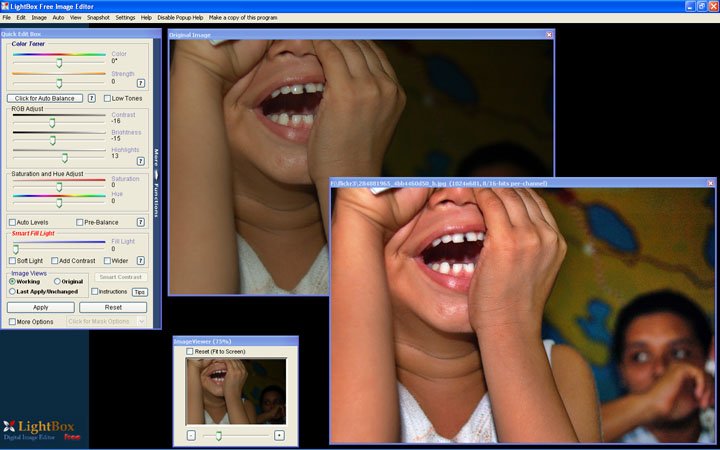
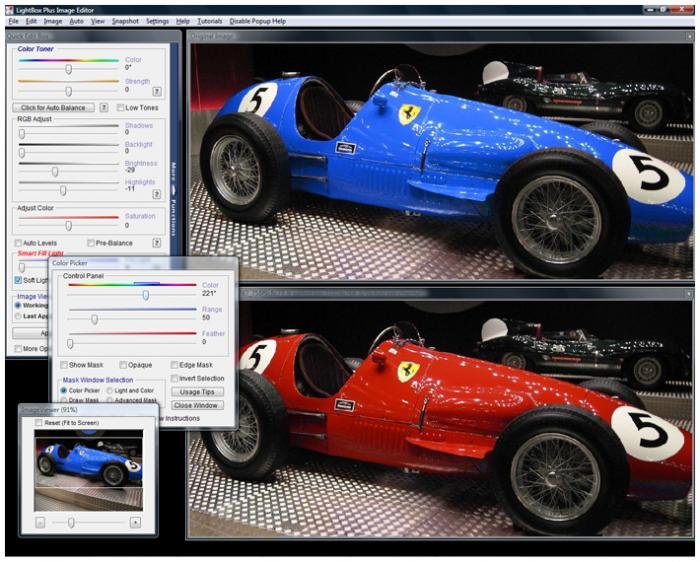
Very fast response to user actions, free download. All the simple functionality is located to the left of the loaded image (you need to load an image first to work) and is mostly implemented in the form of sliders.
Functionality
The top slider is Color. It allows you to highlight in the image the colors that the slider touches. Saturate with red or green, blue or purple, depending on the editing goal. Below is the Strength slider. This is the contrast and saturation of the image. This block can be slightly modified by checking the More Options box below.
- Shadows – shadow effect. Adding an "evening" or "night" effect to the image.
- Backlight – conversely, a lighting effect (one-sided). From its absence to the glow of spotlights.
- Brightness – image brightness.
- Highlights – overall lighting.
- Saturation – color saturation. Removing saturation completely gives a black-and-white image, adding it to the maximum gives solid bright spots.
- Color in this block – also highlights the color in the image that is on the slider, but to a much greater extent.
Above the block there is a checkbox for "Auto Color" and "Passive". If you click them, the lighting and saturation parameters will be set to average. Fill Light – literally "fill with color". Changes the balance between black-and-white and colored areas. You can check the Add Contrast box, which will also add contrast.
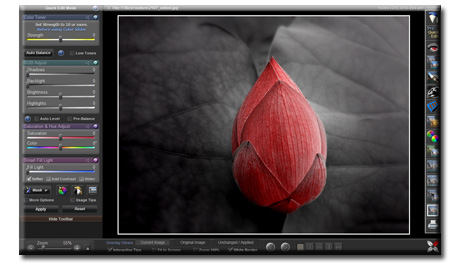
At the very bottom, in the brown panel, there is an inscription Hide Toolbars – hidden tools. Clicking on them, you get "Click for more functions" on a blue background. And in the column that appears on the right, we see:
Special Feature
Remove Red eye - a key feature of the program. This effect removes the red-eye tint. Remove color cast – removes reflections and shadows of any colors from the image. A very good function because it erases what a person might not notice themselves.
- Sharpen – blurring the image, "photo aging effect".
- Crop – cropping the image to the desired size.
- Resize Image – changing the image size.
- Add a border – add a frame to the image along the edge. The thickness and color of the frame can be selected.
- Print – quickly print the image.
Main Functionality:
In the top menu, there are 10 tabs, but not all are frequently used. The most essential ones:
- File – here you can save a file, open, print, close, and open other files from a folder. Work in the editor starts and ends with the functions of the File tab.
- Edit – editing. Extensive capabilities: undo the last action (the program specifies which one), redo an undone action, view recent actions, revert to the original image (undo all actions after saving).
- Auto – the program sets average values for color, saturation, and lighting.
- Image – this tab contains most of the functions available in the left panel, as well as image rotation, flipping,
- Help – instructions for working with the program, a link to the official website, and assistance.
- Support for RAW, Jpeg, 48-bit tiff, .bmp.
- "SmartContrast" technology.
- Shadow overlay Smart-Fill Light while preserving the real image of faces.
- Elimination of red-eye effects.
- Printing images, rotations, cropping, resizing, redo and undo actions, etc.