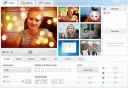
If you need to save a fragment of a video playing on your computer, whether it's a presentation or a video tutorial, any screen recording software will help you with this task. Generally, such utilities are easy to use and very flexible in configuration. All you need to do is pre-set all the parameters, from the video save folder to the output file format. During setup, you can also assign hotkeys for pause, stop, and start recording. The color of the mouse cursor can also be configured. The ability to customize all these parameters is very helpful when recording video tutorials (to highlight necessary information). A screen recording software like Debut Video Capture Software can even record a specific window on the screen instead of the entire screen. Of course, you can also save screenshots and edit the necessary images in the built-in editor. Thus, you will save time and space on your computer by having a program that saves images from your monitor and an editor to modify those images. If you wish to download a screen recording program, visit our resource where you will find the utility you need.