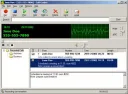
Sound recording program will be a godsend for advanced users. With its help, you can record sound from any source, for example, from a microphone. All audio content that passes through the sound card is recorded. That is, there is no difference where the sound recording comes from: from a computer, an audio player, internet radio, etc. There is software for covert sound recording. Utilities can save recorded content to files of various formats. We recommend downloading a sound recording program that supports multiple formats. Note that during file saving, you can specify additional parameters: bitrate, overall sound volume, and much more. It is good if the program is in Russian. In this case, it will be more understandable for the user, and recording with it will be easier. Some programs offer various additional functions. For example, you can perform text-to-speech conversion. You can also schedule automatic recording of streaming audio. If you decide to download a sound recording program for free from our site, you will have unlimited opportunities to work with audio. With such software, you can easily record audio notes for planning, educational materials in mp3 format, audiobooks, and more. Additionally, you can extract music from video for recording and editing sound. Still haven't decided which program to choose for recording high-quality sound? Then pay attention to the software offered on our site. We have selected only the best programs for you that allow you to record sound from a computer. They are easy to manage. They do not cause difficulties in operation. There are a huge number of sound recording programs, however, many of them are distributed for a hefty fee. Our site has selected software that is offered for free. It has intuitive navigation and a pleasant interface design that we see on our computer screen. Choose at your discretion: Free Audio Recorder, Power Sound Editor Free, Free Sound Recorder, Audacity, and other programs.