Acoustica MP3 CD Burner is the best available today for these purposes. It not only guarantees high quality of the final result, but also offers a wide range of additional features. The built-in mixer and melody editor in Acoustica MP3 CD Burner, automatic quality and volume corrector, implementation of smooth transitions between tracks – everything for the delight of the ear. Functionality of Acoustica MP3 CD BurnerWorking in Acoustica MP3 CD Burner is simple and pleasant, because it is implemented as much as possible
29 programs found
VirtualDVD Media Emulator – a simple tool for creating virtual drives. Ease of use is ensured by a clear interface. Using a drive created on your personal computer, you can launch disk images in CD/DVD/Blu-Ray format. Note that the utility supports an extensive list of disk image formats. Note that via VirtualDVD Media Emulator, up to 24 drives can be created simultaneously. Additionally, it is possible to mount a disk image located in the
Feurio!
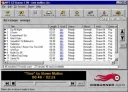
Feurio! will make the process of recording and copying audio discs much easier. With this application, you can work with various audio compacts, including CD-Text information. All information about artists can be found in CDDB or on the Internet. Features of Feurio! The software includes a special module for copying tracks from a disc. There is also a module for working with various databases, supported by CDDB. Sample editing is available.
Easy CD Ripper
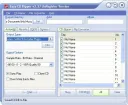
Easy CD Ripper is a popular utility due to its functionality, allowing you to digitize the contents of discs. The main purpose of the program is ripping, converting, recording tracks, and other audio work. With Easy CD Ripper, copying tracks from a CD becomes a breeze. File data can be entered manually. But if you don't want to search and verify information, you can use the automatic mode, in which the application retrieves data from an online database. Features of Easy CD R
DVD Rebuilder
DVD Rebuilder – an indispensable assistant for copying DVD discs. Using this program, you can easily create projects for placing copies read from the original data onto a medium, including subtitles, language translations of video, menus, etc. One of the main advantages of the utility is the ability to select data for copying. For example, if you need to duplicate a movie with the original audio (i.e., remove the translation) or choose one of all available subtitle languages, in this case DVD Rebuilder in
Virtual Drive Pro is a popular program for creating copies of compact discs. The media image is saved on the hard drive. This allows for quick launch of any application that only works with a CD/DVD media for swapping (e.g., games). You can also quickly access data that is usually stored on CD/DVD. The application is distributed for free. Download it quickly from our website. Note that installation will not cause any problems. Choose Virtual Drive Pro as
Soft4Boost Burning Studio is used for burning Blu-ray, DVD, and CD discs. The software can rightfully be called a multifunctional package capable of performing a wide range of tasks. Moreover, the program is equipped with an easy-to-use interface that will be understandable even to the most inexperienced user. The utility has been successfully tested by developers for SATA, USB, Firewire, IDE, SCSI drives. It supports media types such as DVD-RAM, CD-R/RW, DVD+/-RW, DVD+/-R, dual-layer Blu-ray BD-R,
Virtual CloneDrive is a popular utility that allows you to create virtual drives and their images, which were captured by CloneDVD and CloneCD programs. The program has a simple interface, which significantly facilitates working with it. Download the application from our website. Note that after installing this program and restarting your personal computer, a virtual CD/DVD-ROM is created. It contains all the captured images. Please note that there is also an option to use
Gizmo Drive
Gizmo Drive – a high-power utility for emulating disk images and organizing work with virtual drives in CD/DVD format. Note that the program allows you to create up to 26 virtual drives. On them, you can mount disk images in various formats such as NRG, CCD, IMG, CUE, ISO, BIN, MDS, and MDF. Additionally, Gizmo Drive can work with VHD files used by Microsoft Virtual PC, as well as image files that have password protection. Gizmo Drive will delight you with extensive possibilities
Despite the fact that optical disc drives are still in use, software that allows you to burn, copy, and perform other operations with CDs and DVDs is growing in popularity. Often, a disc burning program, in addition to standard functions, can offer additional options. For example, creating disc covers, burning an ISO disc image, erasing rewritable media, creating backups, or converting files. Various programs in Russian can be used for burning discs. Free programs for burning CDs and DVDs are especially popular. Often, their functionality is almost no different from their paid counterparts. Most programs will provide you with high-quality copying. Software offered by modern developers has excellent power and easily burns discs in CD, DVD, and Blu-ray formats. Programs from the "all-in-one" category deserve special attention. With their help, you can work with video and additionally burn discs. Some software can effectively convert data for further viewing on a mobile device. You can always download a disc burning program from our website. It is adapted to work with the entire Windows "family" and offers the user many useful tools. At the same time, pay attention to the unlimited opportunities that the disc burning program will provide you. You can always download such software for free, without sending SMS or entering codes, from us!