Antivirus is one of the central
PC programs that allows you to work safely on the internet, download files, and visit hundreds of different websites. Now we will look at the best options so you can decide where the best
antivirus for Windows 10 is.
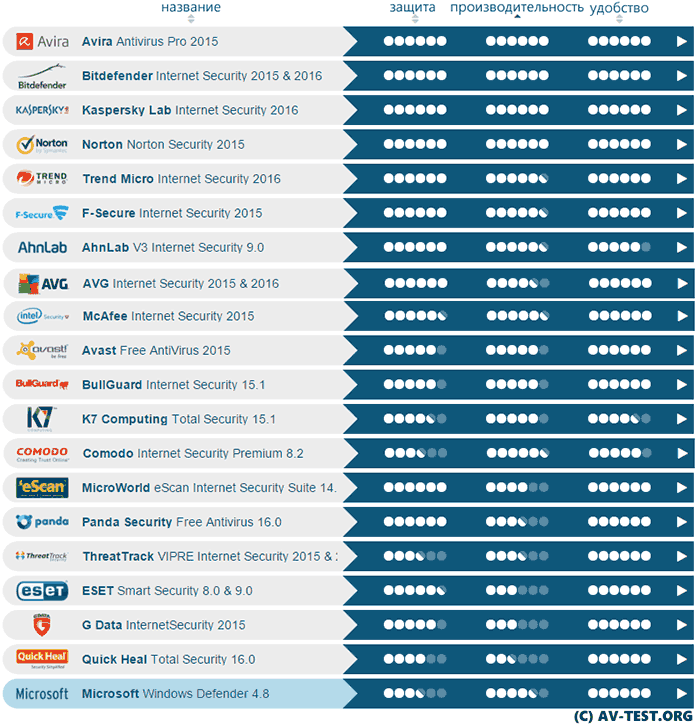
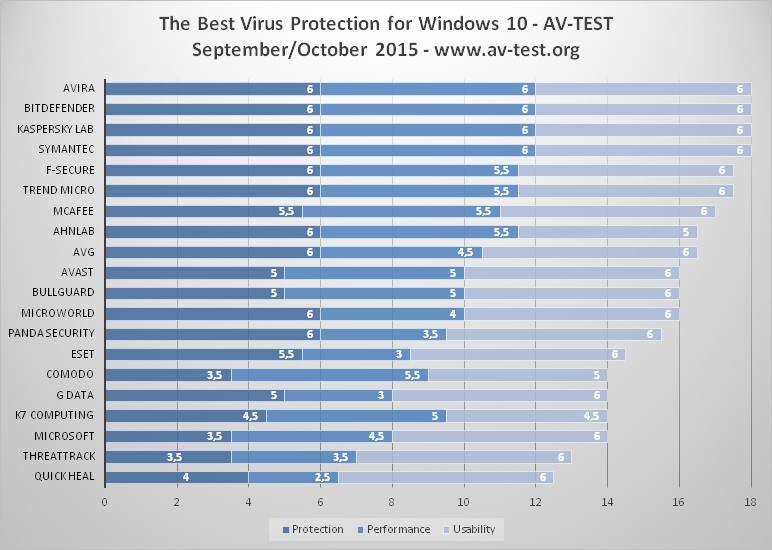
Every year, companies AV-TEST, Virus Bulletin, and AV Comparatives conduct tests. They study the operation of different applications and then present their findings to the public. Ratings are given in three areas: protection, performance, and usability.
On the other hand, ordinary users can simply point out all the pros and cons. Here are collected those antiviruses that received "excellent" ratings in both professional and amateur approaches.
360 Total Security
A completely free
antivirus for Windows 10. It has many features for which you don't need to pay. The application allows you to quickly check downloaded files, periodically analyzes PC performance, and creates lists of unnecessary folders.
360 Total Security's earnings largely depend on advertising. But pop-up windows can't even be called a drawback. They are compact, do not interfere, and there is no need to close them.
Download 360 Total Security antivirus
Kaspersky

The 2016 antivirus rating for Windows 10 could not do without this application. It's hard to find more professional and stable protection. Kaspersky is ready to face viruses of any complexity.
It immediately warns about threats, preventing pests from entering the system and causing harm. The main and only drawback is the high consumption of computer resources.
ESET NOD 32
This is a simple
antivirus for Windows 10. It most often ranks 5-7 in ratings, but as practice shows, it does an excellent job with its tasks.
The advantage of the application is the ability to fight serious viruses. There is no heavy load on the system. Suitable for installation even on weak PCs.
Download ESET NOD 32 antivirus
Avast

A popular program. Perhaps huge amounts of money were invested in advertising. Since Avast is often written about on all sites and forums. The antivirus is suitable for any system, creating high-quality protection.
The interface is simple, so there is no need to read additional information about the features of use.
Paid Antiviruses for Windows 10
Why spend money on purchasing applications that are already available?
It's about additional settings and multifunctional protection. A paid
antivirus for Windows 10 2017 is purchased by the following clients:
- Professional companies and firms: This way they protect data, reducing all risks to zero. This is especially important for those who work with large sums of money.
- IT specialists: The security of their PCs is of great importance. The system is filled with programs and data that should not be destroyed.
Ordinary users who are accustomed to storing documents, passwords, and accounts on their PC.
All of them should analyze the antivirus rating for Windows 10 and choose a suitable option. Usually, the parameters of the top positions do not differ much; you need to focus on the computer's power. Here we will look at the features of top paid applications.
Avira Antivirus Pro
- built-in protection function when using the internet;
- creation of a special LiveCD disk that effectively and quickly cures infected files;
- Avira System Speed Up module (gives the PC additional power).
Kaspersky Antivirus

- parental control function with various capabilities (tracking browsing history, connecting your smartphone to the system);
- additional protection for passwords and personal accounts, especially regarding bank accounts;
- ideal support service for Russian-speaking people (they solve problems and answer questions for their paid clients lightning fast).
Norton Security
- protection of personal data on the internet (bank accounts, personal accounts, email addresses);
- elimination of all spam and advertising (removing dangerous spam, opening which leads to virus infection);
- promotes fast and easy system operation (removes unnecessary files, optimizes disks).
It's hard to say which antivirus is best for Windows 10. All these applications work perfectly with the system. The only difference is in pricing policy. When choosing, it's also worth paying attention to a few professional programs: Trend Micro, F-Secure, and Bitdefender. They have a full set of features, but Bitdefender (the #1 antivirus in 2016 testing) does not have a Russian language option.
Remember that you should only buy an antivirus from official websites. Other methods are fraudulent. No one has the right to distribute products except the copyright holders.
Best Free Antiviruses for Windows 10: User Opinions
Today, there is no problem
downloading an antivirus for Windows 10 from any site. The key "download free" is at the top of all search engines.
There are several reasons for such a search:
- The desire to test good applications before buying a paid version. This is the right approach. All major companies give you the opportunity to use services for free for a certain amount of time. If expectations are met, you can sign a contract.
- No need for additional features. The antivirus will only be used on a home PC. Remember that professional IT workers must always buy licensed versions of programs according to the rules.
- Free antiviruses for Windows 10 in Russian do not differ from paid versions in basic functions. They also protect well against viruses and improve system performance.
- Only additional bonuses and modules are missing. Below is a list of free versions that received the highest scores for their work.
Kaspersky Free
Kaspersky developers created the free version not long ago. It allows you to use services for 365 days. Protection is top-notch. The interface is intuitive.
Even amateurs will quickly figure out the settings. This antivirus is convenient for checking individual downloaded files.
Bitdefender Free
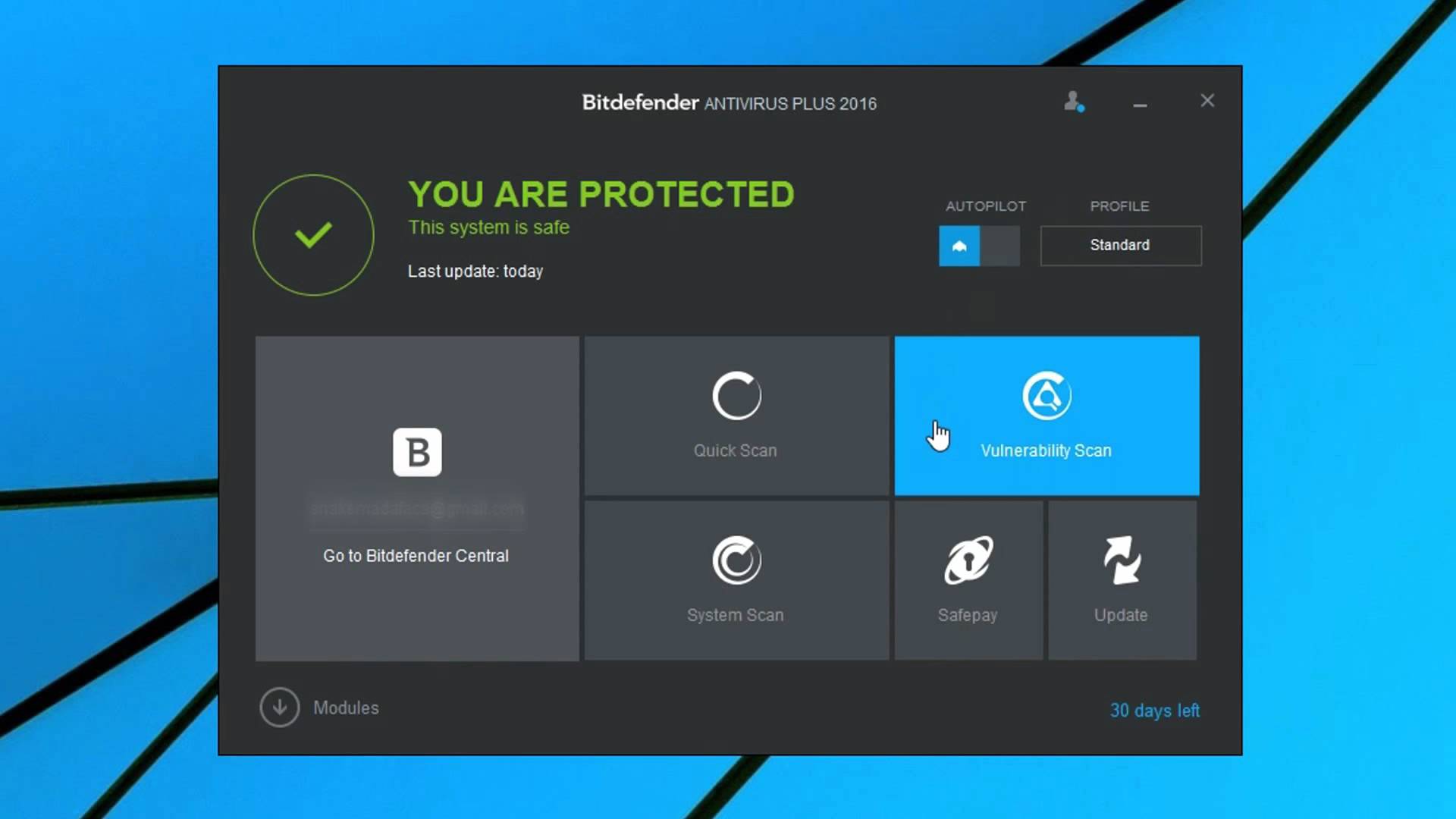
This option is not often chosen because the Russian language is not installed. But such a small thing shouldn't be a problem. The interface does not contain a large number of tabs.
It's enough to know just a few words. Since this is not a paid version, there are no settings or additional features. The program will simply protect the PC, check all folders, and remove junk.
Avira Free
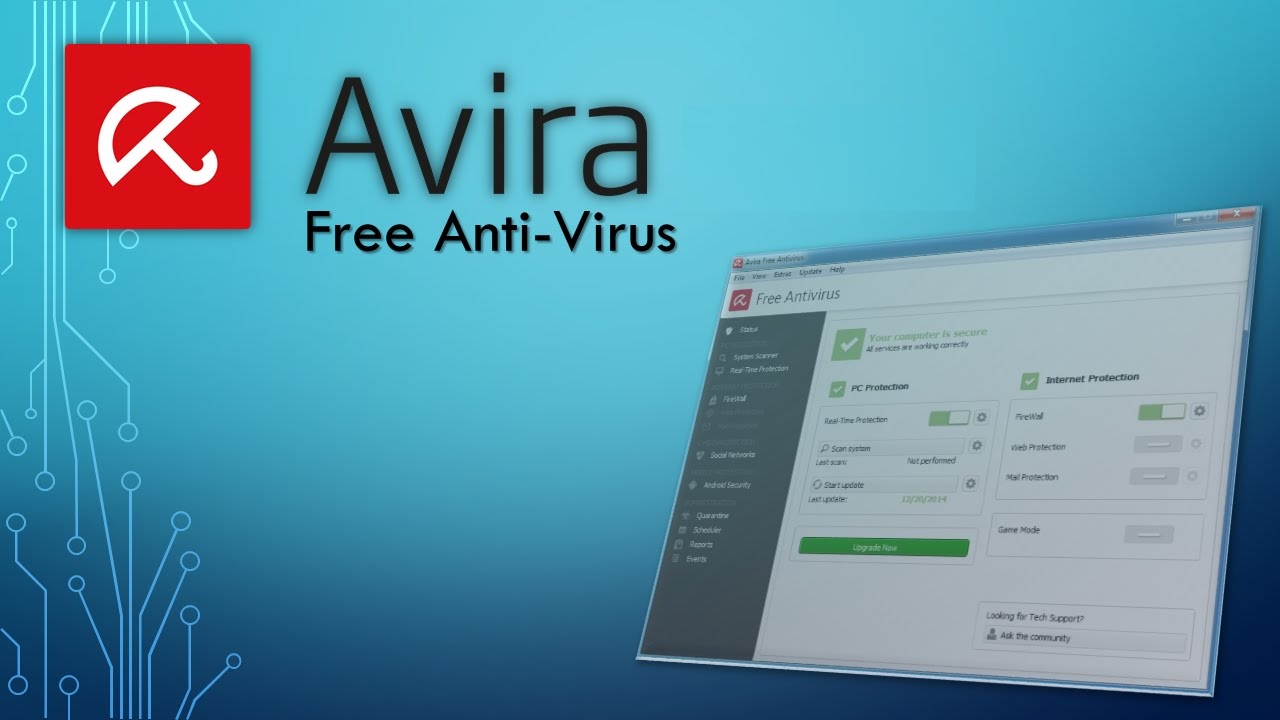
An ideal solution for private use. Minimum settings. There is a built-in firewall. The application monitors computer functionality and indicates malfunctions.
From time to time, it highlights a list of files that slow down the system. For deep cleaning, you just need to press one button. It couldn't be simpler.
360 Total Security
This is another great option that is often described as the best
free antivirus for Windows 10. It allows you to analyze any part of the PC and speeds up system operation.
The only drawback that is mentioned is the deletion lists. The program shows unnecessary files. Analogues do the same. But sometimes important files end up on the list. So you shouldn't delete everything thoughtlessly.
It's enough to install the version you like to forget about viruses and problems for a long time.