Windows Movie Maker
Video Editors Free

Windows Movie Maker

Version 2.6

3.9 (143 ratings) Hover and click a star to rate
Downloads
1 061 824
Size
7.02 Мб
Rating
3.9 / 5
License
Free
Download

Description

Windows Movie Maker - quickly and conveniently creates videos and edits videos when adding various effects. Included in Microsoft Windows, the alternative Windows Movie Maker is part of the free Windows Live Microsoft software package.

Windows Movie Maker Features:

Capture video from various sources (camcorders, mobile phones, digital camcorders, digital cameras, etc.). When creating videos in Windows Movie Maker, you can add a background audio track and use a nice transition between frames. Additionally, you can edit educational video tutorials by adding user comments.

To enhance the effect and clarity of the tutorial, adding explanatory captions to the video is provided. The program has the ability to automatically process video based on preset parameters. It supports working with various high-definition video files. Windows Movie Maker works on all Windows operating systems: XP, Vista, 7, 8, including Home Basic without Aero modes, and interacts with the application included in standard Windows Vista.

Additionally, when editing video, you can add graphic files from Windows Photo Gallery, burn finished videos to DVD using Windows DVD Maker applications.

Windows Movie Maker creates and fully processes (splitting, trimming) video formats such as MPG, AVI, MP2, M1V, MP2V, MPV2, MPEG, WM, ASF, and WMV.

Features

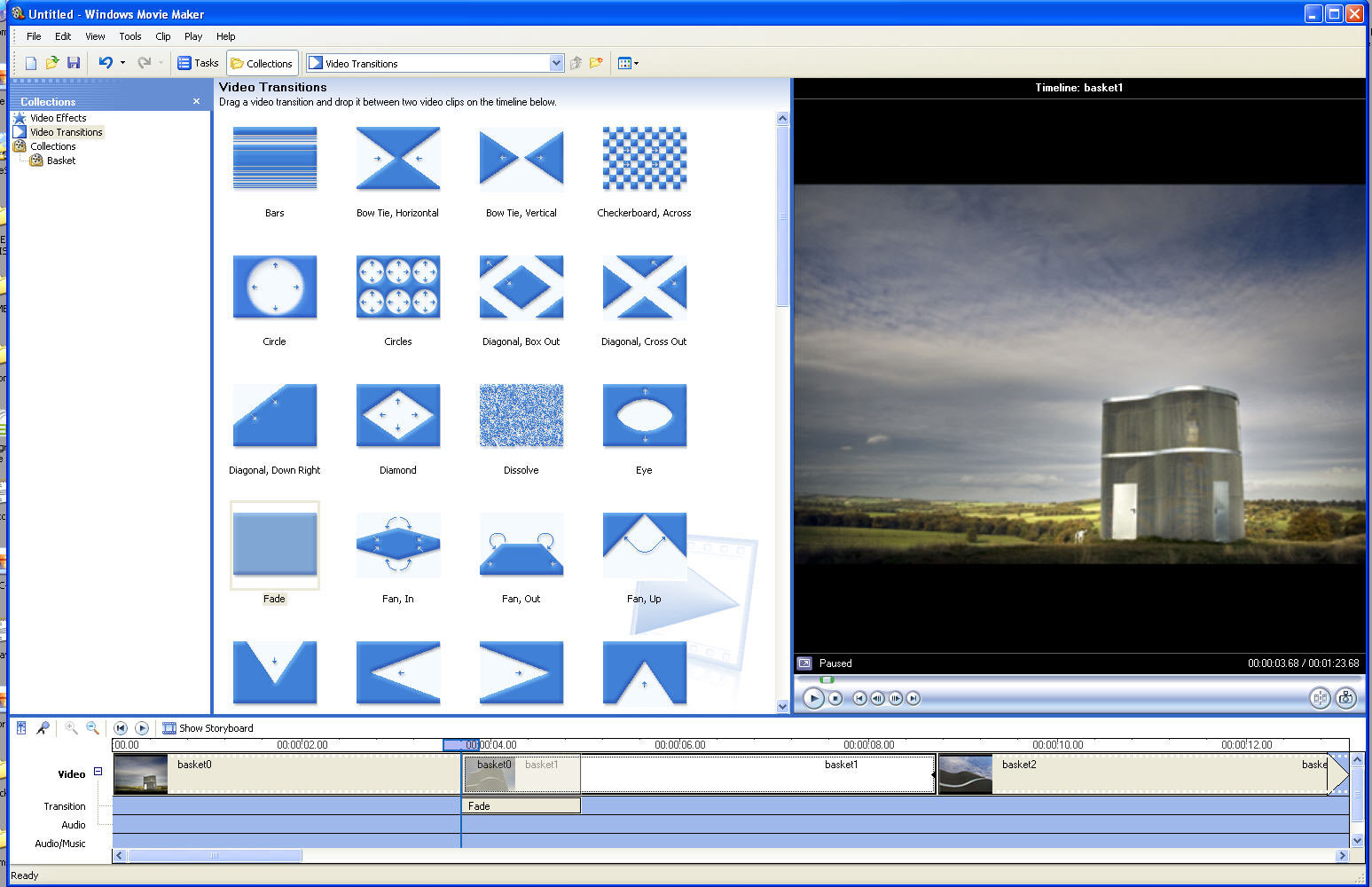
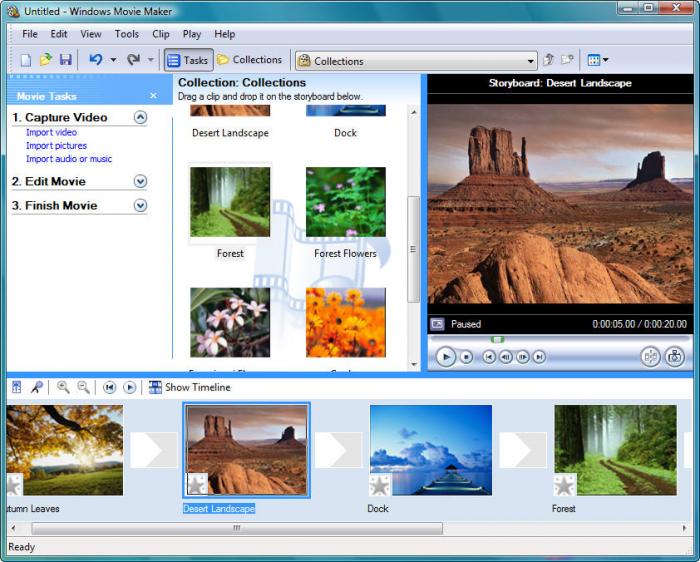
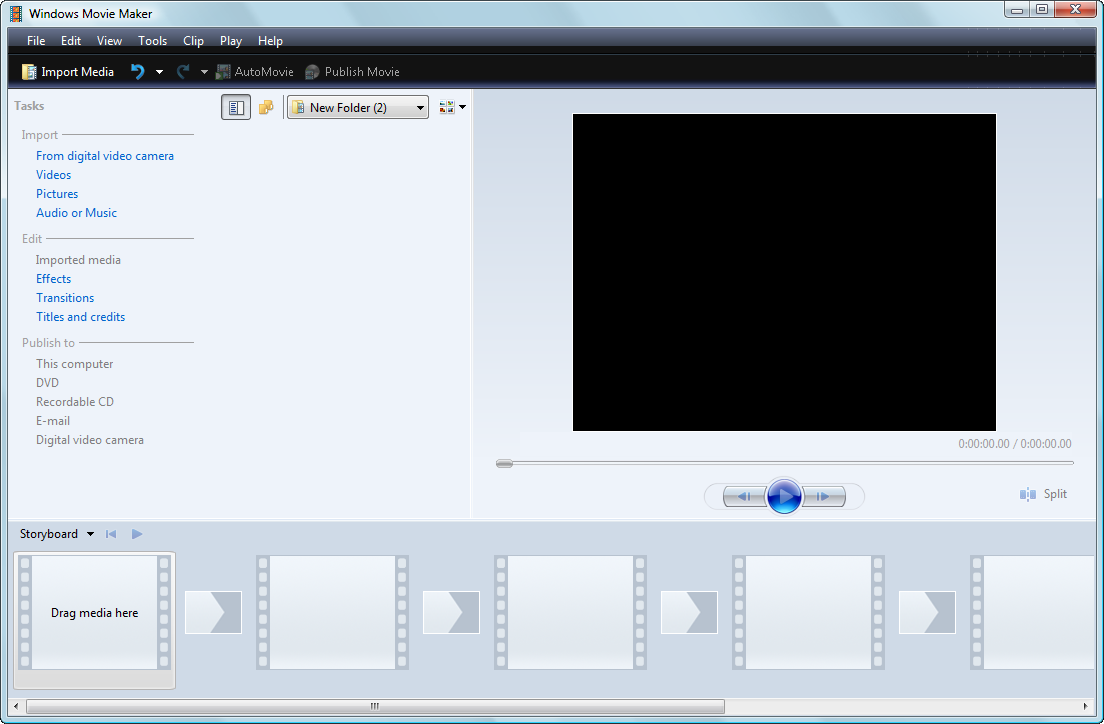
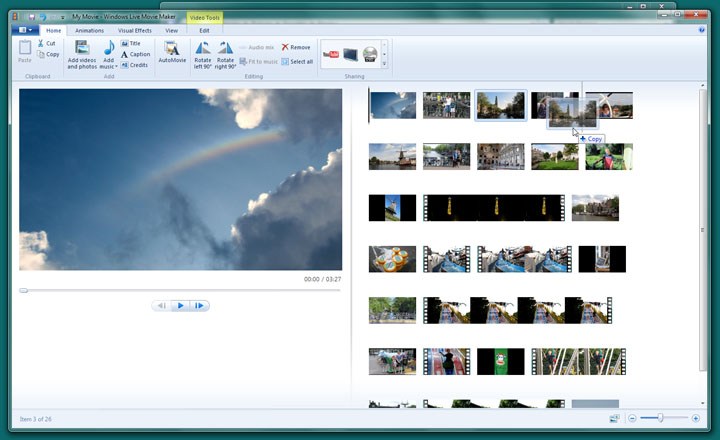
Windows Movie Maker is specifically designed for a wide range of users who are not familiar with the intricacies of professional video processing and editing. Thanks to its intuitive interface, it is easy to learn how to use. All this is a big plus for those who cannot afford the services of editors or do not have the time and technical knowledge to delve into the nuances of professional software. With Windows Movie Maker, you can easily create your own video clip from existing video or photos, independently cut fragments, trim, and remove unnecessary minutes from the "film". You can create a stylish slideshow in video format from photos. These two media elements can be combined in one clip, adding various transitions and finishing the video file with credits. You can also add your own audio track. Before starting work, the necessary files must be imported into the program using the "File" - "Import" menu or a button from the menu on the left side of the window. The loaded fragments will appear in the central section. Then you can drag the desired video or photo to the timeline at the bottom, and in the media window on the right, you can preview the resulting clip. The set of tools in Windows Movie Maker is small, so there will be no difficulties in working. All program features are listed in the menu on the left side of the window. Upon completion of work, you can save it as a project and continue editing later, or export the file in various video formats to a removable drive or save it to a hard drive in AVI or WMV formats.

Disadvantages

Now about the downsides. Since the program is still amateur-level, do not expect high performance from it. With it, you can delight your loved ones with an impressive presentation for a child's birthday, but you will not be able to edit a long video sequence or one requiring many tracks. The final file will not have high resolution. The source video format may not be suitable for the program. To work with a clip, the files must have the extension WMV or AVI. To read some other formats, you need to install separate codecs. Nevertheless, the quality of the resulting videos is sufficient to create and present a project in an office or educational institution, at a friend's party, or a parent's evening. Undemanding enthusiasts and beginners in video editing will appreciate Windows Movie Maker for its simplicity and convenience.

Features of Windows Movie Maker Versions

  • Saves video in H.264 format by default.
  • Added the ability to overlay text with a shadow.
  • Added a function responsible for video stabilization.
  • Added the ability to import audio from a flash drive or computer.
Many often wonder how to download the Russian version? In fact, it is very simple. You can download the current archive offered by the site - it is already in the Russian version and does not need a language pack, or you can go to the program author's website and simply select the Russian version and click the download button.


Screenshots

Specifications

Version2.6
PlatformsWindows, macOS
DeveloperMicrosoft
Size7.02 Мб
LicenseFree
Views38 188

Reviews

14 reviews

  • admin 02.07.2020

    Windows Movie Maker полностью бесплатная программа

  • борис 22.05.2020

    вы под видом бесплатных программ пытаетесь всучить не понятно что , но платно. мне неприятно иметь с вами дело. До свидания и другим не рекомендую ваши программы

  • Александр 05.10.2019

    Для слайдшоу- г#вно. Невозможно менять скорость кадров....

  • Екатерина 17.07.2019

    к сожалению мне не нравится простая программа. Сделала всё фото и музыку наложила вышло на 11:42, но на 7:25 уже черный квадрат и фото больше не листает только музыка поём. Уже удаляла скачивала снова и снова накладывала, но опять черный квадрат. В чём причина не понятно :=(((

  • Екатерина 05.06.2018

    Нет русского языка, это огромный минус!!!!

  • Наталия 01.04.2018

    Сегодня скачала программу, но у меня возникли трудности.. Где найти русский язык?) Плииз-подскажите!)

  • Артем 27.07.2016

    Обладает всеми необходимыми функциями и набором действий для работы с видеофайлами, единственное пожелание, чтоб вшили в нее кодеки для работы с нестандартными расширениями. в принципе для домашнего, не профессионального использования самое то)

  • Денис 26.07.2016

    Программа удобная и понятная даже начинающему, благодаря ей можно научиться самому монтировать ролики, добавить в видео спецэффекты, поработать со звуком и добавить текст. Для ютуб-блоггеров подойдет)

  • Злата 26.07.2016

    Очень простая в понимании программа с приятным глазу интерфейсом. Разобралась с первого раза. Без проблем можно делать нарезки видео и объединять в клипы, убрать звук и наложить свой текст, музыку или даже вместе. Идеально подходит для создания слайд-шоу! Это лучшая из бесплатных программ для монтажа, жалею,что раньше не раскрыла весь ее потенциал.

  • Кирилл 26.07.2016

    Часто приходится создавать ролики для презентации. Для этого выбрал программу Windows Movie Maker. Очень удобная программа. Нет необходимости долго изучать интерфейс. Он очень понятен и не сложен. Есть возможность делать переходы, создавать надписи на видео, делать заставки. Еще я использую программу для обработки домашнего архива видео и фото.

  • Лина 26.07.2016

    Раньше очень часто пользовалась Windows Movie Maker при работе с фото, составляла видеоролики. А потом после переустановки программа потерялась. А сейчас были с парнем на фотосессии и куча фоток классный получилась. Снова разыскала эту программу. Сегодня весь вечер буду делать ролик и фото для него подбирать. Всем советую ей воспользоваться, доступна даже новичкам.

  • PatternMaker 19.07.2016

    Movie Maker - новые версии бесплатных программ для Windows на русском языке. Скачать Movie Maker бесплатно и безопасно! Программы для компьютера без регистрации и смс.

  • Анжела 02.07.2014

    Скачала сегодня Windows Movie Maker очень крутая программа, спасибо!

  • Наташа 24.03.2014

    Когда-то давно скачивала эту программу что бы скомпонировать видео со свадебных фоток, и не поверите - реально у меня получилось сделать прикольный видео-ролик со своих фоток, классной музыкой!!!!

From this category

Show more
Adobe Premiere Pro CS6

Adobe Premiere Pro CS6

Video Editors
4.0

Adobe Premiere Pro CS6 - not so long ago, the well-known corporation Adobe delighted its many users with the release of a new updated version of the service designed for editing video format files. You can download Adobe Premiere CS6 for free right here, on our website. Having started the installation of the full package of services, you will, as usual, see in the installation window a list of all programs already automatically ready for installation. The list is quite large, each application is designed for different

2 909 1795.16 Мб
Download
Windows Live Movie Maker

Windows Live Movie Maker

Video Editors
4.1

Windows Live Movie Maker is a functional, free and powerful tool (Windows Live - Movie Studio) from Microsoft company, used for creating movies, impressive video clips from photos and videos. You can add transitions, colorful effects, record audio tracks, titles, etc. Program capabilities: Created projects can be sent via email, saved on optical media, recorded as high-resolution video for PC, various mobile devices (Zune, Windows Phone), and published online.

1 609 217 Mб
Download
Movavi Video Editor

Movavi Video Editor

Video Editors
4.2

Movavi Video Editor serves as a tool for working with video files. The application provides professional filters, adding subtitles to clips, various transition effects, special effects ("mosaic", "sepia", "picture-in-picture", "add noise", "grayscale", etc.), overlaying custom audio tracks, changing playback speed for audio/video files, and much more. Features During the import of media files into the project, there is an option to capture audio and video, including from VHS video recorders.

832 87.68 Mб
Download
VirtualDubMod

VirtualDubMod

Video Editors
4.3

VirtualDubMOD, an enhanced version of the well-known program VirtualDub, is used for video processing and capture. Joining, cutting clips, applying filters, transcoding, etc. The authors have not been involved in development since 2006. The program interface is similar to VirtualDub, with a significant difference being that the Audio menu has been replaced by Streams, reflecting the processing of multiple audio streams. A feature of the program is its work with a huge number of media file formats. VirtualDubMod, unlike VirtualDub, opens both AVI and MPEG1 f

503 5.8 Mб
Download

Popular downloads

Show more
Starus File Recovery

Starus File Recovery

Recovery Programs
5.0

Starus File Recovery is a program that allows you to recover deleted data from various media. With this program, you can restore files that have been lost in various ways. For example, they were deleted bypassing the Recycle Bin, hidden by malicious software, lost due to software failures, complete emptying of the Recycle Bin, formatting, or deletion of the hard drive. The program effectively works with various devices, such as hard drives, SS

190 009 14.08 Мб
Download
PROMT

PROMT

English to Russian translators
3.3

PROMT - leader in offline and online translation, with the most powerful collection of dictionaries and translated language pairs, 60 language pairs. LLC "PROMT" - a leading Russian company, developer of translation systems for private users and corporations. PROMT software provides translation of any text using built-in dictionaries, including both common and specialized terms. Instructions for any devices, in necessary software lacking a Russian interface, or emails from a foreign company

46 864 794.00 Мб
Download
Pascal ABC

Pascal ABC

Programming
4.1

Pascal ABC.NET is written in the Delphi language (Object Pascal) on the Microsoft.NET platform. It includes the PT4 problem book, and tools for the Draftsman and Robot performers, which are used in school computer science when learning programming. The main purpose of the Pascal ABC.NET programming system is the study and teaching of modern programming languages. Features This program is a complete programming system using the Pascal language. Development takes place on the well-known platform Micros

41 458 67.70 Мб
Download
Nero Burning ROM

Nero Burning ROM

Programs for burning discs
4.0

Nero Burning ROM - A powerful multimedia multifunctional program for high-quality work with DVD, HD DVD, CD and Blu-ray discs; video and audio. In addition, the program has backup utilities, disc cover layout, support for virtual discs. Supports DiscT@2, LabelFlash and LightScribe image application technology. There are versions of the program for recording without utilities for Linux and Microsoft Windows. Advantages: High quality burning and copying of discs

25 474 94 Мб
Download