
FastStone Capture is used for creating screenshots and editing them; the built-in simple graphic editor provides viewing and editing of graphic files. It allows you to rotate images, resize, cut fragments, adjust color, and perform other operations. The capture process can be controlled using the toolbar, system tray, or hotkeys. Settings are supported for capturing the entire screen, active window, or selected area. It performs capturing
DuckCapture
Version 2.7
Description
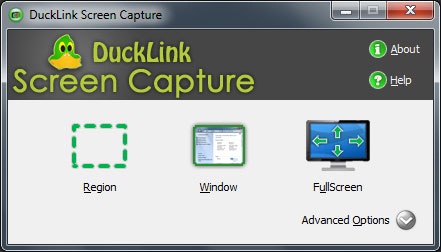
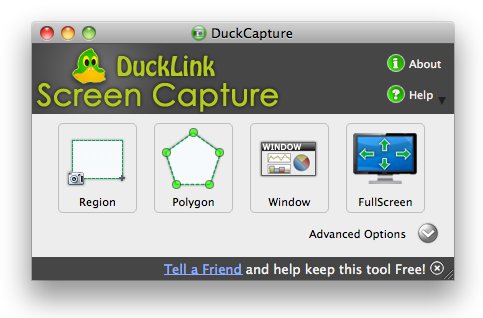
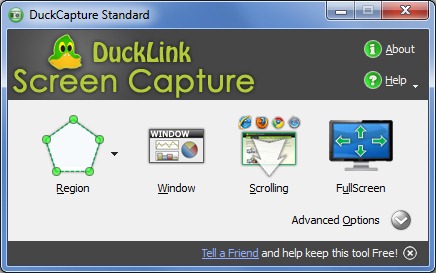
DuckCapture is designed for quick screenshot capture of the entire screen, a custom selected area, objects, and windows (with and without auto-scroll). You can choose program control via hotkeys or mouse (by clicking the icon in the system tray).
Screenshot files are saved in BMP, PNG, JPG formats with varying compression. The program includes a built-in tool for adding comments. In the settings, you can specify a name template and folder for automatic naming and saving of screenshots.
Your work can be edited in a graphics editor, copied to the clipboard for insertion, or published on the min.us service.
Main features:
- Capture screenshots of the entire screen, a selected area, object, or window.
- Supports capturing screenshots in freeform and rectangular shapes.
- Capture screenshots with auto-scroll ("long" windows with scrolling).
- Supports hotkeys.
- Capture screenshots with or without the cursor.
- Auto-start function when the system boots.
- Templates for automatic file naming and saving.
- Save screenshot files in BMP, PNG, JPG formats.
Specifications
| Version | 2.7 |
| Platforms | Windows, macOS |
| Developer | DuckLink Software |
| Size | 5.9 Mб |
| License | Free |
| Views | 830 |
From this category
Show morePicPick in Windows OS is used for capturing images, taking screenshots, and editing them. It combines a PC monitor screen capture utility with a simple graphic editor. The program does not affect system folders or the registry, and it can be copied to a USB drive and run from there. It supports Unicode, multi-monitor systems, and has a vast set of tools: protractor, screen magnifier, angle measurer, ruler, color adjustment, filters, whiteboard, etc. It is designed not
EasyCapture is designed for taking screenshots of the entire screen, an object, an open window, or a specific sector of a given shape. It includes an image editor that allows editing screenshots: resizing, labels, arrows, adding text, underlining, and more. Tabs are used when viewing screenshots. Program options are managed from the system tray, the main window, and via hotkeys. EasyCapture supports well-known graphic formats such as TIFF, PNG, JPG, BMP, and GIF. Main functionality: Captures
Screenshot Captor is designed for taking screenshots. It has extensive capabilities, allowing you to capture images from the screen, an open window, a toolbar, or an arbitrary area on the monitor. Additionally, Screenshot Captor can take screenshots from multiple monitors simultaneously. The program has an option for automatic file naming, you can insert text comments into files, create thumbnail copies (preview icons), as well as other necessary tools.
Popular downloads
Show moreWindows Movie Maker - quickly and conveniently creates and edits videos by adding various effects. Included in Microsoft Windows, the alternative Windows Movie Maker is part of the free Windows Live software package from Microsoft. Features of Windows Movie Maker: Capture video from various sources (camcorders, mobile phones, digital video cameras, digital cameras, etc.). When creating videos in Windows Movie Maker, you can add a background audio track, use between
Starus File Recovery is a program that allows you to recover deleted data from various media. With this program, you can restore files that have been lost in various ways. For example, they were deleted bypassing the Recycle Bin, hidden by malicious software, lost due to software failures, complete emptying of the Recycle Bin, formatting, or deletion of the hard drive. The program effectively works with various devices, such as hard drives, SS
PROMT - leader in offline and online translation, with the most powerful collection of dictionaries and translated language pairs, 60 language pairs. LLC "PROMT" - a leading Russian company, developer of translation systems for private users and corporations. PROMT software provides translation of any text using built-in dictionaries, including both common and specialized terms. Instructions for any devices, in necessary software lacking a Russian interface, or emails from a foreign company
Pascal ABC.NET is written in the Delphi language (Object Pascal) on the Microsoft.NET platform. It includes the PT4 problem book, and tools for the Draftsman and Robot performers, which are used in school computer science when learning programming. The main purpose of the Pascal ABC.NET programming system is the study and teaching of modern programming languages. Features This program is a complete programming system using the Pascal language. Development takes place on the well-known platform Micros