Adobe Reader - a free, widespread software package from Adobe Systems for viewing and creating PDF files. The package was created in 1993. Main features and key functionality of Adobe Reader: The package has several versions with different functionality: Adobe Acrobat Professional, Adobe Acrobat Standard, Adobe Acrobat Elements, Adobe Acrobat Professional Extended. For communicators and PDAs there is a version called Adobe Reader for PocketPC. Adobe Reader has basic functions for working with PDF documents, for example,
Description
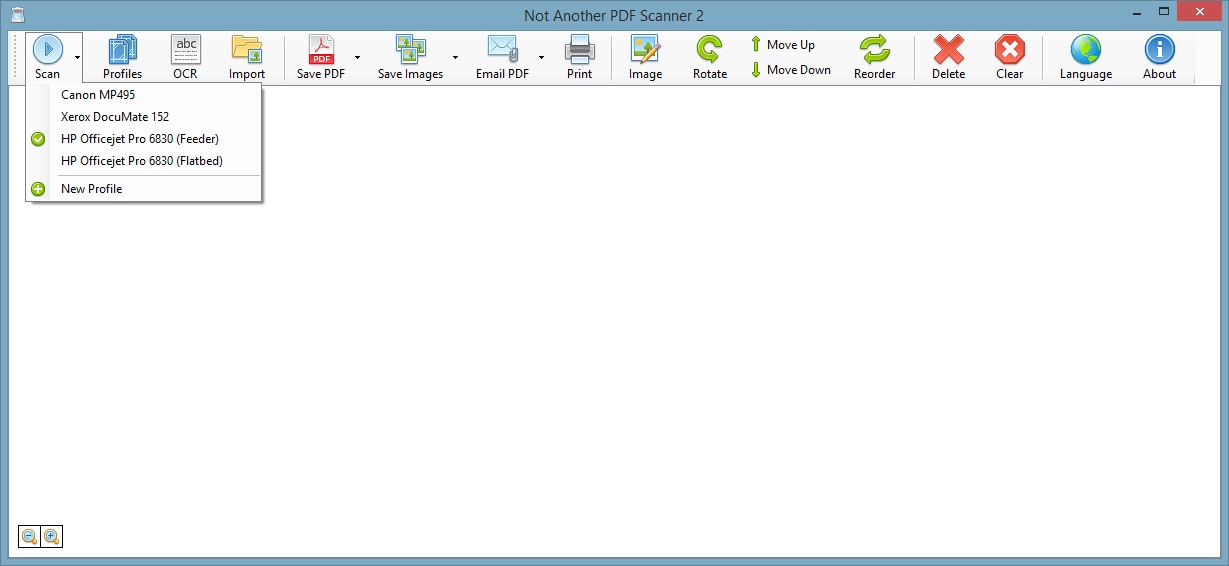
Naps2 — can analyze a document and convert it to PDF in a few seconds, without compromising quality or time. So you don’t have to search for resources, you can download the free scanner software Naps2 below.
The importance of ease of use in work programs lies in compact information processing without much effort. But finding the right software that matches the user's criteria is difficult, and sometimes it takes longer than the work itself. Naps2 is an excellent service for working with documents. Its functionality allows you to quickly, in the most compressed time frames, do the required work, particularly when it comes to scanning documentation and other files.
Advantages of the Naps2 utility:
- Ability to scan any available document in one click. Significant time savings. Perfect for people who are always short on time.
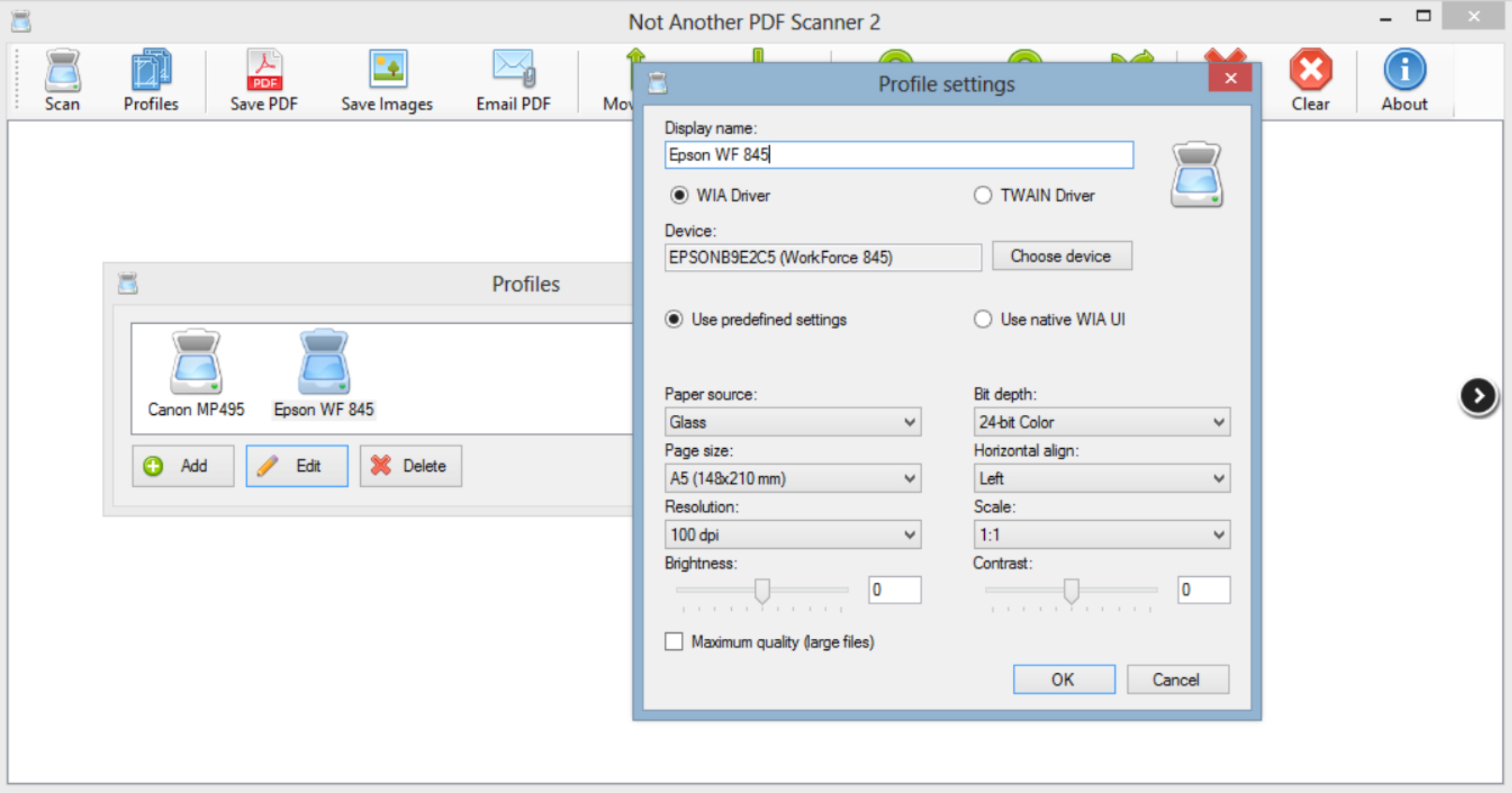
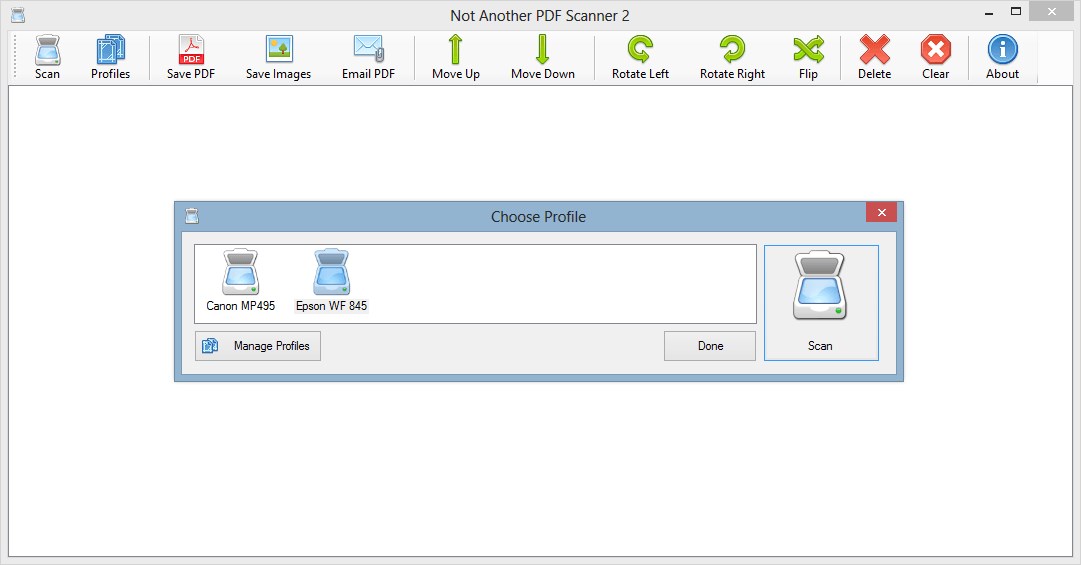
- Setting up multiple software profiles. When several people use the PC, the need to adjust program parameters for each person’s work makes subsequent work much easier. Each user will be able to most conveniently use adjustments and modification of the program for their own work.
- There is the option to save the result in more than 10 different formats. You can send the resulting file by email in a few clicks, or print it. Only a few mouse clicks are needed.
- Quite rare compatibility with WIA and TWAIN. This feature allows manual selection of the most up‑to‑date driver for working with modern information, regularly updating it or rolling back.
- Before starting work, you can select certain parameters of the future document, including resolution, depth, and page scale. Most often, these parameters are set by default.
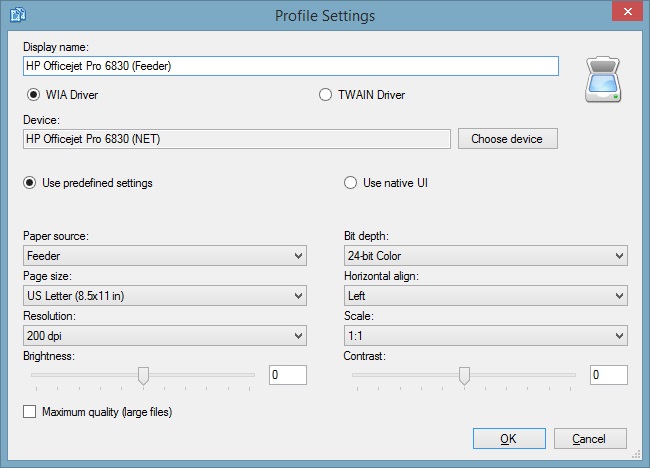
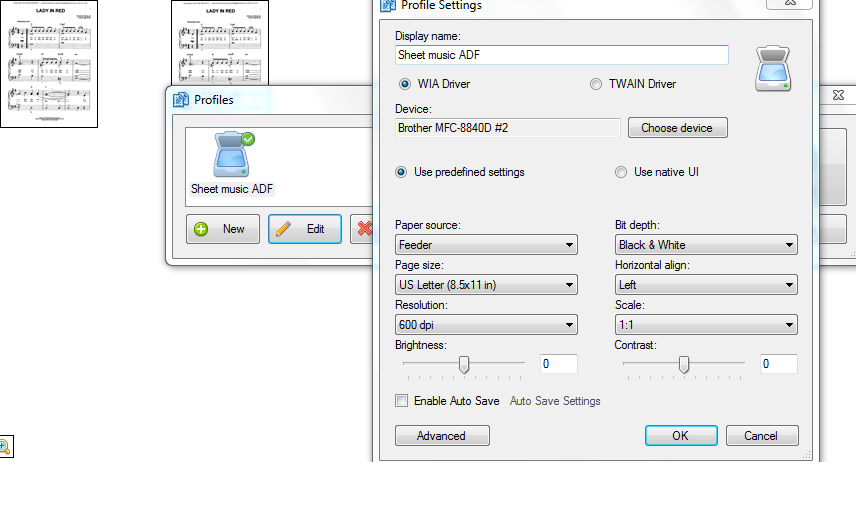
Before starting work, it is recommended to configure and save the profile. This action involves choosing the necessary driver for work, selecting a possible interface variation, adjusting brightness and contrast, setting resolution and depth. Once all items are filled in, loading Naps2 from the profile will not ask for data input to work.
Optical scanning of documents has a broad base, comprising more than 60 languages, including Russian. The user will be able to use the program not only for the regular web, but also after opening the deep internet, where more than 90% of inaccessible information is found in the deep web.
Naps2 – a program suitable not only for home use, but also for business. This is reflected in a short list of potential features:
- There is an additional command‑line interface for better automation of work.
- Naps2 installation and configuration also has great potential in the direction of deployed group policy.
- There is a system for creating portable archives that do not require installation.
Naps2 – a powerful and smart assistant for a user in their work. Its structure has made it possible to completely remove advertising, even when working online. The developers did not run affiliate programs for their product, so it is recommended to download the installation file only from trusted sources.
Since the software is completely free and available to all users, there is absolutely no need to overpay for personal and professional programs whose functionality is excessively bloated.
Specifications
| Version | 5.6.2 |
| Platforms | Windows |
| Developer | www.naps2.com |
| Size | 1.7 Мб |
| License | Free |
| Views | 3 482 |
From this category
Show moreSoda PDF Professional - a convenient, free, simple application that serves to create, convert, edit and secure PDF documents. Key features: The application interface is intuitive, you can start working immediately after installation. Soda PDF has powerful automated functions for creating groups of PDF files, professional documents and templates. The application works with brochures, resumes, flyers, advertisements, handouts, proposals,
PDFCreator - a free program for the operating system Windows 7 / 8 / XP embeds a virtual printer, using it when creating PDF files in any graphic and text editors that support document printing. The program also converts files of different formats to PDF. These files can be password protected, encrypted, and printing restrictions can be set. The program has a wide range of tools: setting the document Author, processor priority, image resolution; auto save
STDU Viewer - a free compact program that serves for reading electronic books (documents). Supports DjVu, PDF and TIFF formats for Microsoft Windows. The program provides separate bookmarks for reading multiple books with possible search in each of them. The bookmark system returns at any moment to the last read page. Main features and key functionality of STDU Viewer: Views formats PDF, Comic Book Archive (CBZ, CBR), FB2, DjVu, XPS, ePub, TCR, multi-page TIFF,
Popular downloads
Show moreWindows Movie Maker - quickly and conveniently creates and edits videos by adding various effects. Included in Microsoft Windows, the alternative Windows Movie Maker is part of the free Windows Live software package from Microsoft. Features of Windows Movie Maker: Capture video from various sources (camcorders, mobile phones, digital video cameras, digital cameras, etc.). When creating videos in Windows Movie Maker, you can add a background audio track, use between
Starus File Recovery is a program that allows you to recover deleted data from various media. With this program, you can restore files that have been lost in various ways. For example, they were deleted bypassing the Recycle Bin, hidden by malicious software, lost due to software failures, complete emptying of the Recycle Bin, formatting, or deletion of the hard drive. The program effectively works with various devices, such as hard drives, SS
PROMT - leader in offline and online translation, with the most powerful collection of dictionaries and translated language pairs, 60 language pairs. LLC "PROMT" - a leading Russian company, developer of translation systems for private users and corporations. PROMT software provides translation of any text using built-in dictionaries, including both common and specialized terms. Instructions for any devices, in necessary software lacking a Russian interface, or emails from a foreign company
Pascal ABC.NET is written in the Delphi language (Object Pascal) on the Microsoft.NET platform. It includes the PT4 problem book, and tools for the Draftsman and Robot performers, which are used in school computer science when learning programming. The main purpose of the Pascal ABC.NET programming system is the study and teaching of modern programming languages. Features This program is a complete programming system using the Pascal language. Development takes place on the well-known platform Micros