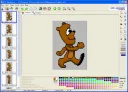
Pivot Animator is used to create 2D animation and save it in GIF animated format for publishing on web pages. The utility is intended for ordinary users who have no idea about 3D and 2D animation and are unfamiliar with professional editors. The program has a simple interface and several options. The stickfigure-based utility provides animation through non-standard depiction of objects and living things using support nodes (points) connected by lines or circles. The program remin
PhotoFiltre
Version 10.8.1
Description
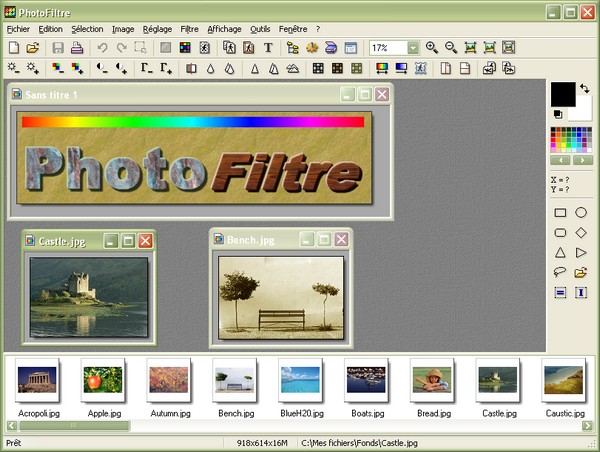
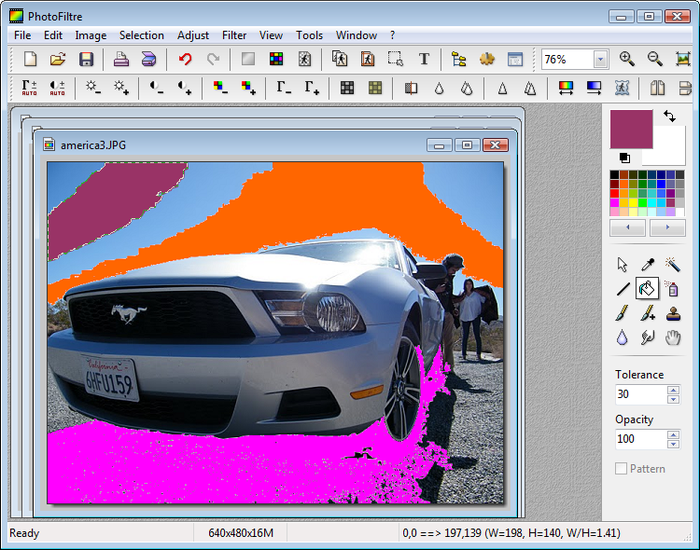
PhotoFiltre in Windows OS has the most necessary tools and serves for editing, creating, and processing images. It helps the user quickly create graphic compositions.
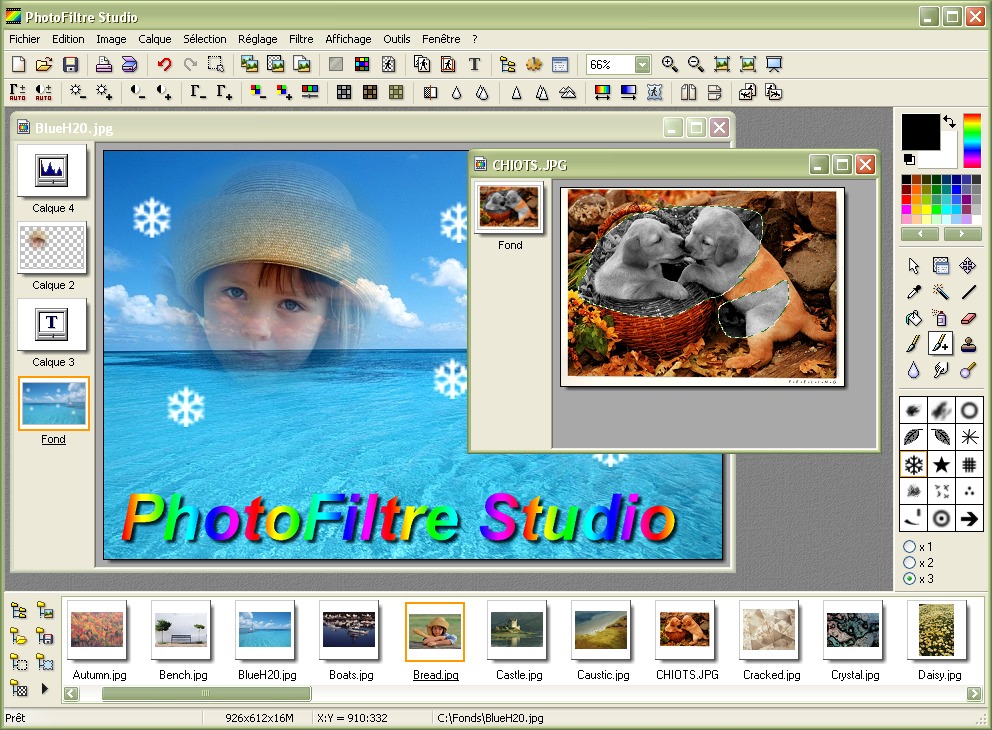
A huge collection of graphic effects allows a beginner to feel like a real pro in the world of photos. You can use standard options (adjustments for contrast, saturation, brightness, color) and many artistic filters. The editor can optimize graphics, process decorative text, create greeting cards and envelopes using ready-made templates. The program's functionality can be significantly expanded with plugins (developer's website).
One of the universal features of PhotoFiltre is working with image fragments. You can apply your own effects to a selected fragment and save it in a separate file.
The program contains over 30 plugins, templates, more than 100 filters; automation of basic functions (drawing frames, resizing, conversion) is performed; icons are created from GIF images; its text effects are advanced (embossing, shadows, rotation); various types of textures and contours; combining and overlaying images.
The application is available to users in two versions: PhotoFiltre Studio and PhotoFiltre Editor. The first is distributed on a paid basis, the second is free. By downloading PhotoFiltre Studio, the user can evaluate the quality of the software product, check the functionality, and the efficiency of the application for 30 days. After that, a license must be purchased.If the user liked working with the application, they can install the standard version, distributed free of charge for non-commercial use. It has functional limitations that do not negatively affect the productivity of home use. All plugins, masks, and templates available in the paid version are also accessible in PhotoFiltre Editor.
External Modules
The program can manage additional modules of various types. All plugins are divided into categories for convenient searching in a specialized menu. To add a new plugin, you need to copy the file to the Plugins folder. Users of both versions of the program have access to modules from the following categories: filters, images, importing, exporting, additions, Photoshop 8BF plugins.
Filter modules are designed for processing images in 16 million color mode without using the transparency effect. The list of available filters can be found in the "Filter" menu. The user can change the color, softness, sharpness of the image, remove noise, adjust relief, apply various effects, for example, add fog, radial blur, fragment.
Image modules are used to edit picture parameters. To change the image size, canvas, make a duplicate, fit the photo to specific parameters, crop, add a shadow or frame, you need to use the "Image" menu.
Exporting and importing modules are located in the "File" menu and are designed for working with source or finished files. To load pictures saved in various formats, the importing module is used, and to save work results in various formats, the exporting function is applied.
Add-on modules are listed in the "Tools" menu. For example, the automation module will allow you to automate a sequence of operations that need to be performed on multiple images.
Main functionality:
- Over 100 graphic filters;
- Several types of textures and contours;
- Advanced text effects;
- Presets available;
- Image scanning: camera, scanner, or webcam;
- Image compositing and blending;
- Supports plugins and templates;
- Image viewer;
- Supports Plug-in-Play;
- Supports batch image processing.
Specifications
| Version | 10.8.1 |
| Platforms | Windows, macOS |
| Developer | Da Cruz Antonio |
| Size | 11.02 Mб |
| License | Free |
| Views | 2 781 |
Reviews
1 reviews
-
Анна 13.03.2017
Скачала,запустила программу.Полная ерунда!Всё на иностранном,не переводится!Зачем только писали,что на русском языке?И что с этим делать?
From this category
Show morePhoto! Editor is a free, efficient, and multifunctional editor that contains a full set of necessary tools and is used for working with digital photos and raster images. Photo! Editor is fast, easy to use, convenient, and functional at the same time. For high-quality image processing, you don't need to study a lot of reference information or additionally install plugins. A very important advantage of the program is that all tools can be used in automatic mode. Feature Editor
Snagit is used for capturing images displayed on computer monitors, taking screenshots, and works with Windows and Mac OS. It has been released since 1990 and is distributed by TechSmith. Main features and key functionality of Snagit: Capture graphics, text, video, images, and web pages (including those requiring scrolling). Capture text, images from program windows, menus, and objects. Capture images from applications, Direct3D, DirectDraw, and DirectX. Capture text, graphics files, screen clipboard, DOS. And
LightBox Free Image Editor combines professional quality with ease of use. The program is suitable for both beginners and advanced users. Program features A distinctive feature of the editor is the Remove ColorCasts option, which uses a new Gray Point algorithm. It is used to remove invisible skin tones that spoil the overall impression. Another positive feature of the program is fast operation and quick startup. Beginners will find the friendly interface and reference guide useful. Small pro
Popular downloads
Show moreWindows Movie Maker - quickly and conveniently creates and edits videos by adding various effects. Included in Microsoft Windows, the alternative Windows Movie Maker is part of the free Windows Live software package from Microsoft. Features of Windows Movie Maker: Capture video from various sources (camcorders, mobile phones, digital video cameras, digital cameras, etc.). When creating videos in Windows Movie Maker, you can add a background audio track, use between
Starus File Recovery is a program that allows you to recover deleted data from various media. With this program, you can restore files that have been lost in various ways. For example, they were deleted bypassing the Recycle Bin, hidden by malicious software, lost due to software failures, complete emptying of the Recycle Bin, formatting, or deletion of the hard drive. The program effectively works with various devices, such as hard drives, SS
PROMT - leader in offline and online translation, with the most powerful collection of dictionaries and translated language pairs, 60 language pairs. LLC "PROMT" - a leading Russian company, developer of translation systems for private users and corporations. PROMT software provides translation of any text using built-in dictionaries, including both common and specialized terms. Instructions for any devices, in necessary software lacking a Russian interface, or emails from a foreign company
Pascal ABC.NET is written in the Delphi language (Object Pascal) on the Microsoft.NET platform. It includes the PT4 problem book, and tools for the Draftsman and Robot performers, which are used in school computer science when learning programming. The main purpose of the Pascal ABC.NET programming system is the study and teaching of modern programming languages. Features This program is a complete programming system using the Pascal language. Development takes place on the well-known platform Micros