Screen Recording Software

Download free software — compare versions, ratings and sizes.

26 programs found

VideoGet

VideoGet

3.9

VideoGet is a powerful program for downloading video clips from over 900+ video websites (Yahoo Video, YouTube, MySpace, Metacafe, Google Video, VSocial, and many others) with the ability to convert them into various formats for viewing on a video player, computer, or mobile phone. Features Despite the abundance of downloader programs from various services, not all are capable of fast and stable operation. VideoGet has a one-click download function; by clicking the corresponding button next to the video, the download will start automatically.

2 453 10.87 Mб
Download
VideoPort VideoPhone is a simple and convenient utility designed for video communication over the Internet and local network. For such communication, you only need a webcam and a network connection. The application features image noise reduction and a face detector that identifies the user when the camera is on. The program automatically determines the channel bandwidth and ensures communication even on the slowest channels. Using the multi-conference function, you will be able to communicate simultaneously

877 5.39 Мб
Download

Movavi Video Editor serves as a tool for working with video files. The application provides professional filters, adding subtitles to clips, various transition effects, special effects ("mosaic", "sepia", "picture-in-picture", "add noise", "grayscale", etc.), overlaying custom audio tracks, changing playback speed for audio/video files, and much more. Features During the import of media files into the project, there is an option to capture audio and video, including from VHS video recorders.

832 87.68 Mб
Download

VirtualDubMOD, an enhanced version of the well-known program VirtualDub, is used for video processing and capture. Joining, cutting clips, applying filters, transcoding, etc. The authors have not been involved in development since 2006. The program interface is similar to VirtualDub, with a significant difference being that the Audio menu has been replaced by Streams, reflecting the processing of multiple audio streams. A feature of the program is its work with a huge number of media file formats. VirtualDubMod, unlike VirtualDub, opens both AVI and MPEG1 f

503 5.8 Mб
Download
Paint.NET

Paint.NET

3.4

Paint.NET is a raster graphics editor for Windows NT, simple yet convenient and powerful. It is based on the Microsoft .NET Framework. An excellent replacement for MS Paint on Windows. Supports formats: PNG, BMP, TIF, JPEG, TGA, GIF, its own PDN format. The application is open as a project developed for Microsoft Windows, under the guidance of Microsoft by students at Washington State University. The program is written in C#, with C++ used for installation and shell integrations. Main functionality of Paint

491 6.6 Мб
Download
Snagit

Snagit

4.3

Snagit is used for capturing images displayed on computer monitors, taking screenshots, and works with Windows and Mac OS. It has been released since 1990 and is distributed by TechSmith. Main features and key functionality of Snagit: Capture graphics, text, video, images, and web pages (including those requiring scrolling). Capture text, images from program windows, menus, and objects. Capture images from applications, Direct3D, DirectDraw, and DirectX. Capture text, graphics files, screen clipboard, DOS. And

440 64 Mб
Download

Mirillis Action gives you a unique opportunity to record all manipulations performed on your computer desktop. The application is an indispensable assistant in the process of creating video tutorials. It allows capturing both the entire screen and a specific area, even during gameplay. The utility takes up minimal hard disk space, thereby facilitating and speeding up your device's operation. On our portal, unlike other sites, you can download

351 18.10 Мб
Download
ooVoo

ooVoo

2.9

ooVoo is used for organizing video conferences and instant messaging over the Internet (including recording and sending video messages). You can make free video calls, including group calls (~12 participants). It is possible to record video calls, there is video mail and many other features. The program has an option for screen sharing — opponents can see what is displayed on your monitor during video calls. This is extremely useful for remote presentations or when you need to

235 13.77 Mб
Download
CamStudio

CamStudio

4.0

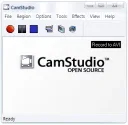
Camtasia Studio was created by TechSmith and is used for capturing video from a PC screen along with sound in AVI file or Flash SWF formats. Before starting recording, the user sets the capture area and parameters for shooting. Camtasia Studio also provides recording of sounds from speakers or microphone, and placement of video materials from a webcam on the screen. The created video is converted into formats supported by the program. The recording quality of the program directly depends on the video/audio codecs installed in the system. CamStu

216 11.1 Mб
Download

Free Studio is designed in a new modern style and includes 50 free multimedia applications created by DVDVideoSoft. The Free Studio 5.0 package was included in the list of Best Software 2010 by PC Magazine/RE. Free Studio includes 8 sections: Audio & MP3, YouTube, Video & DVD, CD-BD-DVD, 3D Mobile Devices, Photos, Apple Devices. The new interface allows you to quickly find the program you need. The toolkit provides conversion of multimedia files to various formats for mobile devices.

193 86 Mб
Download
Clip2Net

Clip2Net

4.7

Clip2Net is used for capturing video and taking screenshots from the screen. The program provides quick uploading of photos, images, and any other files to the Clip2Net server and creates links for publishing on the Internet: on blogs, forums, or websites. A screenshot can be sent via e-mail. Popular formats jpg and png are used for images, and for jpg, image parameters can be configured. For video format, a codec can be selected for compression. The hotkey option is supported, sometimes it is simply necessary

141 5.2 Mб
Download

UVScreenCamera is used for real-time video capture from the screen, records PC user actions (cursor movement, mouse clicks, keyboard presses), creates training videos, interactive tutorials, presentations in FLV, UVF, SWF, EXE, AVI formats, and GIF sound animations. In EXE and UVF formats, the video is compact in size. UVScreenCamera provides cursor highlighting during mouse clicks and keyboard presses during recording. Additional display of actions is provided by the virtual keyboard, it

141 6.37 Mб
Download
PicPick

PicPick

3.7

PicPick in Windows OS is used for capturing images, taking screenshots, and editing them. It combines a PC monitor screen capture utility with a simple graphic editor. The program does not affect system folders or the registry, and it can be copied to a USB drive and run from there. It supports Unicode, multi-monitor systems, and has a vast set of tools: protractor, screen magnifier, angle measurer, ruler, color adjustment, filters, whiteboard, etc. It is designed not

141 10.2 Mб
Download
Fraps

Fraps

5.0

Fraps is a small program that will delight you with its abundance of features. The main function of the software is to perform calculations in applications that operate via OpenGL and Direct3D, counting how many frames per second (FPS) have passed. Fraps has excellent compatibility with a solid number of modern games. Note that computer games nowadays (for the most part) operate in such graphics modes. One of the important advantages

131 2.30 Мб
Download

DuckCapture is designed for quick screenshot capture of the entire screen, a custom selected area, objects, and windows (with or without auto-scroll). You can choose to control the program via hotkeys or mouse (by clicking the system tray icon). Screenshot files are saved in BMP, PNG, JPG formats with varying compression. The program includes a built-in tool for adding comments. In the settings, you can specify a name template and folder for automatic naming and saving of screenshots. You can edit your work in the graphic

122 5.9 Mб
Download

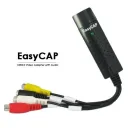
EasyCapture is designed for taking screenshots of the entire screen, an object, an open window, or a specific sector of a given shape. It includes an image editor that allows editing screenshots: resizing, labels, arrows, adding text, underlining, and more. Tabs are used when viewing screenshots. Program options are managed from the system tray, the main window, and via hotkeys. EasyCapture supports well-known graphic formats such as TIFF, PNG, JPG, BMP, and GIF. Main functionality: Captures

120 2.6 Mб
Download

Screenshot Captor is designed for taking screenshots. It has extensive capabilities, allowing you to capture images from the screen, an open window, a toolbar, or an arbitrary area on the monitor. Additionally, Screenshot Captor can take screenshots from multiple monitors simultaneously. The program has an option for automatic file naming, you can insert text comments into files, create thumbnail copies (preview icons), as well as other necessary tools.

117 8 Mб
Download

Video Inspector is an excellent application for recording video in MJPEG format from a USB camera. It is most often used to record processes occurring near your computer when you are not around. You can use it as an addition to your video surveillance system. You can monitor the actions of your child, your pets, employees, and also learn many interesting things that happen when you are not around. Recording starts according to a set timer or when motion is detected.

116 446 Кб
Download

Live WebCam is a multifunctional program that includes the functions of a photographer, video surveillance system, and spy. The program automatically captures and saves images from a webcam. To avoid storing duplicate images, it automatically compares the current and previous shots. It is convenient to use the auto-photographer mode during friendly parties, presentations, and similar events, from which you will have plenty of interesting photos. Features of Live W

108 330 Кб
Download

Hidden Camera is a convenient program for monitoring employee computers. With Hidden Camera, you can remotely control up to 250 computers of your subordinates on the Internet in real time. There is an option to record to an archive. At your discretion, the program takes screenshots of selected computers at specified intervals and saves them to an archive. Each screenshot can be saved as a separate image and printed. A feature of the program is...

105 5 Мб
Download

If you need to save a fragment of a video playing on your computer, whether it's a presentation or a video tutorial, any screen recording software will help you with this task. Generally, such utilities are easy to use and very flexible in configuration. All you need to do is pre-set all the parameters, from the video save folder to the output file format. During setup, you can also assign hotkeys for pause, stop, and start recording. The color of the mouse cursor can also be configured. The ability to customize all these parameters is very helpful when recording video tutorials (to highlight necessary information). A screen recording software like Debut Video Capture Software can even record a specific window on the screen instead of the entire screen. Of course, you can also save screenshots and edit the necessary images in the built-in editor. Thus, you will save time and space on your computer by having a program that saves images from your monitor and an editor to modify those images. If you wish to download a screen recording program, visit our resource where you will find the utility you need.