Very often, network users report that they cannot log in to the popular social network "Odnoklassniki". As a rule, in such cases, almost all users with this problem receive a message on the site stating that their account has been blocked on suspicion of being hacked.
Moreover, a form appears on the site for sending an SMS to verify that it is really you.
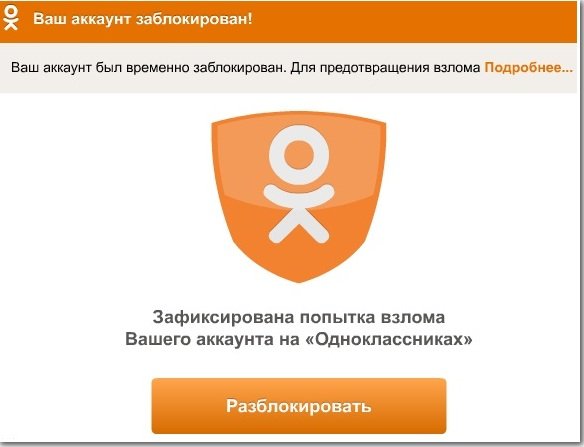
Restore access to Odnoklassniki
First of all, we advise you to use this form and restore access. If you fail to do this, for example, because the SMS does not arrive, or the site stops responding to requests, then most likely you have encountered attackers who have already obtained your data, namely, a login/password pair with which they can log in to the site.
And at the moment when you tried to enter your number to get your account back, the attacker also obtained your number. Now, if the site asks the attacker for your phone number, they will enter it without any problem.
But don't worry, in 90% of such cases, attackers do not steal accounts; they only log into your account and add you to many groups. That is why it often happens that you or your friends end up in groups that you never even joined.
What should you do if you have lost access to the site?
How could your password be stolen on the official website of the social network "Odnoklassniki"? The fact is that you were actually visiting not the official site, but a fake site that looks exactly like the official website of the social network "Odnoklassniki". But why, when you type the address www.odnoklassniki.ru in the address bar, do you actually end up on the attackers' site?
The thing is that a virus, or some program, or maybe even a simple program tail, has modified the hosts file (Where is the HOSTS file located) in your Windows operating system. That is why, when visiting the "official page", you are actually going to the attackers' site. To fix this, go to File Explorer and open "Local Disk "C", then go to the "Windows" folder, find the "System32" folder there, open the "drivers" folder inside it, and then in the "etc" folder you will find the hosts file.
Attention! Do not confuse the hosts file with the hosts.ics file, as these are two completely different files, and you need exactly the hosts file. If you cannot find the hosts file, try enabling the display of hidden files in Windows; this file might be hidden. So, open the hosts file using a regular notepad.
Its content will be approximately like this:
- 127.0.0.1 localhost
- 123.2.31.123 www.odnoklassniki.ru
Here you will see a line like "123.2.31.123 www.odnoklassniki.ru"; this is the line that the attacker's virus program added. Delete this line and save the file. If you do not know what a hosts file is, we advise you to clear it completely, then save it and set the "Read-only" attribute.
Now, everything should work. Try to log in to the social network "Odnoklassniki", and then BE SURE to change your password to a more complex one, containing at least a few digits and Latin alphabet letters in different cases.
You might be interested in antivirus software for PC:
- Which antivirus is best to choose for Windows 8
- Download Comodo Internet Security for free
- Download Avast Antivirus for free
- Download Kaspersky Antivirus for free
- Download Avira Free Antivirus for free
- Download AVG AntiVirus
- Download Comodo Antivirus
Good luck!