Many internet users face problems with authorization on social networks. This most often happens due to a virus that changes the domain and IP address binding in Windows. Thus, when you visit the social network "VKONTAKTE", you actually end up on its exact copy, even though the address bar says "vk.com".
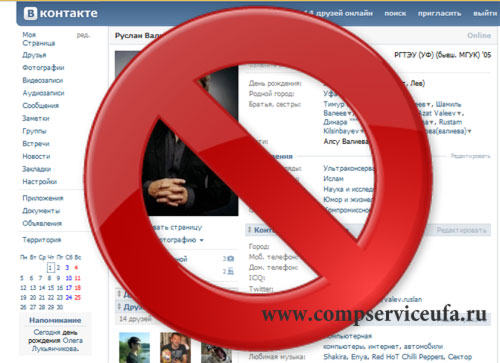
Without suspecting anything, you try to log in, enter your data, your username and password, and then receive strange messages saying that authorization failed. At that moment, the attacker has already obtained the data you entered and is waiting for your next actions.
Next, on the site, you see an offer to enter your phone number to verify whether it is you or not. You enter your phone number, which you used to register your account on the social network "VKONTAKTE", and again receive a strange message that you entered the number incorrectly. Now, even if you enter the phone number 100 times, you will always get the same message about the number being incorrect.
During this time, the attacker has already received the phone number you entered and calmly proceeds to log into your account using the data you provided. Then they do whatever they want with the account, while you still cannot log in. This is the scheme by which the hosts virus works, redirecting you to the attacker's site.
If you suspect that you are a victim of such a virus, do the following. Go to the path "C:/Windows/System32/drivers/etc" and there you will see the hosts file. If you don't see it, try enabling the display of hidden files and folders in Windows.
If even after this you do not find the specified file in the specified folder, then you do not have this virus.
Attention!
Do not confuse the hosts file with the hosts.ics file, as these are two different files, and you need the hosts file.
If you successfully find this file, open it for editing in a regular notepad. Now you should do the following. If you do not know what this file is and what it is for, or simply do not use it, clear its contents and save it. Even better, in this case, simply clear the contents of this file, then save it and set its attribute to "Read-only".
If you use the hosts file for your own purposes, for example, if you have Denwer installed, do the following. Disable Denwer if it is running, and before disabling Denwer, the hosts file should not be open for editing.
After disabling Denwer or other programs that use the hosts file, open this file for editing. Completely clear its contents and save the changes.
That's it, the virus will no longer work, and you can safely log into the social network "VKONTAKTE".
How to create multiple accounts on Vkontakte?
If you need to create several additional accounts on the Vkontakte social network, you will need multiple phone numbers during registration to receive SMS for verification. For this, you need a virtual number for receiving SMS with which you can register more than one account on Vkontakte.
You might be interested in programs for PC setup: