
The availability of special software allows you to edit videos obtained using a camera, tablet, or smartphone.
To the question of how to trim a video on a computer, the answer is as follows: you can download and install the appropriate software, or you can do it via the Internet using the functionality of a remote network resource.
Programs for trimming video on a computer running Windows
The software designed for editing video files includes the following programs:
- Movavi SplitMovie;
- Freemake Video Converter;
- Format Factory;
- Video Toolbox.
The first three editors are used after installation on the hard drive, the last one will be an excellent option if you are interested in how to trim a video on a computer online with an Internet connection.
Simple and convenient editor Movavi SplitMovie
The program has a fairly simple and intuitive interface. After installing and launching the software, the user only needs to open the required file and move the start and end markers to the desired points. Additionally, you will need to select the format of the source file.
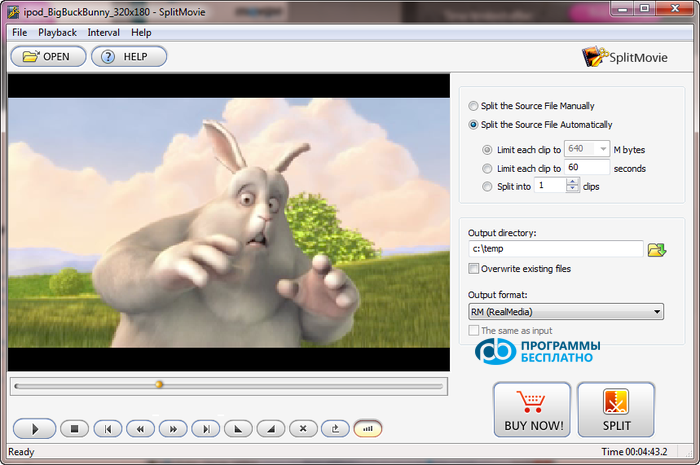
Unfortunately, Movavi SplitMovie can only be used for free for 30 days. The cost of the paid full version is 790 rubles. But if there is no need for regular video cutting, one month may be quite enough. Otherwise, it is advisable to use more professional software.
It is worth noting that the free editor Movavi SplitMovie has one drawback: information about this software in the form of an inscription is automatically placed in the video itself. If this is undesirable, you will either have to pay 790 rubles and get the full version, or use another alternative option. You can start downloading the program after following this link: https://www.movavi.ru/splitmovie/
Trimming and merging videos using Freemake Video Converter
Another option for how to trim a video on a computer on Windows 7, as well as combine several fragments into one, is to use software like Freemake Video Converter. You can download this program for free here.
When choosing this software, the user must consider the following. Since the software is distributed for free, during installation you will be offered to install additional software on your computer. It is advisable to refuse this.
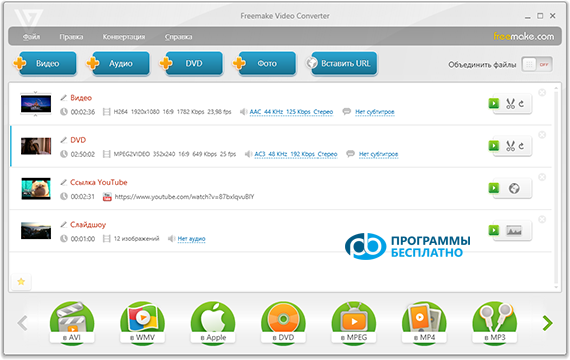
Since trimming a video on a computer on Windows 8 and 7, as well as merging individual fragments with the functionality of Freemake Video Converter is not difficult at all, even a beginner can easily handle such a task. You just need to open the required file through the program menu, click on the button with the scissors icon, and apply the tools to perform this operation.
Converter and editor Format Factory
To the question, how to trim a video on a computer on Windows 10, the answer is simple: this can be easily done using Format Factory. This is a free multifunctional tool, Format Factory allows you to convert video to different formats, trim and merge it, burn to disc, add music and sounds, and perform other operations.
You can download this software from the developer's resource https://formatfactory.ru/. There is absolutely nothing complicated in installing the software, but you should take into account that the wizard will offer to install a couple of additional programs on your computer, one of which is Ask Toolbar. It would be most advisable to refuse the installation of additional software.
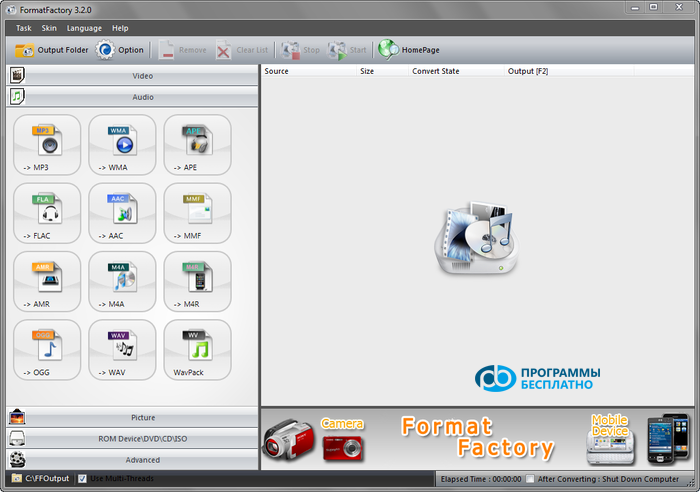
As already mentioned, using Format Factory you can trim a video on a computer for free, as well as merge individual fragments. For trimming, you will need to select the format of the source video, then add the file or several. Next, you need to click on the "Settings" button, specify the start and end time of the video. In this way, the user can remove pieces from the edges, but not cut out a fragment in the center.
To merge several files, you will need to select the "Advanced" item, choose "Merge videos" from the menu, add the files to be processed, specify the start and end time, and save the resulting video in the desired format.
Video Toolbox: online trimming
In principle, you can do without downloading software, as how to trim a video on a computer without programs is also not particularly difficult. In this case, you will have to register on the website www.videotoolbox.com, after which you will gain access to the functionality of the resource.
Video Toolbox differs from most programs of this purpose in its functionality. How you can trim a video on a computer using this resource, it also allows you to perform many other operations.
Here are some:
- Converting video to formats WMV, MKV, MP4, AVI, FLV, 3GP and others;
- Merging files into one;
- Adding subtitles and watermarks to the material;
- Extracting audio from the video;
- Downloading from 19 servers.
The relative disadvantages of using this option include the lack of Russian language on the site, as well as limitations on the size of files uploaded to the server (no more than 600 megabytes). The resulting videos will also have to be downloaded via the Internet. However, this should not be a problem, as the vast capabilities of the system definitely outweigh all its shortcomings.