How to subscribe to RSS and why?
Article Articles

How to subscribe to RSS and why?

4.3 (4 ratings) Hover and click a star to rate
Views
468
Rating
4.3 / 5

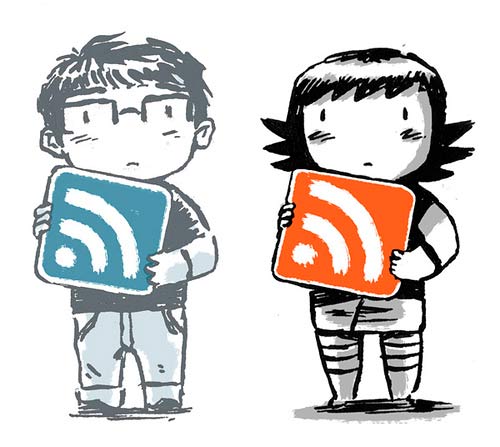
Very often you can find something like RSS on websites. Let's figure out what it is and how to use it. RSS is a special technology that allows you to subscribe to publications. That is, you can use RSS to be the first to know about news on a particular internet resource.

For example, RSS is very often used on blogs, article sites, etc. By subscribing to RSS, you will receive news about the site, namely, news about new publications, etc.
kak-podpisatsya-na-rss-i-zachem

This is necessary to actively participate in the life of the site you are subscribed to via RSS. That is, you will always know what's new on the site, thereby becoming an active participant. Subscribing to RSS is very easy; there are special services that allow you to subscribe to the RSS of certain sites. Such services can be easily found on the internet; you just need to type the query "RSS subscription service" into the address bar.

But which service to choose is up to you. Naturally, many users use the RSS Feed technology, as it is a very useful feature.

For example, on blogs, counters are displayed showing how many users are subscribed to RSS.

Popular programs for RSS subscription:

Specifications

Views468

Site.articles.relatedCategory

Show more

By becoming a member of the Friend Around social network, you will ensure the opportunity for new acquaintances and find many friends! Every participating user in the social network has many friends and girlfriends, just new acquaintances in this network! Thanks to the modest application, you can often communicate with friends on common topics! Using the features of this social network, you can find your soulmate, and other users can help with this! [toc] On the website, you can quickly download the program and become a user of the Friend Around program

368 990
Read

How to download a Windows 7 ISO image from the Microsoft website? Today it is possible, there is no longer a need to search for the OS on the Internet, risking infecting your own computer with a virus. There are many different builds of this operating system on the web. It is best to download the original Windows 7 ISO image, as it is considered the best. You don't need to download it from torrent trackers, it is available on the Microsoft website. However, there are certain nuances. At the link https://www.microsoft.com/ru-ru/

107 053
Read

Social networks - they are used by absolutely everyone who uses the Internet, just as the phone once gained incredible popularity - today social networks enjoy incredible universal popularity. [toc] Perhaps in the near future every inhabitant of the Earth will have their own account in one or another social network. As a rule, it is impossible or quite difficult to delete an account in social networks; it still remains in the system, no matter what you do. The Social Network Friend Around is no exception - in which

103 258
Read

Many users have repeatedly heard about the system registry in Windows 7, Windows 8, Windows 10 operating systems and that its 'clutter' can negatively affect computer performance, speed, and reliability. Essentially, the Windows registry is a database of the operating system that stores information about software and system changes. [toc] Over time, this database becomes filled with various junk that needs to be periodically cleaned from the registry.

63 359
Read

Site.articles.relatedPopular

Show more

The default welcome page of the Google Chrome browser looks, perhaps, empty and unclear. Now we'll figure out what a welcome page is and what it is for. [toc] When you start the browser, the first thing you see is the start page! It is also called the quick access page, or the welcome page. Welcome page - what is it? Actually, these are slightly different concepts, especially when it comes to the default welcome page of the Google Chrome browser. So, now we know what

151 556
Read