Windows Movie Maker - quickly and conveniently creates and edits videos by adding various effects. Included in Microsoft Windows, the alternative Windows Movie Maker is part of the free Windows Live software package from Microsoft. Features of Windows Movie Maker: Capture video from various sources (camcorders, mobile phones, digital video cameras, digital cameras, etc.). When creating videos in Windows Movie Maker, you can add a background audio track, use between
20 programs found
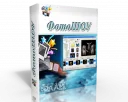
PhotoSHOW
PhotoSHOW - a new and full version of the program for creating videos, musical slideshows with beautiful transition effects. Allows you to insert titles and captions, add an unlimited number of photos, use a design theme, etc. Created slideshows are saved in EXE file formats, screensavers, or videos, including full HD. The PhotoSHOW program has a user-friendly interface in Russian, characterized by intuitive and easy perception. Create a slideshow of perfect quality in just a few minutes! Updated
VideoGet
VideoGet is a powerful program for downloading video clips from over 900+ video websites (Yahoo Video, YouTube, MySpace, Metacafe, Google Video, VSocial, and many others) with the ability to convert them into various formats for viewing on a video player, computer, or mobile phone. Features Despite the abundance of downloader programs from various services, not all are capable of fast and stable operation. VideoGet has a one-click download function; by clicking the corresponding button next to the video, the download will start automatically.
Movavi Video Editor serves as a tool for working with video files. The application provides professional filters, adding subtitles to clips, various transition effects, special effects ("mosaic", "sepia", "picture-in-picture", "add noise", "grayscale", etc.), overlaying custom audio tracks, changing playback speed for audio/video files, and much more. Features During the import of media files into the project, there is an option to capture audio and video, including from VHS video recorders.
Winamp
Winamp has the ability to change skins, a good visualization module, and a media library. A convenient and simple interface with wide functionality. Main features and key functionality of Winamp Playlist. Media files can be easily moved from the Winamp library or Windows Explorer to the playlist for playback. Sorting the playlist by file name, title, artist... Quickly opens and saves playlists using the manager button. Multimedia library. Reco
VirtualDubMod
VirtualDubMOD, an enhanced version of the well-known program VirtualDub, is used for video processing and capture. Joining, cutting clips, applying filters, transcoding, etc. The authors have not been involved in development since 2006. The program interface is similar to VirtualDub, with a significant difference being that the Audio menu has been replaced by Streams, reflecting the processing of multiple audio streams. A feature of the program is its work with a huge number of media file formats. VirtualDubMod, unlike VirtualDub, opens both AVI and MPEG1 f
FreeVideoDub is created just for you. This service will allow you to process video files with a huge saving of your time. Thanks to the codecs and decoders that underpin this utility, both the process of editing and playing your created projects, as well as changing their formats, is possible, like the program VirtualDub. Additionally, DirectX is fully supported. The functions of this software are quite diverse, constantly being improved. However, despite this, even a novice user
jetAudio
JetAudio – MediaCenter COWON from Cowon company, serves for playing, organizing multimedia files on PC, and also allows converting files to different formats, creating discs, listening to and creating a radio station, recording sound from a microphone and other audio devices, and much more. JetAudio combines a mixer with a 20-band equalizer, a digital player and signal processor (20-band spectrum analyzer), and functions as a MIDI, CD audio, and video player. It supports all formats of vi
UVScreenCamera
UVScreenCamera is used for real-time video capture from the screen, records PC user actions (cursor movement, mouse clicks, keyboard presses), creates training videos, interactive tutorials, presentations in FLV, UVF, SWF, EXE, AVI formats, and GIF sound animations. In EXE and UVF formats, the video is compact in size. UVScreenCamera provides cursor highlighting during mouse clicks and keyboard presses during recording. Additional display of actions is provided by the virtual keyboard, it
Nero Kwik Media
Nero Kwik Media is one of the applications in the full Nero suite. This free manager is used for searching, organizing, editing, playing, synchronizing, purchasing licensed content, and recording various multimedia files to CD and DVD discs. The program has a branded, beautiful interface. The application provides complete processing of music and video files located on the PC. Additionally, Nero KwikMedia supports almost all image formats and can search for photos with facial recognition capability. The program includes
Sony Vegas Pro
Sony Vegas Pro will become your reliable tool for editing, recording, and assembling audio or video streams. It supports multiple tracks simultaneously, each equipped with its own A/B splits. Built-in music composition tools will help you avoid using third-party applications. Sony Vegas Pro also supports multi-channel input and output in full-duplex mode. Professionals will surely appreciate all the advantages of this solution, which replaces
SUPER ©
SUPER © is used for converting and playing any multimedia files. SUPER© does not require the installation of additional modules — the necessary codecs are already built into the program. High quality and speed of file conversion are the result of the meticulous work of the developers of codecs and plugins included in the SUPER package: MEncoder, FFmpeg, x264, MusePack (mpc), FFmpeg2theora, MPlayer, libavcodeclibrary & the theora/vorbis Real Producer’s plugIn. The program has a built-in media file analyzer that informs
BlazeVideo DVD Studio has managed to create a multifunctional utility containing the tools necessary for editing, copying, creating and converting video and audio files, as well as DVD format discs. This universal software package consists of four applications: DVD Copy, BlazeDVD, Music DVD Creator and DVD Creator. Each of them is responsible for a specific segment of work. DVD Copy is responsible for copying data from DVD discs and converting it. At the same time, the quality of information is not lost, which
WM Recorder
WM Recorder is an excellent program for quick and easy recording of streaming audio and video that are broadcast over a local network and via the internet. All data is carefully intercepted and transferred to a file, which is then saved in the selected format. The application works with most modern extensions and can also capture multiple streams simultaneously. High-quality results are maintained even with slow connections, interrupted connections, or when resuming an interrupted recording. Main features
Ideal Media Solution contains a set of tools necessary for full editing and copying of video files, Blu-Ray and DVD discs. The software consists of the following components: Ideal Blu-ray Copy, Ideal Blu-ray Ripper, Free Video Converter and Video Downloader. Blu-Ray Copy is used for backing up information from original Blu-Ray discs either to computer memory or to blank BD discs. It can also copy Blu-Ray to hard drive as an ISO file and record Blu-Ray movies
Bandicam
Bandicam is a small utility used to record events happening on the computer screen while the program is running. Bandicam allows you to create small videos with favorite moments from games, record your conversations in video chats, take single screenshots and entire series of them, and prepare program tutorials. Bandicam supports all the latest popular formats, including XviD, MJPEG, AVI, MPEG-1. Download the full version of Bandicam for free in Russian.
FastStone Image Viewer - a program for viewing images on Microsoft Windows OS. It includes a built-in file thumbnail manager and database, and can also be used as an image manager. For non-commercial use, Fast Stone Image Viewer is free. For commercial purposes, a license purchase is required. Main functionality includes viewing, managing, comparing images; removing red-eye effect; sending via email; cropping, resizing; batch processing.
VirtualDub
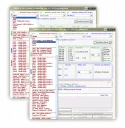
VirtualDub in Windows is used for editing, capturing, and processing video streams. The program was created by Avery Lee. The editor has a user-friendly interface and includes a huge number of audio/video filters, ensuring high-quality remastering of the necessary data. A significant advantage of the program is performing many options without recompression. The utility can be used for simple linear operations with video. VirtualDub uses plugins or built-in filters from third-party developers. VirtualDub prod
Avidemux
Avidemux serves for simple and quick editing, conversion, editing of video files (applying filters, removing any parts, encoding), enhancing video image quality. The program is intended for beginners and advanced users. It contains a multifunctional set of tools for video processing, has no ads, is cross-platform, easily competes with paid software in the field of "Video Editors". Options can be automated using the sequence of their execution, tools or
Adobe Photoshop CS works with Windows and Mac platforms. For versions CS6 and 8.0, it can be launched on Linux using Windows API alternatives — Wine. This product has all the necessary functions for creative work. It is one of the most popular graphic editors. The widespread use of the program is due to the many advantages it offers. Free download - Adobe Photoshop right now - without SMS and registration. Features of Photoshop CS functionality Today, p
Surely every person at least once in their life has encountered the need to compile several videos into one video sequence, or to cut certain fragments of a video. If you only need to make a few changes to a video, then in such cases any free video creation software will come in handy. For more professional video work, there are special more complex programs for creating videos, but it will take you a little time to understand all the intricacies of such a utility. However, there are also free video editors, for example, VIDEOmontage and PhotoSHOW PRO, which are designed for a wide range of users. By installing these applications, you can very easily perform simple operations with video and add various effects to your taste. The main list of functions of such programs includes combining photos into a video sequence, surface processing of captured video from a camera, including the ability to overlay several sound and multimedia effects. Moreover, after completing video processing, the resulting material can be saved in any of the formats offered by the program. If you are a fan of creating unusual presentations with slides, you will appreciate the function of creating special slideshows, to which you can add both video and pictures. Each program for creating videos, which can be downloaded completely free of charge from the internet, will provide you with the ability to easily modify video files and create high-quality clips and amateur home movies.