Movavi AudioSuite is a set of tools for converting, recording, and playing audio tracks. A large number of supported formats (including for iOS-based devices), high speed, and a very simple interface will leave no one indifferent. The Movavi AudioSuite application supports recording from any type of microphone or external device, even from applications like Skype or TeamSpeak. A wide range of settings allows the user to independently determine the future
55 programs found
MP3Producer
MP3Producer is one of the most convenient and powerful grabbers with the function of converting music files. In addition to quickly and easily digitizing audio CDs, you can use it to bring your entire library to a single format. The MP3Producer program has advanced functionality that will be useful to everyone who prefers to store audio on their computer. A wide selection of formats, the ability to connect to the FreeDB internet database, a tag editor – all of this is implemented in this utility.
FairStars MP3 Recorder allows you to quickly and efficiently capture audio directly from your sound card. This means you can use it to record radio stations, extract voice tracks from movies, work with a microphone or musical instruments. A pleasant fact is that FairStars MP3 Recorder works in real time without creating temporary files. As a result, it consumes minimal PC resources and offers high recording speed. It features a traditional interface for such
Ideal Media Solution contains a set of tools necessary for full editing and copying of video files, Blu-Ray and DVD discs. The software consists of the following components: Ideal Blu-ray Copy, Ideal Blu-ray Ripper, Free Video Converter and Video Downloader. Blu-Ray Copy is used for backing up information from original Blu-Ray discs either to computer memory or to blank BD discs. It can also copy Blu-Ray to hard drive as an ISO file and record Blu-Ray movies
Audiozilla
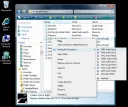
Audiozilla – a utility that integrates into Explorer, allowing you to convert music files to various formats with just a right mouse click. Support for MP3, WMA, APE, VOX, WAV, AC3, OGG, VOC, FLAC, AAC, M4A, and AIFF ensures you can listen to your favorite music on any device you wish. The narrow specialization in the conversion task is fully compensated by extensive settings. The user can choose the number of channels, bitrate, and many other options. Additionally, in Audiozilla
PotPlayer
Daum PotPlayer for Windows OS was created by one of the co-authors of The KMPlayer, the most popular player. It has a practically similar interface and the same functionality, but significantly improved. Its distinctive feature is DXVA built-in video codecs, excellent playback quality, supports video, audio - popular formats. The player has a modern design, convenient settings, hotkey configuration, recording of played sounds to a file, connection of DSP plugins. The player has huge
FastStone Image Viewer - a program for viewing images on Microsoft Windows OS. It includes a built-in file thumbnail manager and database, and can also be used as an image manager. For non-commercial use, Fast Stone Image Viewer is free. For commercial purposes, a license purchase is required. Main functionality includes viewing, managing, comparing images; removing red-eye effect; sending via email; cropping, resizing; batch processing.
Wavosaur
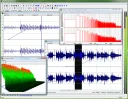
Wavosaur is used for editing sound samples, mastering, converting, and recording audio. The program performs deletion, copying, and insertion of any sound segments, processing mp3 and wav files. In addition, the editor has a set of unique tools for processing audio files: fade, silence effect, vocal removal. Stereo to mono transitions, and vice versa. Feature: Manual volume adjustment and volume normalization, fade effect at the end of clips, etc. Special mention should be made of the ASIO driver operation and
VirtualDub
VirtualDub in Windows is used for editing, capturing, and processing video streams. The program was created by Avery Lee. The editor has a user-friendly interface and includes a huge number of audio/video filters, ensuring high-quality remastering of the necessary data. A significant advantage of the program is performing many options without recompression. The utility can be used for simple linear operations with video. VirtualDub uses plugins or built-in filters from third-party developers. VirtualDub prod
Stereoscopic Player is designed for playing movies in 3D format. We also note that this software is paid. Its cost will be approximately 40 USD. But you can download Stereoscopic Player for free if you get an activator or registration keys for personal use. The application interface echoes the well-known software Windows Media Player Classic, as the developers used it as the basis for writing the new utility. Functional features of the application
iTunes
iTunes is a universal media 'soldier' that sooner or later becomes a necessity for every owner of Apple products. The set of options in this program is not limited to the capabilities of a standard multimedia player, although many users (even those with Windows OS) are ready to download this software just for that. Nevertheless, iTunes is essentially a guide to interactive video, photo, and audio files online. The application can also be used for tr
ACDSee
ACDSee is a powerful graphic viewer and organizer. The program has the ability to view files in DCX, BMP, JPEG, PCX, GIF (including animated), PNG, PIC, PSD, TGA, PCD, WMF, TIFF formats, nearly 100 in total. It searches for duplicates, including with subsequent comparison. It can write to optical media, create photo albums, slideshows, and includes editing, conversion, and many other functions. It works with digital cameras and scanners. The program, released by ACD Systems, is shareware.
AIMP 4
AIMP is a free audio player, one of the best players of its kind, runs smoothly on Windows XP, and in general, the player is designed for audio playback with low system load. AIMP provides file conversion to other formats, recording from a microphone or other audio devices, tag editing, batch renaming or sorting of audio files. AIMP uses the BASS audio engine. AIMP supports the following audio formats: MO3, MTM, MPC, MP1, MP2, MP3, MP+, AAC, OGG, WavPack, Speex
Adobe Flash Player is widely used for creating animations, games, and advertising banners. Interactive, expressive projects of excellent quality for PCs and various devices: tablet PCs, smartphones, and TV screens. Adobe Flash supports raster, vector, and limited 3D graphics (3D engines), as well as streaming bidirectional video and audio. For PDAs and other mobile devices, a 'lightweight' special version of Adobe Flash Player is available on the Flash Lite platform, with functionality
CyberLink PowerDVD is designed for playing files in non-standard formats. Features and capabilities of CyberLink PowerDVD By the way, this software can be used to watch movies in various encodings. So the advantages are obvious. Let's move on. For reference, the software was developed by the well-known company CyberLink. The application installs successfully and quickly on Windows and Linux platforms, for which it was essentially created. Extended functionality in its options and
Quite often when working with video files, you encounter the MOV format. How to open such files is not a very simple question, since not all players can play them. This may be due to the fact that this file format was developed by specialists at Apple Corporation, although it is compatible with Windows OS. The problem, as a rule, lies in the lack of necessary codecs in the player to play this file. Some players already have built-in codecs for the MOV format. So to open such a file, you just need to choose the "right" video player, and all difficulties with its playback will vanish in an instant. If you don't know which program opens MOV, then our website has many players that support this format. Among them are KMPlayer, QuickTime, Zoom Player, CyberLink PowerDVD, and many others. So if you don't know how to open a MOV file, feel free to choose any player from this list and enjoy watching the video. If you need to change the MOV format to any one convenient for you, go to the list of converters. By changing the file format, you will not encounter any difficulties with its playback in the future.