Windows Movie Maker - quickly and conveniently creates and edits videos by adding various effects. Included in Microsoft Windows, the alternative Windows Movie Maker is part of the free Windows Live software package from Microsoft. Features of Windows Movie Maker: Capture video from various sources (camcorders, mobile phones, digital video cameras, digital cameras, etc.). When creating videos in Windows Movie Maker, you can add a background audio track, use between
Partition a hard drive during installation
Description
It is not uncommon to need to partition a hard drive during installation into several parts. This structure of the system not only allows you to "divide" the HDD into sectors, but is also useful when reinstalling the OS.
This is especially useful when you have to reinstall Windows due to viruses, since the OS installation formats only the system drive, that is, "Local Disk `C`". During the Windows installation process, there will be a step where you will be given the opportunity to build the system structure.
As an example, let's partition a 476 GB HDD into three sectors.
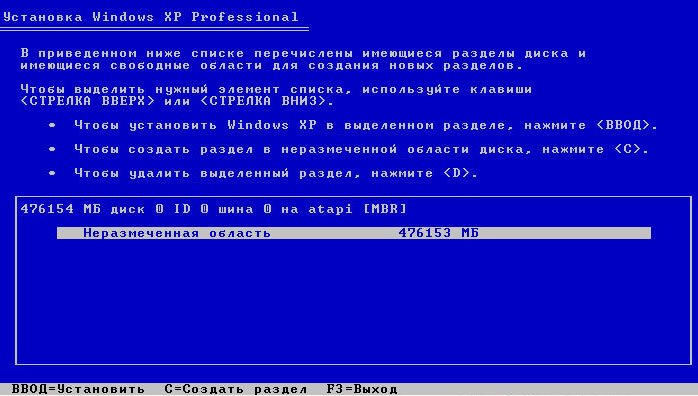
1) Press the "C" button, after which, a window of this type will appear. 
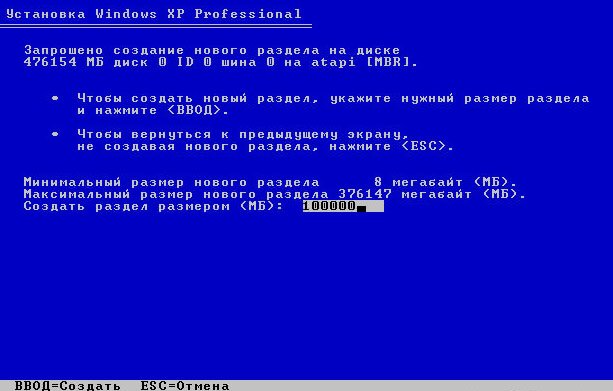
2) First of all, be sure to create the system disk "C", allocate 100 GB of memory to it (the size is set in megabytes). After that, press "Enter". 
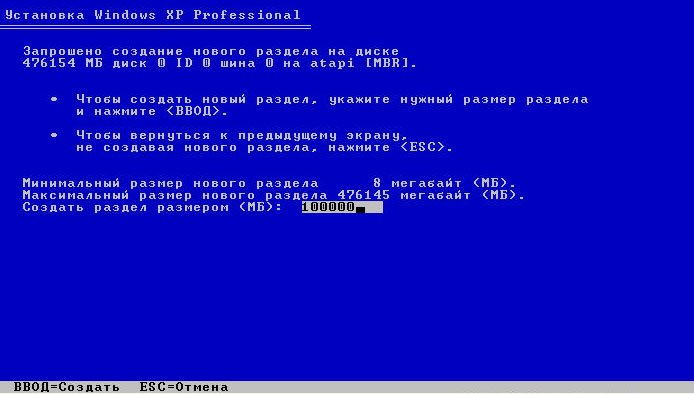
3) Press the "C" button again, after which, you go to the page for creating a new partition. 
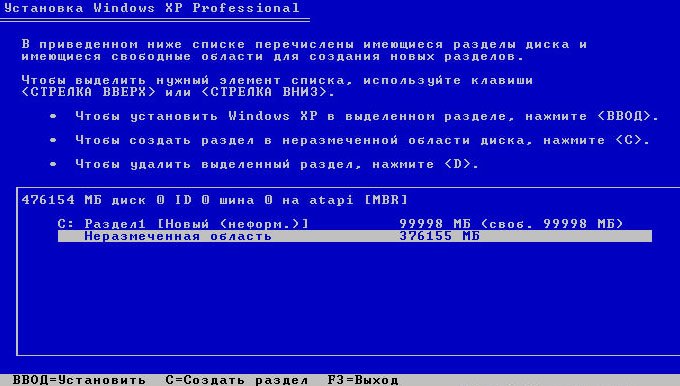
4) Again specify 100 GB for the new partition and press "Enter". 
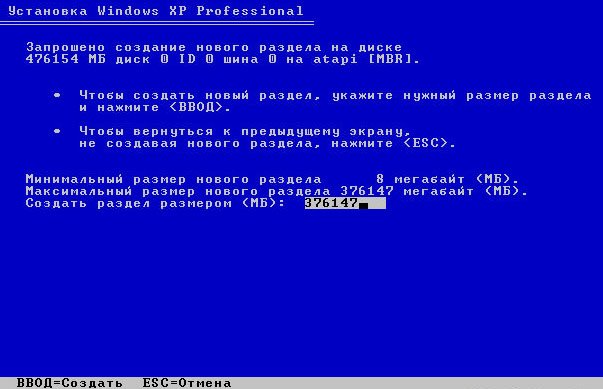
5) Press the "C" button again.
6) Specify all the remaining space on the HDD.
That is, you do not specify anything this time, since the installer will automatically specify the maximum available memory. Press "Enter".
7) Select the "C" partition for formatting and installing the OS.
That's all: now you will have 3 partitions on the HDD.
- First partition "C" with a size of 100 GB for the Windows OS.
- Second partition with a size of 100 GB for your needs.
- Third partition with a size equal to the remaining memory on the HDD, also for your needs.
Read more articles about the hard drive:
- Two partitions on a hard drive
- Windows stopped seeing the hard drive
- Hard drive is slowing down - what to do?
Good luck!
Specifications
| Size | |
| License | Freeware |
| Views | 1 253 |
Popular downloads
Show moreStarus File Recovery is a program that allows you to recover deleted data from various media. With this program, you can restore files that have been lost in various ways. For example, they were deleted bypassing the Recycle Bin, hidden by malicious software, lost due to software failures, complete emptying of the Recycle Bin, formatting, or deletion of the hard drive. The program effectively works with various devices, such as hard drives, SS
PROMT - leader in offline and online translation, with the most powerful collection of dictionaries and translated language pairs, 60 language pairs. LLC "PROMT" - a leading Russian company, developer of translation systems for private users and corporations. PROMT software provides translation of any text using built-in dictionaries, including both common and specialized terms. Instructions for any devices, in necessary software lacking a Russian interface, or emails from a foreign company
Pascal ABC.NET is written in the Delphi language (Object Pascal) on the Microsoft.NET platform. It includes the PT4 problem book, and tools for the Draftsman and Robot performers, which are used in school computer science when learning programming. The main purpose of the Pascal ABC.NET programming system is the study and teaching of modern programming languages. Features This program is a complete programming system using the Pascal language. Development takes place on the well-known platform Micros



