PC Setup

Download free software — compare versions, ratings and sizes.

52 programs found

Very often, while surfing the web, you can notice a massive number of advertising banners offering to visit a website or purchase something. Moreover, these banners often occupy up to 30-40% of the total page size, so the next question in this article is: we will consider the topic "How to remove an advertising banner?". What to do in such a case, how can you remove banners? The popular browser extension AdBlock, available in the respective stores, will help us deal with this problem.

0
Read
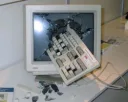
This question is probably asked by every novice user. Why do programs freeze? In this article, we will try to answer this question for you and tell you how to prevent software freezing. The Windows operating system, when a program freezes, reports that the program process stops responding to requests. This means that Windows sends a request to the program, and the program, in turn, does not respond, i.e., it is not active, in other words - it has frozen. The main reason

0
Read

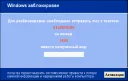
Recently, a virus called WinLocker has become very common; it blocks the computer (Windows) and asks to send an SMS to a specified number, after which Windows is supposedly unlocked. Sometimes Windows does activate after sending the SMS, but most often this does not happen. Also, in such viruses, a message often pops up: "Do not try to reinstall Windows, as this will lead to loss of information and disruption of computer operation." It should be said right away that this will not actually happen. Except perhaps some

0
Read

After some time of using the Windows operating system, it starts to slow down, and this is not surprising - there is an explanation for this. In principle, all operating systems tend to slow down over time. Why does Windows XP/7/8 freeze? It's very simple - overload. It is the computer's overload that directly affects its boot and operation speed. During a reinstallation or first installation of the OS, the computer always "flies", showing the maximum possible speed.

0
Read

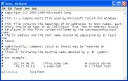
Where is the hosts file located and how to find it - this question is often asked by experienced users who need to make edits to it. The hosts file is used to map a called domain to a specified IP address. Typically, this file contains 1 line: 127.0.0.1 localhost Which essentially maps the IP address 127.0.0.1, which is the IP address of the local machine (current computer), to the domain localhost. However, this line in Windows is just for show :) If you delete it, the domain localhost

0
Read

Very often lately there are programs of this kind that display a large inscription "Windows is blocked" on the screen and ask to top up someone's account or something else - such viruses are called Winlockers, their development/distribution is punishable by up to 5 years in prison. However, these programs are primarily designed for people who know practically nothing about computers. Very often such "viruses" can be terminated in the Task Manager. However, there are also those that block the Task Manager. Ka

0
Read

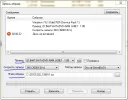
Very often computer users ask themselves the question of how to burn an ISO image to a disc? To answer this question, let's first figure out what an .iso image is and how it is made. ISO is a special format that typically represents an image of a CD/DVD disc. However, ISO images are made not only from discs, since you can also create an ISO yourself by throwing files from your HDD into it. The most popular program for working with ISO images is UltraISO, which can be found

0
Read

Typically, internet connection speed is measured in bits, while file sizes are measured in bytes. 1 byte is 8 bits, and conversely, 8 bits is 1 byte. However, imagine you have a high internet connection speed; you are unlikely to say "I have 57.344 bits." It is much easier to say "I have 56 kbytes," isn't it? Or, you could say "I have 8 kbits," which is actually exactly 56 kbytes, or 57.344 bits. Let's take a closer look at how many megabits are in a megabyte. The smallest unit of measurement for speed or size is

0
Read

To rewrite information from one disk to another, you will need a special program called UltraISO, you can also use the Alcohol 120% program, or the Nero program. But we recommend using UltraISO, as the interface of this program is extremely easy for every user to understand. So, insert the disk from which you want to rewrite information into the CD/DVD-ROM, i.e., into the drive. Launch the UltraISO program, as you can see, the program interface is very simple. So, open the inserted

0
Read

To create a disk image, you will need some programs, namely UltraISO or Alcohol 120%. Both programs are good, but UltraISO is better suited for slightly scratched disks, as it has the ability to try multiple times to read that spot, or eventually skip the bad sector. As for Alcohol 120%, it also does its job as well as UltraISO, but is not designed for working with damaged disks. In case there are too many bad sectors, Alcohol 1

0
Read

Many users, after connecting their PC to the Internet and discovering that the connection speed is actually underestimated, far from matching the guaranteed tariff values, seek advice from their provider to solve this problem. But is this always necessary? Read: Why does the internet disappear? As practice shows - no, because the cause of unstable network connection, in most cases, lies in: incorrect operation of the PC's operating system (OS), usually due to accumulated errors in the

0
Read

Typically, the BOOT.INI file is located in the root of the local drive "C", but this is only true for Windows operating systems no higher than XP. This file is hidden; to see it, you should enable the display of hidden files in Windows as follows: Click the "Start" button, go to "Control Panel", then find the "Folder Options" item and open it. In the window that appears, go to the "View" tab, then in the list that appears, check the box next to "Show hidden files"

0
Read

The question of how to install a graphics card driver often arises, and it's important to install it correctly, as different driver versions are intended for different graphics cards. If you install the wrong driver for your graphics card, numerous errors and even a black screen may occur. To install the graphics card driver correctly, you must first correctly identify the version of your graphics card. Typically, on laptops, the graphics card version can be found either in the technical documentation or on a sticker near the keyboard. For example,

0
Read

An antivirus is one of the central programs on a PC, allowing you to safely work on the internet, download files, and visit hundreds of various websites. Now we will look at the best options so you can decide where the best antivirus for Windows 10 is. Every year, companies AV-TEST, Virus Bulletin, AV Comparatives conduct tests. They study the performance of different applications and then present their findings for public review. Ratings are given in three areas: protection, performance, and usability. On the other hand,

0
Read

The speed of a computer depends not only on its configuration, but also on the correctness of its setup and handling. For example: very often people's computers simply start to lag, regardless of whether it runs on a reference Intel i7 processor or on an ancient processor that everyone has already forgotten about. Proper care and configuration of a computer is a very delicate process that requires full attention and understanding of the matter. However, recently specialized programs have made this possible for

0
Read

Typically, the error "Cannot delete file" appears because the file is currently being used by some program. To delete this file, you should close the program that is using it. This can be done using the Task Manager, which is part of Windows programs. In fact, almost every operating system has a Task Manager, no matter what it is called. Task Manager is a special program that allows you to monitor almost all processes active at the moment.

0
Read

If you cannot install the program, you should figure out why this is happening. Perhaps your operating system is simply incompatible with the distribution being installed. For example, if when launching the program installer (setup.exe), a message appears stating that this program is intended for 32-bit systems or vice versa - for 64-bit systems, then the problem is that your computer uses a 64-bit system, but the program is intended for 32-bit systems, and vice versa. In such

0
Read

It is not uncommon for Windows 7 users to wonder about optimizing Windows 7, since it is no secret that Windows operating systems, and indeed all operating systems in general, have a common property of losing performance over time. However, this issue can be resolved by optimizing Windows 7 using special methods. If we delve into this issue in detail, we should understand things like ReadyBoost, Registry, Fragmentation, Aero, Visual Effects, Cache, etc. However, everything can be much simpler! In this

0
Read

If sound disappeared after reinstalling Windows, but it was working before the reinstallation, then in 99% of cases the problem is the absence of a sound driver. If you have a modern PC/laptop, we recommend downloading the High Definition Audio Driver, which can easily be found on the internet. Most often, installing this driver helps and sound starts working. For example, this driver is used in Acer V3 and G series laptops. Otherwise, if the sound still does not appear, we recommend you visit

0
Read

Today you can check your computer for viruses completely free of charge, and with the help of the most powerful antivirus software. Antivirus software developers are loyal to users' problems and provide a 30-day trial period for their antivirus software. As a rule, there are almost no restrictions in this mode, at least virus protection will work 100%. Moreover, those users who for some reason cannot pay for an antivirus license, for example: they do not have a wallet in

0
Read