It is not uncommon to wonder how to install a graphics card driver, and to install it correctly, since different driver versions are intended for different graphics cards. If you install the wrong driver on your graphics card, many errors and even a black screen may appear.
To install the graphics card driver correctly, you must first correctly identify the version of your graphics card. Typically, on laptops, the graphics card version can be found either in the technical documents or on a sticker near the keyboard. Let's say you have an nVidia GeForce GT 730M graphics card.
If you have a desktop computer and need to find out what graphics card you have, you need to do the following:
- Open "My Computer", then right-click on the white background and click "Properties"
- Find "Device Manager" and open this dialog box or menu
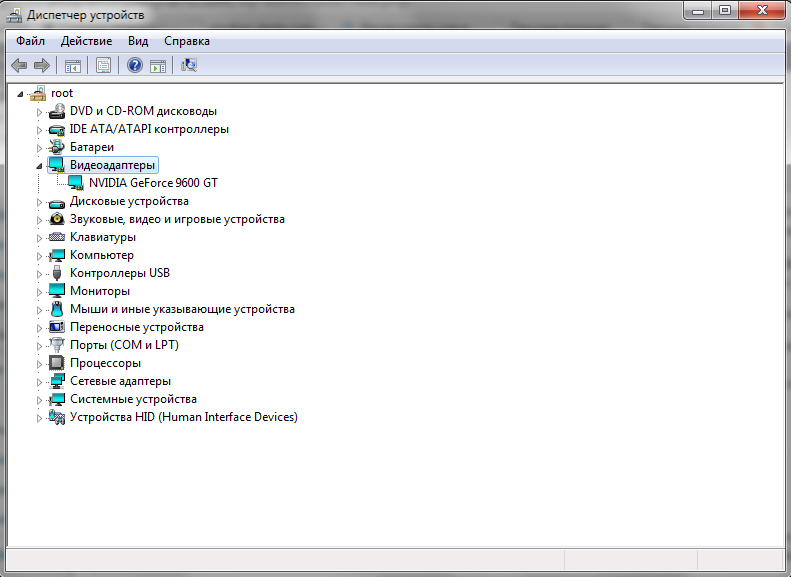
- In the open dialog box, find "Display adapters", expand this item and see the number and names of graphics cards installed on your PC. In my case, the graphics card is: NVIDIA GeForce 9600 GT.
How to install the driver for the graphics card now?
Go to the website of your graphics card manufacturer.
- For nVIDIA - it is www.nvidia.com
- For AMD - it is www.amd.com
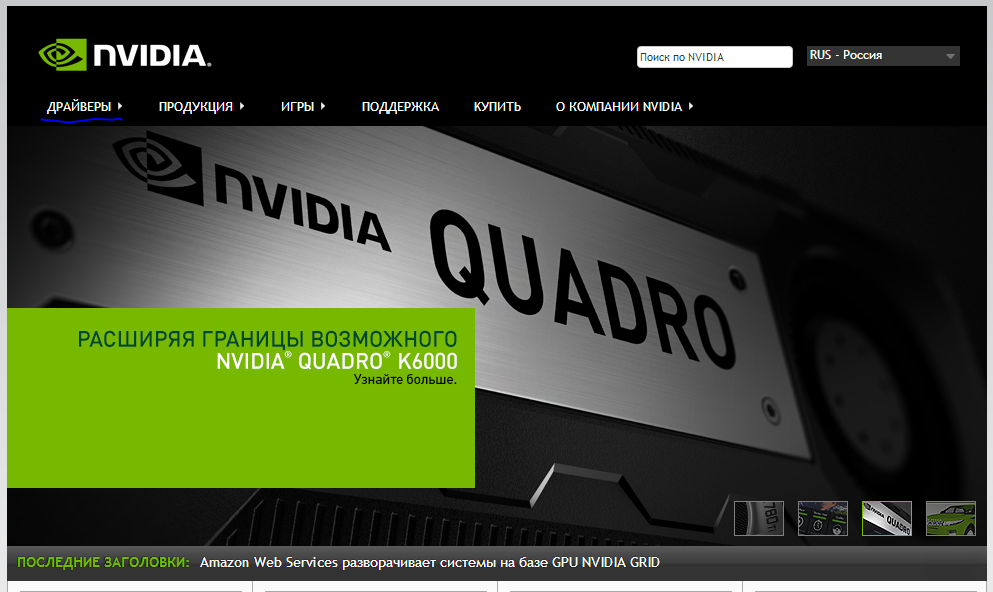
We will show an example of installing a driver for an nVIDIA graphics card, but the process for AMD is practically the same. After visiting the official nVIDIA graphics card manufacturer's website - www.nvidia.com, find the "Drivers" item in the menu, then select the "Download Drivers" sub-item.

There will be a driver search form on the website.
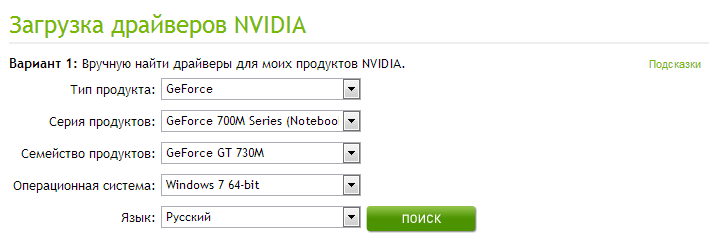
As an example, we chose the nVidia GeForce GT 730M graphics card. Therefore, our search parameters will be as shown in the screenshot. Also, do not forget to correctly specify your operating system, otherwise problems may arise with the driver. Click the "Search" button.
After that, in the list of found drivers, select the latest version.
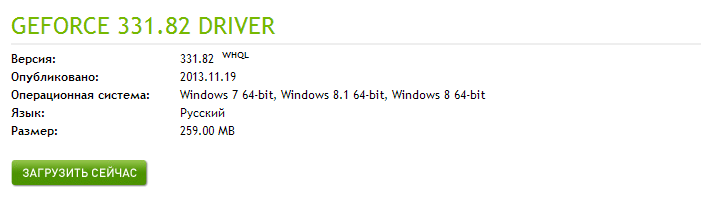
And click the "Download Now" button. Now all that remains is to wait for the driver to download. By the way, the file download speed depends on your internet connection speed. After the driver is downloaded, you should install it and restart your computer.
Installing the driver is like any simple program: run the installation file, always click Next, and wait for the installation to complete.
You may also be interested in programs on the site:
- Download alcohol 120 Russian free
- Download Virtual DJ free
- Download Skype free for windows
- Download free Russian version of nero
- Download free version of Kaspersky antivirus
- Download Windows Movie Maker free
That's all, Good luck!