Very often while surfing the web, you can notice a massive number of advertising banners offering to visit a website or purchase something. Moreover, these banners often take up to 30-40% of the total page size, so the next question in this article is - we will consider the point "How to remove an advertising banner?".
What to do in such a case, how can you remove banners?
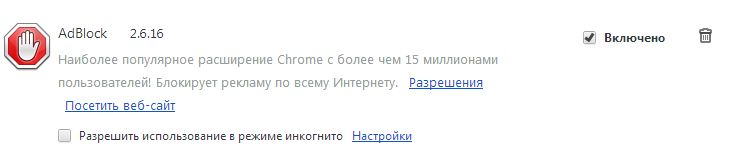
The popular browser extension AdBlock, available in the respective stores, will help us deal with this problem. If you use the Google Chrome browser, visit the Google WebStore and enter "AdBlock" in the search, then download this extension and it will install automatically.
All that remains is to enable it by hovering your mouse over the extension icon in the Chrome extensions panel, clicking the left mouse button, and then selecting the Enable option.
If you have FireFox or Opera, you can also find this extension in the respective stores for your browsers, and about AdBlock for the Opera browser - I have already written an article!

Also, to remove an advertising banner on WEB/WAP sites, we recommend using the Outpost Firewall program, which provides protection as a firewall and also filters all advertising on websites. Outpost has several awards, and one of them is the award for the best firewall.
You can download it for free on the official website, but the free version has not been supported or developed for a long time, although it is capable of providing a fairly high level of protection.
The developers of this software product support and continue to develop only the paid version of this program, which can also be purchased on the official OutPost website.
You might be interested in programs on the site:
- Download alcohol 120 Russian free
- Download Virtual DJ free
- Download Skype free for Windows
- Download free Russian version of Nero
- Download free version of Kaspersky antivirus
- Download Windows Movie Maker free
Good luck!