To delete a printer driver in Windows 7 or any other driver in the Windows 7 operating system, you should open "Device Manager". Opening "Device Manager" is very simple: just open the Control Panel and type "Device Manager" in the search, then select the appropriate item from the list. 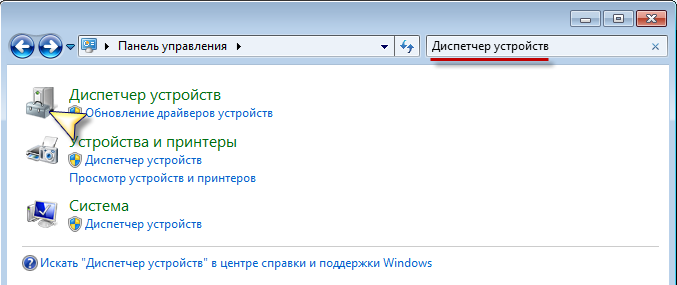
Next, let's take the image processing device "HD WebCam", you can select your printer or any other device.
Right-click on the selected device and click on "Properties".
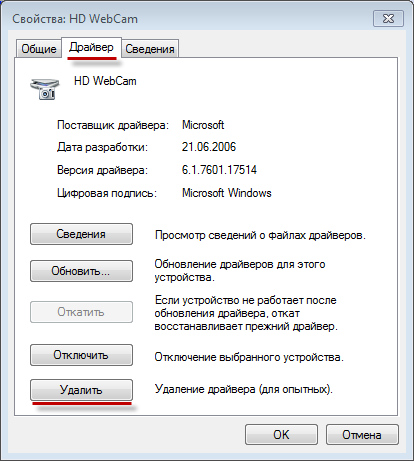
Then, go to the "Driver" tab and click the "Uninstall" button.
If any prompts appear, agree to them and the driver will be removed. Be careful, because by deleting the driver, you will disable the device that interacts with this driver, as devices cannot work without drivers.
You may be interested in programs on the site:
- Download alcohol 120 Russian free
- Download Virtual DJ free
- Download Skype free for Windows
- Download free Russian version of Nero
- Download free version of Kaspersky antivirus
- Download Windows Movie Maker free
Good luck!