To rewrite information from one disc to another, you will need a special program called UltraISO, you can also use the program Alcohol 120%, or the program Nero. But we recommend you use UltraISO, as the interface of this program is extremely easy for every user to understand.
So, insert the disc from which you want to rewrite information into the CD/DVD-ROM, i.e., into the drive. Launch the UltraISO program, as you can see, the program interface is very simple.
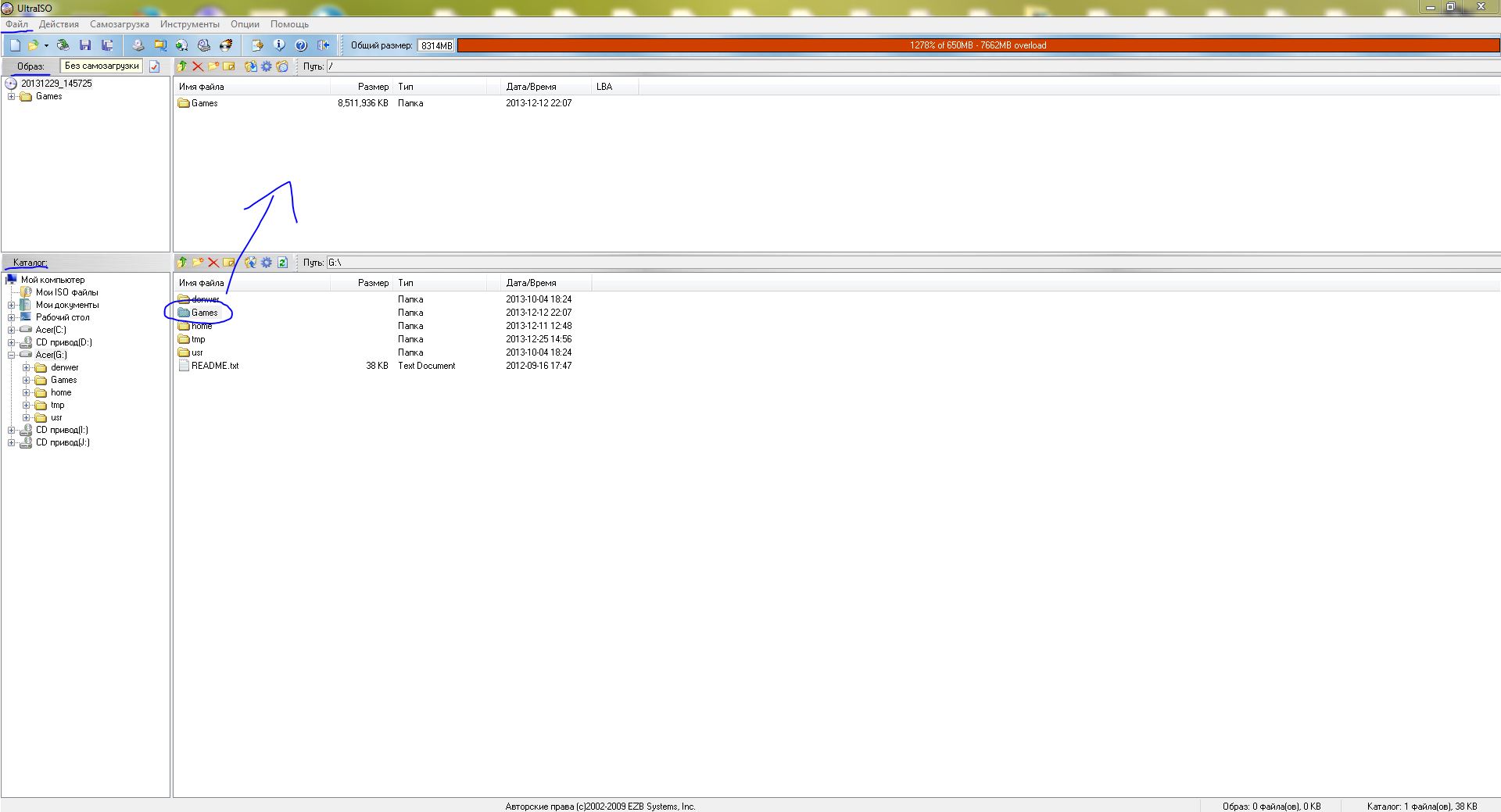
Now, open the inserted disc in the "Catalog" window, select the files you need to burn, or simply all of them (Ctrl+A). Then drag the selected files into the "Image" window, i.e., its right part, and wait a bit for the files to transfer.
Here is an example:
After the disc image has been successfully saved, insert a blank disc into the drive onto which you want to burn the previously saved information. In the top menu, find the "Tools" item, in the dropdown menu select "Burn CD Image" (pay no attention to the CD prefix, the tool works perfectly with DVD discs as well), or simply press the F7 key.
In the window that appears, select the drive, specify the recording method Disc-at-Once (DaO), choose the previously created image file, then click the "Burn" button.
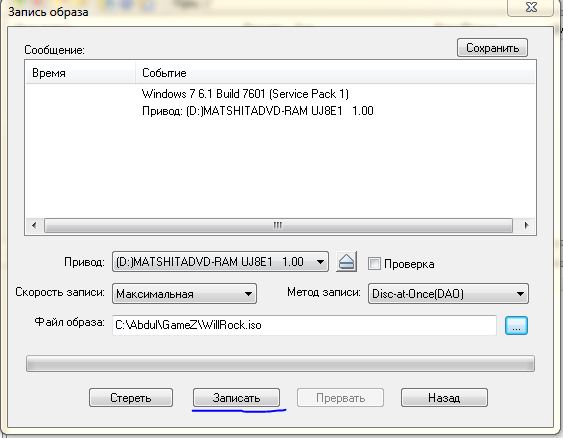 Now you just need to wait a bit for the program to burn the selected image onto the specified disc. This process usually takes from 15 to 20 minutes, again depending on the power of the drive.
After the operation is complete, remove the disc from the drive, and that's it - the information has been successfully transferred from disc to disc.
I hope this article has made it easier for you to understand how to copy from disc to disc. There are many other ways to rewrite a DVD disc or burn a program to a disc, but recording using UltraISO is one of the easiest for the user.
You might also be interested in:
Good luck!