If you cannot install a program, you should figure out why this is happening; perhaps your operating system is simply not compatible with the distribution you are trying to install.
For example, if when launching the program installer (setup.exe), a message appears stating that this program is intended for 32-bit systems or, conversely, for 64-bit systems, then the problem is that your computer uses a 64-bit system, and the program is intended for 32-bit systems, or vice versa.
In such a case, try to find a 32/64-bit version of the program; otherwise, installation will not be possible. If a message appears stating that the program being installed is incompatible with the current system (operating system), then the problem is that the program being installed is not designed for your operating system.
For example, the program was developed for Windows XP, but you are trying to install it on Windows 7; in such cases, similar messages often appear. Windows has a concept of compatibility support, but this rarely helps, so it is best to find the same program or its equivalent for your operating system.
Also, programs may fail to install if they are damaged. That is, the installation package may be corrupted. In this case, a message will appear saying "The installation package is damaged," or the installer may not start at all. There can be 2 solutions here: either restore the installation package or find another, intact installation package.
By the way, installation programs are called packages because, as a rule, not just one program/library is installed, but several at once. Thus, the inability to install a program on a computer is resolved either by searching for alternative options or by finding a suitable program for your operating system.
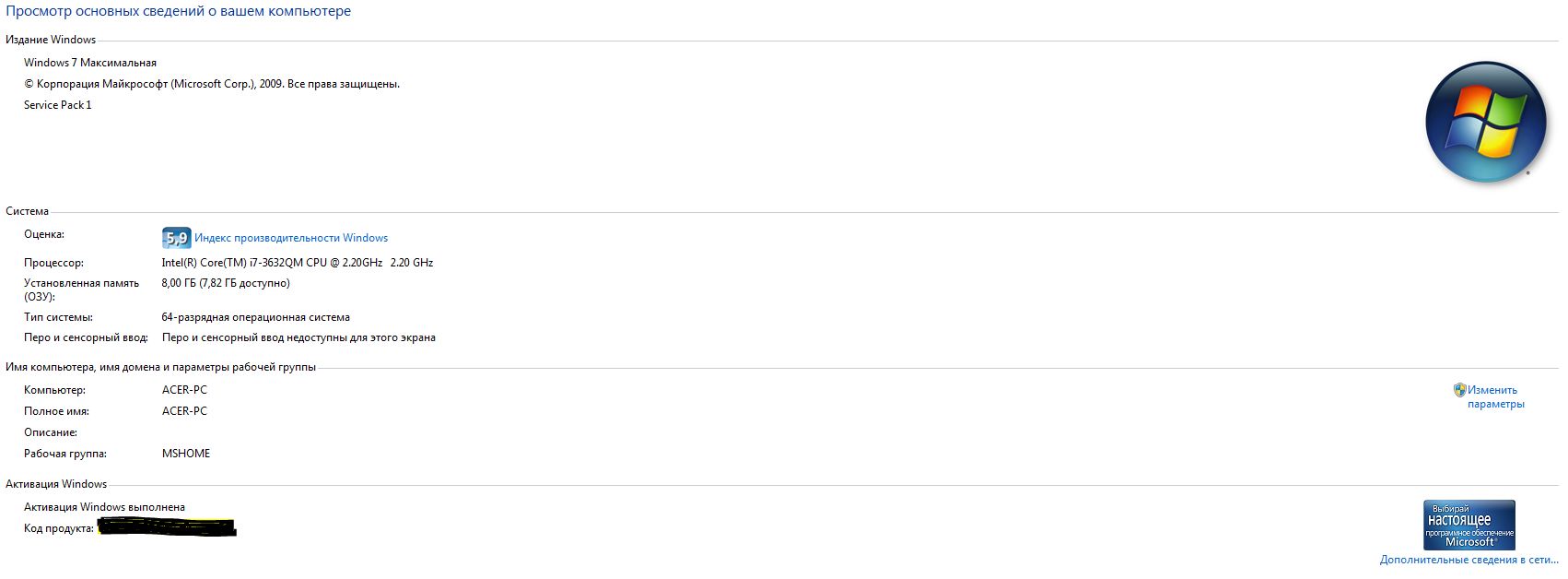
You can find out the version and bitness of your operating system in the computer properties. To do this, find "My Computer" on the desktop or in the Start menu, right-click on this icon, and then select "Properties." A corresponding window will open, displaying a list of data about your operating system, including its bitness and version.
You may be interested in programs on the website:
- Download alcohol 120 Russian free
- Download Virtual DJ free
- Download Skype free for windows
- Download free Russian version of nero
- Download free version of kaspersky antivirus
- Download Windows movie maker free
Good luck!