Which browser is the fastest?
Article Articles

Which browser is the fastest?

3.6 (5 ratings) Hover and click a star to rate
Views
856
Rating
3.6 / 5
Reviews
2

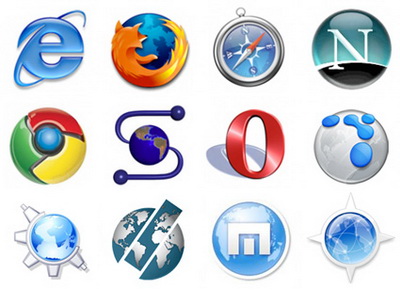
This question is probably asked by every internet user, since which browser to use determines the quality and speed of web surfing. The popular site Tom's Hardware asked themselves the same question and conducted a test that showed which browser is the best today. The test used 4 of the most popular browsers, namely: Google Chrome, FireFox, Opera, IE.

The test was conducted on OS Win7 and Win8, with a medium-configuration computer chosen for the tests. The browsers were tested according to the most necessary and important criteria, namely:

  • Startup and surfing speed
  • System load
  • Stability of operation
  • HTML and CSS processing speed
  • DOM and JS processing speed
  • and also, the security level was checked.

In the first stage, the Opera browser won, which is not surprising in principle, since the browser does not use many resources. As for stability, the Google Chrome browser became the undisputed leader, distinguished by its highest stability. By balancing the load on RAM, Chrome, even under heavy load, worked flawlessly.

Google Chrome also processes HTML and CSS faster and better than all its counterparts, as it uses the proven WebKit engine for rendering. Chrome also stood out in terms of JS execution speed and DOM work, because it uses its own V8 engine, which gives the Chrome browser enormous power in terms of JS and DOM.

The last stage of testing - checking browser security, this stage is extremely important, because computer security is paramount! And again, Google Chrome browser stood out, showing the highest results in terms of security. Using unique algorithms and methods of working with the OS, Google Chrome provides impeccable security.

Thus, according to the results of Tom's Hardware testing, Google Chrome became the best browser, and this is no coincidence. As statistics show, the majority of Internet users use Google Chrome, because it is the best of its kind. Showing the highest results in almost all stages of testing, Google Chrome takes first place and can be called the most powerful and most secure browser today.

Which browser is best for the Internet?

For more detailed information, where the described browser parameters are in a comparison table, I recommend checking out the website https://webbrowsers.ru/, I recommend paying attention in the comparison table for Windows laptops to the Microsoft Edge browser - this browser has recently been showing results much better than Google Chrome, for example, on my weak laptop with Windows 10, it works much faster than Chrome.


Specifications

Views856

Reviews

2 reviews

  • антон 09.12.2014

    Амиго это клон google chrome

  • Глеб 23.03.2014

    Вначале я думал что Mozilla Firefox самый быстрый для Pentium III 700 МГц. Но вчера я установил на этот компьютер браузер Амиго от mail.ru. Даже на Pentium 700 МГц намного быстрее всех работает, а на других компьютерах тем более.

Site.articles.relatedCategory

Show more

By becoming a member of the Friend Around social network, you will ensure the opportunity for new acquaintances and find many friends! Every participating user in the social network has many friends and girlfriends, just new acquaintances in this network! Thanks to the modest application, you can often communicate with friends on common topics! Using the features of this social network, you can find your soulmate, and other users can help with this! [toc] On the website, you can quickly download the program and become a user of the Friend Around program

368 990
Read

How to download a Windows 7 ISO image from the Microsoft website? Today it is possible, there is no longer a need to search for the OS on the Internet, risking infecting your own computer with a virus. There are many different builds of this operating system on the web. It is best to download the original Windows 7 ISO image, as it is considered the best. You don't need to download it from torrent trackers, it is available on the Microsoft website. However, there are certain nuances. At the link https://www.microsoft.com/ru-ru/

107 053
Read

Social networks - they are used by absolutely everyone who uses the Internet, just as the phone once gained incredible popularity - today social networks enjoy incredible universal popularity. [toc] Perhaps in the near future every inhabitant of the Earth will have their own account in one or another social network. As a rule, it is impossible or quite difficult to delete an account in social networks; it still remains in the system, no matter what you do. The Social Network Friend Around is no exception - in which

103 258
Read

Many users have repeatedly heard about the system registry in Windows 7, Windows 8, Windows 10 operating systems and that its 'clutter' can negatively affect computer performance, speed, and reliability. Essentially, the Windows registry is a database of the operating system that stores information about software and system changes. [toc] Over time, this database becomes filled with various junk that needs to be periodically cleaned from the registry.

63 359
Read

Site.articles.relatedPopular

Show more

The default welcome page of the Google Chrome browser looks, perhaps, empty and unclear. Now we'll figure out what a welcome page is and what it is for. [toc] When you start the browser, the first thing you see is the start page! It is also called the quick access page, or the welcome page. Welcome page - what is it? Actually, these are slightly different concepts, especially when it comes to the default welcome page of the Google Chrome browser. So, now we know what

151 556
Read