Google Chrome is one of the best browsers, providing fast page loading, secure web surfing, and maximum convenience. Numerous extensions are available for Google Chrome, which can significantly expand its capabilities according to the user's preferences. To download the latest version of Google Chrome in Russian for your computer, scroll down the page and you will see the "Download Google Chrome for free" button. The current version is suitable for almost all versions of the OS: Win
Opera
Version 49.0.2725.47
Description
Features and functions of the Opera browser
The security of the Opera browser is ensured by built-in anti-phishing protection; additional encoding of information flows when working on pages that request confidential data; deletion of HTTP-Cookies, the "Speed Dial" start panel, and clearing browsing history with a mouse click.
- Setting up security in the Opera browser
- Setting up Opera Mobile
- Setting up a proxy in the Opera browser
- Setting up AdBlock in Opera
- Setting up Opera plugins
In addition to the main functions, the Opera browser integrates an address book, the OperaMail email/news client, a BitTorrent peer-to-peer client, an RSS aggregator, an IRC client, a WAP browser, a download manager, Opera Link, and widgets — graphics modules that work outside the Opera window using HTML technologies. Opera is the only browser for the Wii and Nintendo DS gaming systems.
The abundance of various browsers has created fierce competition in the niche, and today, to become a popular browser, it is not enough to have a beautiful appearance. Opera not only has an attractive design but also high performance. According to the leading computer technology magazine (PC World), Opera is recognized as the fastest browser, beating its closest competitor Google Chrome by several seconds, which is an impressive result.What is notable about Opera?
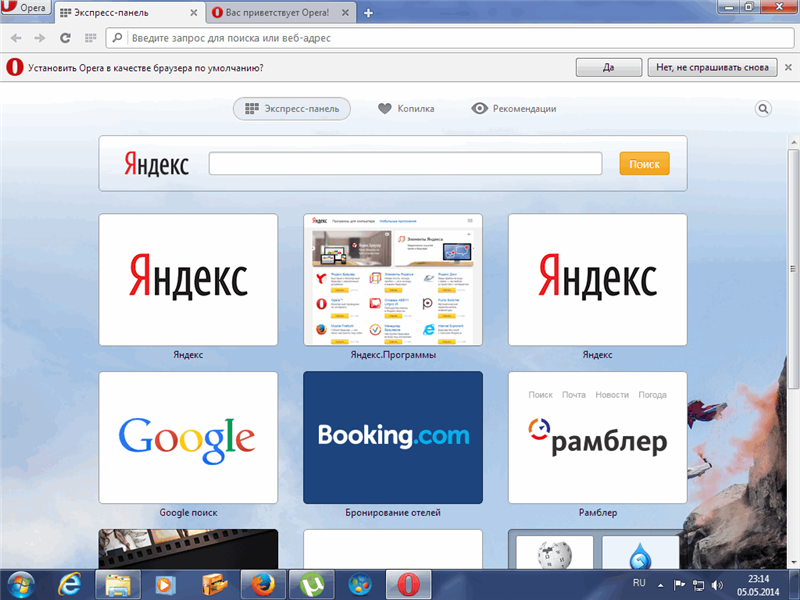
The browser has an auxiliary panel – Messenger. It is located on the left and is fixed, meaning it can open regardless of the content being viewed on the page. By expanding the list, you can immediately use Facebook, WhatsApp. Among the additional features of the panel is a snapshot – a function for creating screenshots, the "Speed Dial" – which is the browser's start page where the browser navigation is located. Also on the panel you can find "Bookmarks", which shows previously added sites. "Personalized news" allows you to select events of interest to the user, depending on the region, area of interest, and other indicators. Below, you can open the "History" tab and "Extensions" without searching for items in the settings, directly from the left panel. An important feature is the built-in VPN, which allows you to hide your location or access blocked sites. Economical operation is a significant advantage of the browser, as power consumption is up to 35% less than competitors. A laptop can work for 1 hour longer on a single charge. There is a built-in currency converter. When searching for a product in foreign stores, the user faces difficulty in determining the cost of the product. In Opera, you can select the price and get the amount converted into the user's currency. Daily exchange rate updates and 32 supported currencies help make purchases quickly and conveniently.Advantages of the browser
Opera cares about users and ensures a high level of connection security. In case of any threats, the browser will disable a plugin, extension, or show a message about the potential danger of a site or fraudulent actions on its part. To never lose your favorite pages and always have access to them, and to avoid reconfiguration in case of reinstallation, you can create a profile. If you register an account, you can get the same settings on all devices. Today, Opera holds a high position in the ranking and has all the qualities to become the default browser.Specifications
| Version | 49.0.2725.47 |
| Platforms | Windows, macOS |
| Developer | Opera Software |
| Size | 703 Кб |
| License | Free |
| Views | 11 498 |
Reviews
6 reviews
-
Без Регистрации 09.12.2015
Главный плюс - под оперу до чертовой бабушки наклепали расширений. На мобиле только с оперы сижу.
-
thmuhbyhn 09.12.2015
ЛУЧШИЙ БРАУЗЕР В МИРЕ !!!!!!!!!!!!!
-
Алексей 09.12.2015
Я сравнивал довольно таки много браузеров,и хочу сказать что именно Опера не глючит,нвсегда переходы плавные,в отличие от других,пока нажмешь,Уже заснешь! Пользуюсь уже очень давно,и бросать не собираюсь.Спасибо!
-
Екатерина 08.12.2015
Мой самый любимый браузер. Быстрый, функциональный. Пользуюсь не только на компе, но и на телефоне.
-
василий 08.12.2015
Опера самый функциональный браузер. Сам пользуюсь только им.
-
kamal 01.03.2015
ok
From this category
Show moreNichrome is a cross-platform open-source web browser created by Google, designed for fast, reliable, and secure internet access. It is a convenient platform for web applications. Google Chrome and a number of other web browsers are based on Chromium. The capabilities of the Nichrome browser are a challenge to the famous browser with a similar name, but the developers decided to release their own Rambler version, which is in no way inferior to the famous Google Chrome. It got its name for a reason. The creators r
FineBrowser is a multi-window web browser and bookmark manager. The application allows you to efficiently search and analyze the necessary information on the network, making your Internet travels as convenient as possible. You can display multiple pages simultaneously in one window, as well as erase traces of your online activity. You can open any links in a selected fragment on a page with a single mouse click. Feature of FineBrowser: Thanks to the built-in bookmark manager, you can save in the archive
Netscape is an excellent browser that integrates the Navigator browser, Netscape Mail email client, AOL Instant Messenger pager, Netscape Composer HTML editor, Netscape Address Book, and Netscape Help and Support Center. It has a simple, easily customizable interface that allows convenient work on the network. Incorrectly typed addresses can be corrected with URL adjustment. The sidebar allows you to save links without adding them to bookmarks. Features
Popular downloads
Show moreWindows Movie Maker - quickly and conveniently creates and edits videos by adding various effects. Included in Microsoft Windows, the alternative Windows Movie Maker is part of the free Windows Live software package from Microsoft. Features of Windows Movie Maker: Capture video from various sources (camcorders, mobile phones, digital video cameras, digital cameras, etc.). When creating videos in Windows Movie Maker, you can add a background audio track, use between
Starus File Recovery is a program that allows you to recover deleted data from various media. With this program, you can restore files that have been lost in various ways. For example, they were deleted bypassing the Recycle Bin, hidden by malicious software, lost due to software failures, complete emptying of the Recycle Bin, formatting, or deletion of the hard drive. The program effectively works with various devices, such as hard drives, SS
PROMT - leader in offline and online translation, with the most powerful collection of dictionaries and translated language pairs, 60 language pairs. LLC "PROMT" - a leading Russian company, developer of translation systems for private users and corporations. PROMT software provides translation of any text using built-in dictionaries, including both common and specialized terms. Instructions for any devices, in necessary software lacking a Russian interface, or emails from a foreign company
Pascal ABC.NET is written in the Delphi language (Object Pascal) on the Microsoft.NET platform. It includes the PT4 problem book, and tools for the Draftsman and Robot performers, which are used in school computer science when learning programming. The main purpose of the Pascal ABC.NET programming system is the study and teaching of modern programming languages. Features This program is a complete programming system using the Pascal language. Development takes place on the well-known platform Micros