Windows Safe Mode is used quite often, especially when the system is infected or when a series of computer tasks requiring safe mode startup need to be performed.
What is safe mode for and what does it do?
Booting Windows XP/7/8 in safe mode allows you to start the operating system in such a way that programs in autorun do not load, and third-party services also do not load. That is, in safe mode, only important system processes/services are started.
This provides access to the system, even in cases where, for example, a virus has infected the system and the antivirus cannot do anything. Or, for example, when starting the computer, too many programs launch, causing the computer to freeze.
Safe mode allows you to delete unnecessary files, unnecessary programs, and remove some programs from autorun. That is, it is most often used to restore computer functionality. To start the computer in safe mode, you should press a predefined key during BIOS boot.
[caption id="attachment_1849" align="aligncenter" width="600"]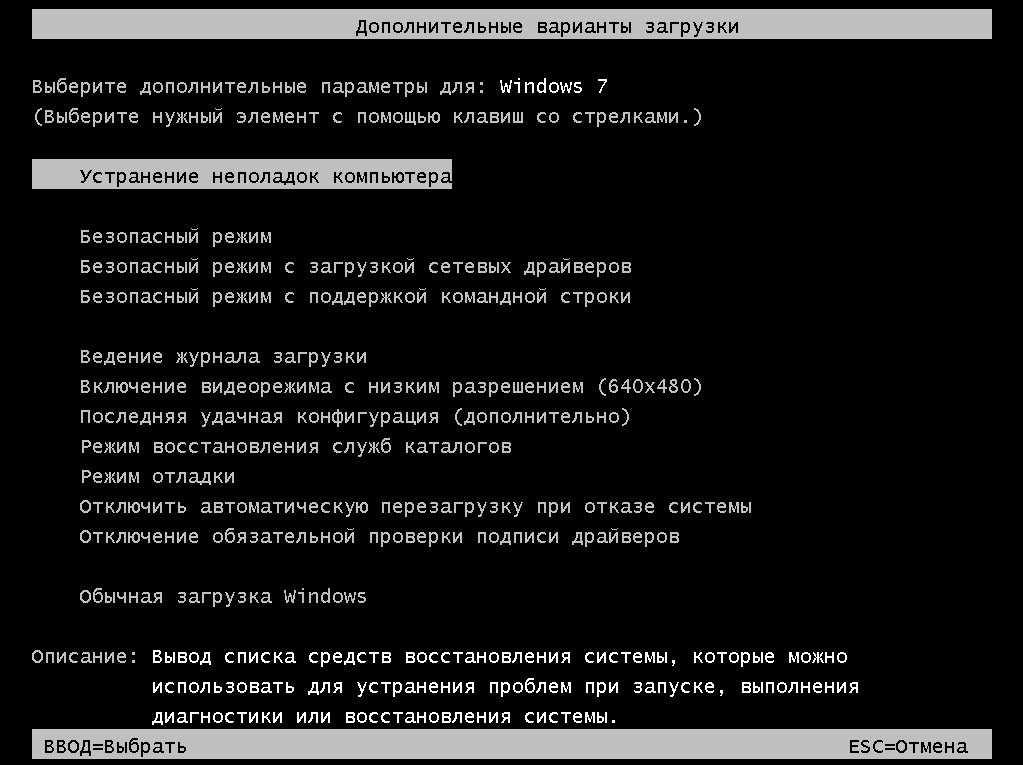 Select the item - "Safe Mode"[/caption]
Most often this is the F10 key, but it can also be that safe mode is invoked by the F9, F10, F11, F12, DEL keys, that is, one of these keys.
When the corresponding key is pressed, a window appears for selecting the computer startup method. Among the startup methods, there will also be a method for starting in safe mode.
You may also be interested in programs on the site:
- Download alcohol 120 Russian free
- Download Virtual DJ free
- Download Skype free for Windows
- Download free Russian version of Nero
- Download free version of Kaspersky antivirus
- Download Windows Movie Maker free
Good luck!