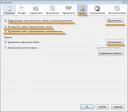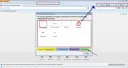
By default, the Firefox browser does not provide the ability to configure hotkeys. However, this can be done by installing special add-ons. Specifically, there is an add-on called Firefox KeyConfig that allows you to configure hotkeys. This extension, by the way, is available for both Mozilla Firefox and Mozilla Thunderbird. You can view the standard hotkeys at this address: https://support.mozilla.com/ru/kb/Keyboard+shortcuts
Extension for hotkeys in Mozilla Firefox
Download the KeyConfig extension is available at this address: https://mozilla.dorando.at/keyconfig.xpi
So, after installing this extension, you will have access to the option of customizing hotkeys in Firefox. Specifically, to configure any hotkey, you need to do the following.
Let’s make the current folder compact when pressing the key combination “Ctrl + Alt”.
- First, launch KeyConfig.
- Second, select the “Add New Key” option.
- Third, give our event the name “Compact current folder”.
Fourth, specify the code to execute.
Specifically, instead of the default /*code*/ insert this:
- goDoCommand("cmd_compactFolder")
Next, press the OK button.
After that, in the field below, press the key combination Ctrl + Alt to assign the specified code to this event. Then just click the Apply button and restart the browser.
That’s it, now you can configure your own hotkeys.
Good luck!