Very often, computer users ask themselves the question of how to burn an ISO image to a disc? To answer this question, let's first understand what an .iso image is and how it is made.
ISO is a special format that typically represents an image of a CD/DVD disc. However, ISO images are not only made from discs, since you can also create an ISO yourself by adding files from your HDD. The most popular program for working with ISO images is UltraISO, which can be easily found on the internet.
This program looks very simple.
[caption id="attachment_1460" align="aligncenter" width="600"]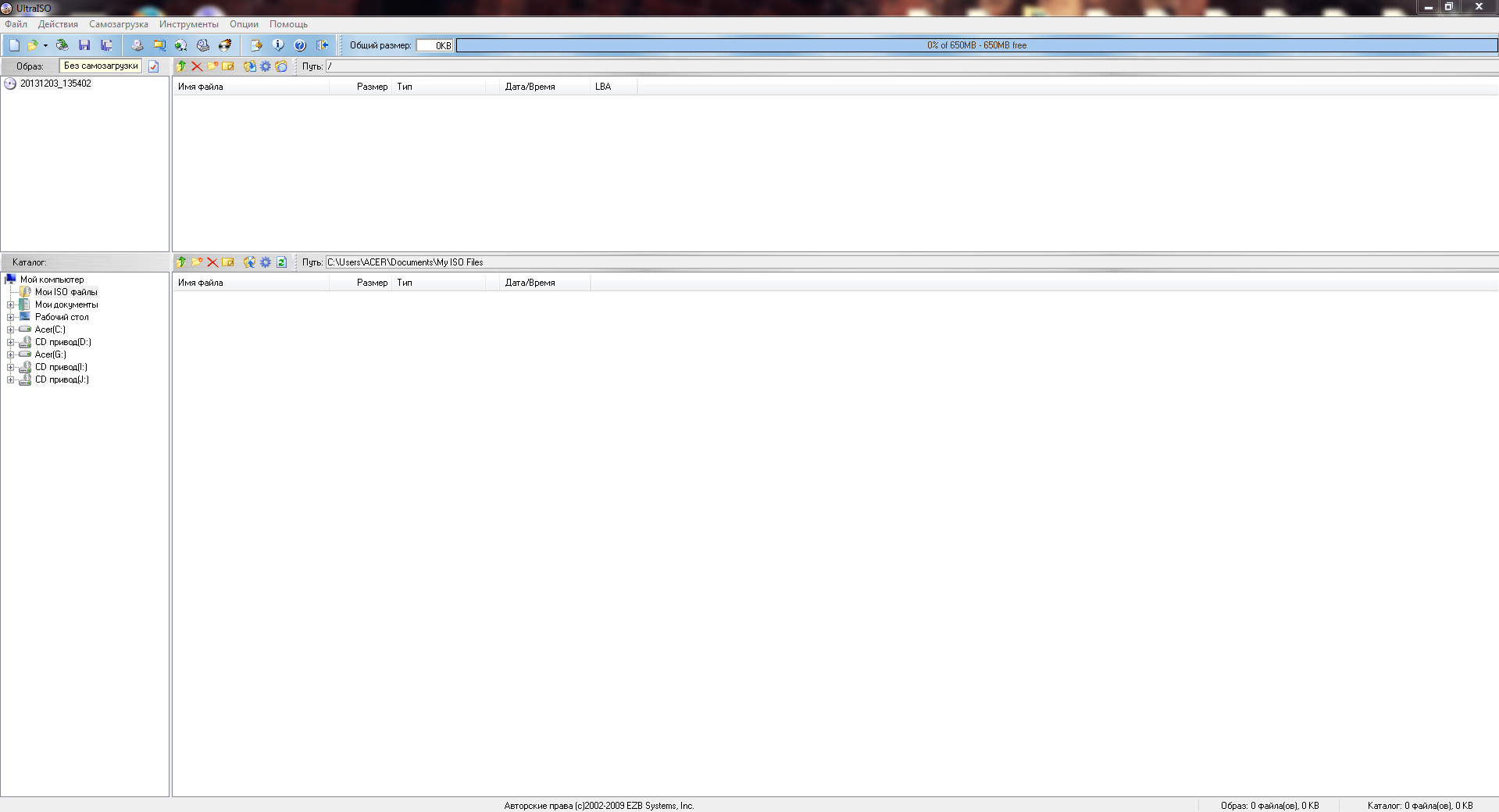 How to burn an ISO image to a disc - Screenshot #1[/caption]
So, to burn an existing ISO image, you should click on the menu button "File", and then select the item "Open". In the window that appears, select the desired ISO image and click the "Open" button. UltraISO will open the selected image.
[caption id="attachment_1461" align="aligncenter" width="600"] How to burn an ISO image to a disc - Screenshot #2[/caption]
A bar will appear at the top showing how much space is left on the disc and how much space the selected image (files in the image) will take up. By right-clicking on this bar, you can select a different disc size to check if you have enough space on your disc. After you confirm that you have enough space, you should click on the menu button "Tools" and select the item "Burn CD Image".
[caption id="attachment_1462" align="aligncenter" width="600"]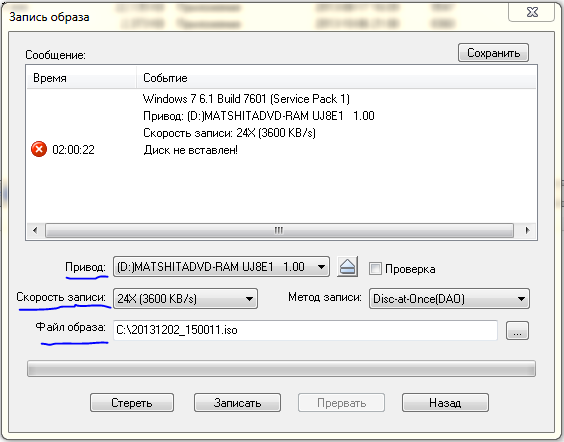 How to burn an ISO image to a disc - Screenshot #3[/caption]
In the window that appears, select the desired drive and choose the write speed. It is advisable to set the minimum write speed, since the lower the write speed, the higher the quality of the recording, but 24x is also acceptable. After that, click the "Burn" button.
Now you just need to wait a little while the burning process finishes. That's it, you have successfully burned your ISO image to a disc.
How to create a disc image from files?
Burning and working with discs:
- Download alcohol 120% free in Russian
- Download DAEMON Tools free in Russian
- Download Nero Burning ROM free in Russian
Good luck!