Setting Up a New Tab in FireFox

Setting Up a New Tab in FireFox

3.0 (2 ratings) Hover and click a star to rate
Views
4 480
Rating
3.0 / 5
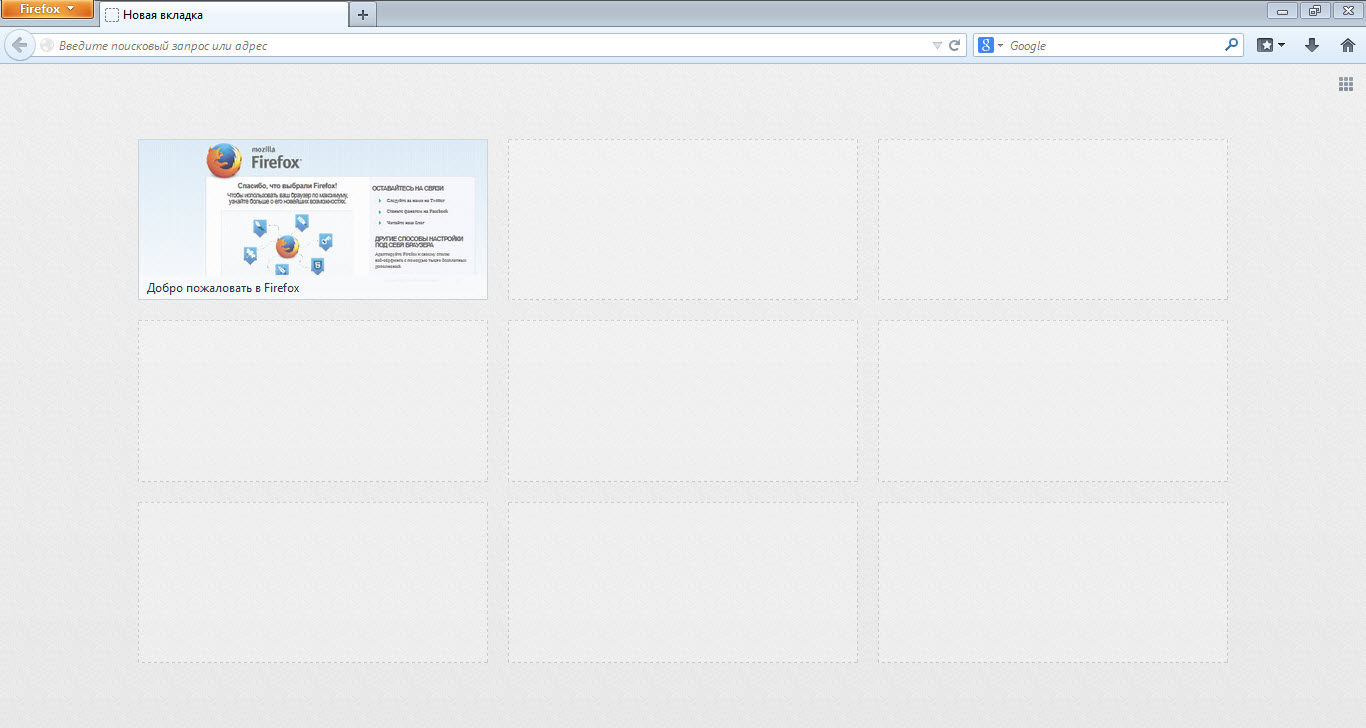
Одним из самых популярных интернет браузеров на сегодняшний день является FireFox browser, который уже давно удерживает лидирующие позиции на рынке интернет обозревателей. И конечно же этот замечательный браузер не стоит на месте, а развивается с новыми версиями приходят новые функции и изменения. Сегодня мы поговорим о том, how to set up a new tab in FireFox. По умолчанию FireFox открывает a page with tabs, а именно, страницу с самыми посещаемыми сайтами.
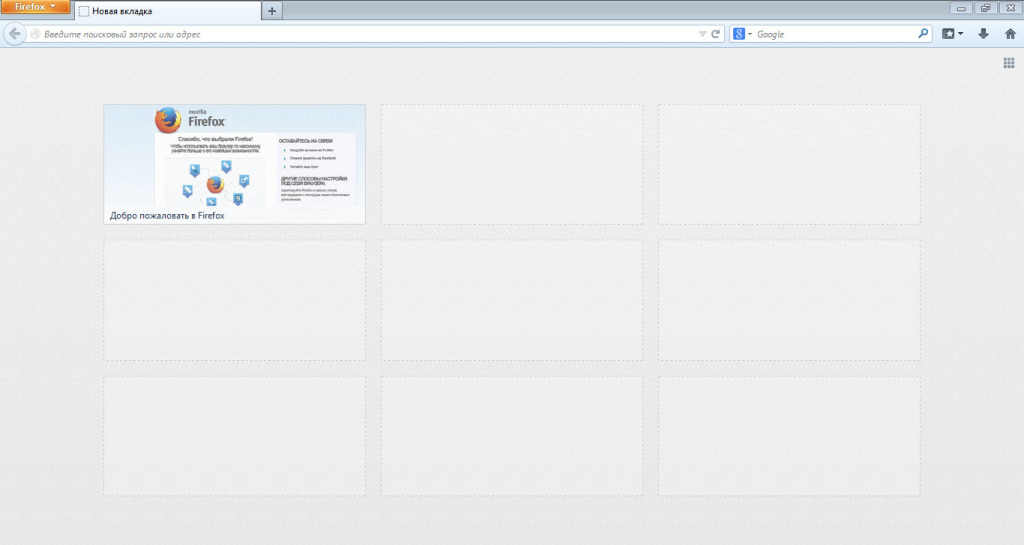
Setting up a new tab in FireFox

Как мы видим, там есть only tabs with the most visited sites. Если не затрагивать вопрос установки расширений, можно сказать, что FireFox предоставляет standard options for customizing the new tab. Что бы попасть на страницу настроек, Вам нужно click on the button Setting up a new tab in FireFox located at the very top left. In the context menu that appears, select "Settings", after which you will be taken to the FireFox browser settings page.
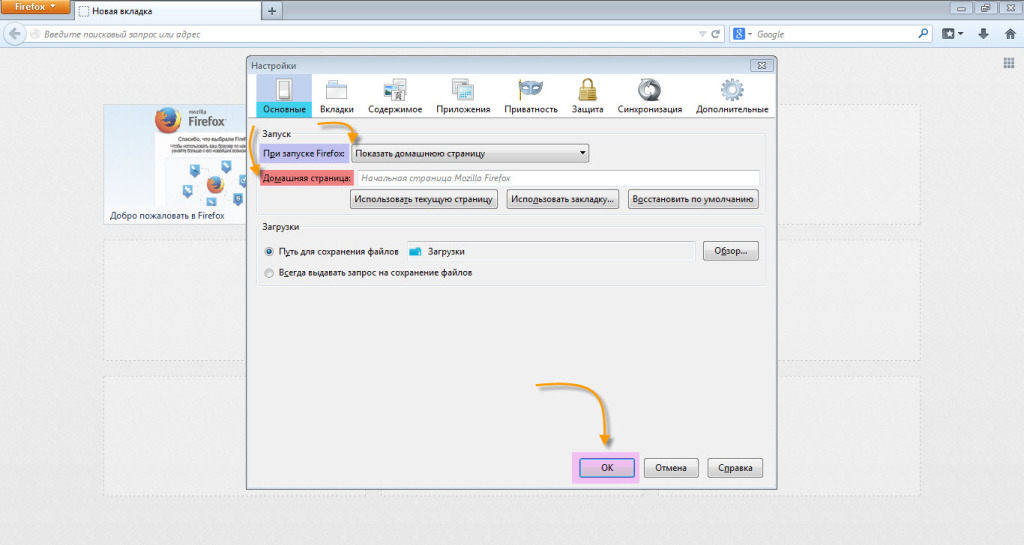
Setting up a new tab in FireFox

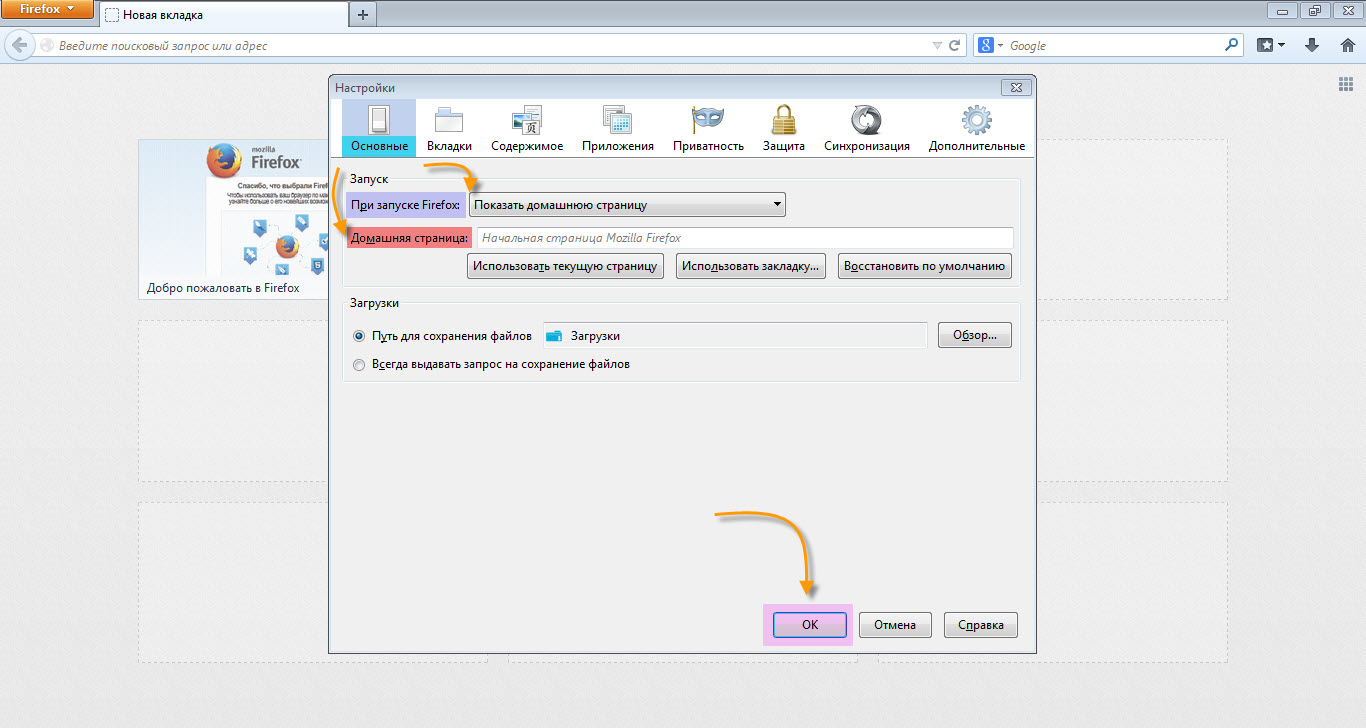
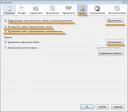
Here we see the "General" settings tab, where you can customize the FireFox welcome page. Now let's go to the "Tabs" tab.

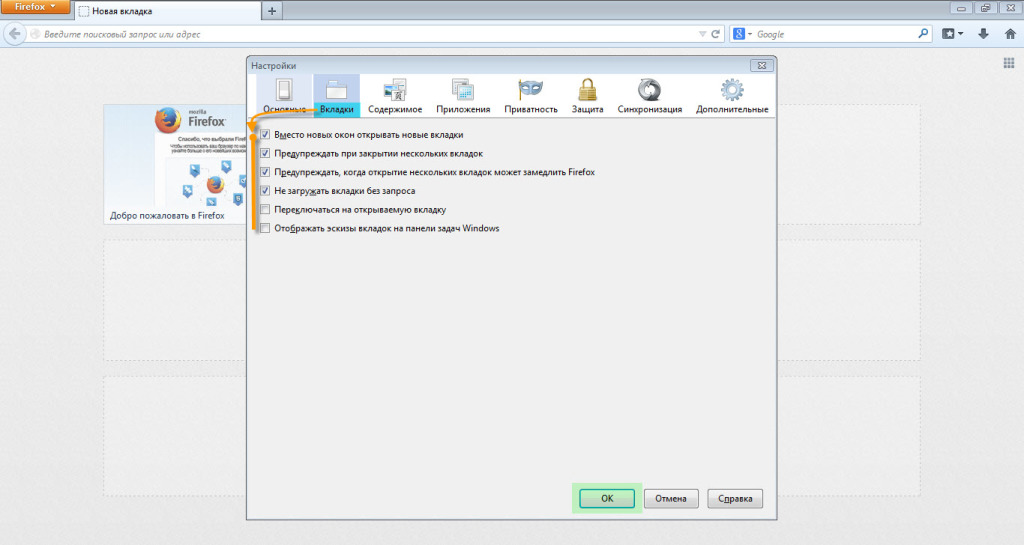
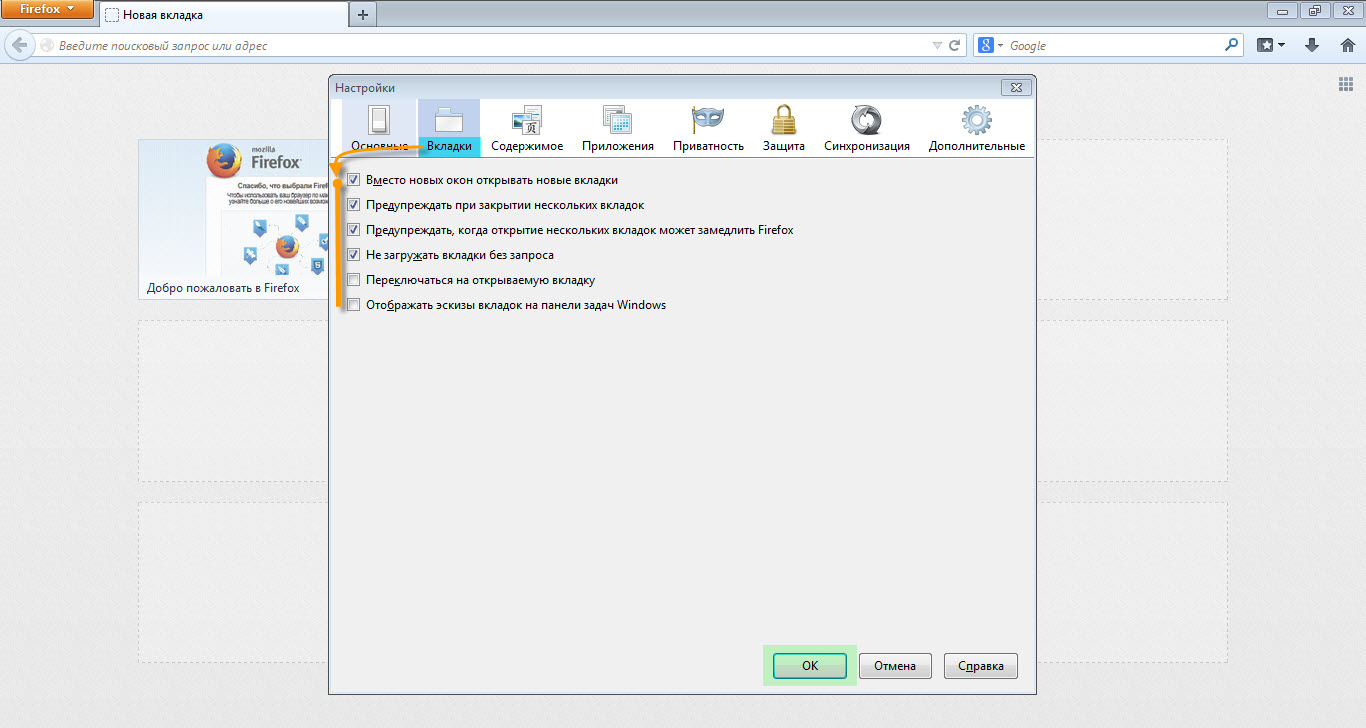
Setting up a new tab in FireFox As we can see, 6 options for "Tabs" settings are available here.

А namely:
  1. This means that when a link you click on is a link that would open in a new window, it will open in a new tab instead of a new window.
  2. Prompts when you try to close multiple tabs at once.
  3. Warns if several simultaneously open tabs could affect FireFox's performance.
  4. Asks for confirmation when loading tabs.
  5. Automatically switches to the newly opened tab; otherwise, stays on the current one.
  6. When enabled, displays thumbnails of open tabs on the Windows taskbar. A convenient option, but it slightly affects performance, so it's disabled by default.
Perhaps these are all the standard tab settings of the FireFox browser, and if they are not enough for you, special extensions for FireFox will come to the rescue. Good luck!

Specifications

Views4 480

Site.articles.relatedCategory

Show more

Sometimes the free FireFox browser establishes a so-called "secure connection" with a website, which means FireFox encrypts the connection and also checks the Certificate of the website being accessed. Such measures are necessary to protect the user from all sorts of fraudulent schemes, viruses, etc. However, these measures are sometimes unnecessary and simply prevent the user from visiting websites. In this case, you can disable such checks. If when visiting sites, you too often see the message "This is co"

20 679
Read
Setting up the Firefox start page

Setting up the Firefox start page

FireFox Settings
4.0

The first thing we see when we launch the Firefox browser is the start page. Every user has their own idea of what should be on the welcome page. Everyone customizes their start page the way they want. For example, you can use the standard Firefox browser start page customization tools. Also, you can set up your own custom option. You can install special add-ons that greatly enhance your welcome page.

17 645
Read
Customizing the FireFox Toolbar

Customizing the FireFox Toolbar

FireFox Settings
3.6

The FireFox toolbar provides easy and quick access to all sorts of typical browser functions. It's a very convenient bar, thanks to which the user can easily access one or another feature of the FireFox browser. Today we will talk about how to set up this toolbar in FireFox. How to show or hide toolbars in the FireFox browser. The vast majority of toolbars in FireFox can be either hidden or shown. What will be displayed and what won't.

9 195
Read
Firefox cannot find the server

Firefox cannot find the server

FireFox Settings
2.8

Sometimes it happens that Firefox, when requesting a particular site, responds with a message that the server cannot be found. There are quite a few reasons for this error, ranging from trivial to viruses. First of all, when such an error occurs, you should check whether the requested resource exists at all. Also, check if the internet connection is active. Sometimes it happens that no website opens at all; in that case, we recommend you check the Hosts file. Maybe a virus is at work,

7 726
Read

Site.articles.relatedPopular

Show more

By becoming a member of the Friend Around social network, you will ensure the opportunity for new acquaintances and find many friends! Every participating user in the social network has many friends and girlfriends, just new acquaintances in this network! Thanks to the modest application, you can often communicate with friends on common topics! Using the features of this social network, you can find your soulmate, and other users can help with this! [toc] On the website, you can quickly download the program and become a user of the Friend Around program

368 990
Read

The default welcome page of the Google Chrome browser looks, perhaps, empty and unclear. Now we'll figure out what a welcome page is and what it is for. [toc] When you start the browser, the first thing you see is the start page! It is also called the quick access page, or the welcome page. Welcome page - what is it? Actually, these are slightly different concepts, especially when it comes to the default welcome page of the Google Chrome browser. So, now we know what

151 556
Read

How to download a Windows 7 ISO image from the Microsoft website? Today it is possible, there is no longer a need to search for the OS on the Internet, risking infecting your own computer with a virus. There are many different builds of this operating system on the web. It is best to download the original Windows 7 ISO image, as it is considered the best. You don't need to download it from torrent trackers, it is available on the Microsoft website. However, there are certain nuances. At the link https://www.microsoft.com/ru-ru/

107 053
Read

Social networks - they are used by absolutely everyone who uses the Internet, just as the phone once gained incredible popularity - today social networks enjoy incredible universal popularity. [toc] Perhaps in the near future every inhabitant of the Earth will have their own account in one or another social network. As a rule, it is impossible or quite difficult to delete an account in social networks; it still remains in the system, no matter what you do. The Social Network Friend Around is no exception - in which

103 258
Read