Hard drive is slowing down, what to do?
The reason for a slow hard drive could be a lack of RAM or poor processor performance. The problem may also be that the hard drive is damaged or old, which can quite realistically lead to hard drive slowdown when operating a computer or laptop.
Firstly: we advise you to check the cooler, it may be working poorly, causing the system to be unstable. If possible, check the computer's temperature; it should not be above normal.
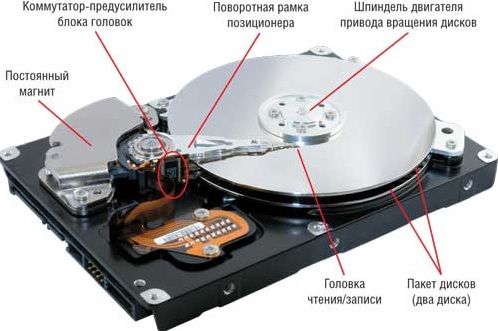
Check the HDD for bad sectors; this can be done using the Victoria program, which runs from BIOS. If there are no bad sectors, we advise you to check the computer while it is running. Specifically, slow HDD performance may also be because the computer cannot handle the assigned tasks.
In this case, the solution could be either removing unused programs and cleaning the HDD, or upgrading the hardware. Moreover, the second option will definitely significantly increase the computer's power. If nothing helps, we advise you to contact a professional, since the problem of hard drive slowdown is not very common.
Solving this problem on your own is very difficult also because there can be many possible issues. Diagnosing each option is not feasible as it would take a lot of time. As for professionals, they encounter such problems more often and have ready-made solutions and tools with which they can quickly identify and fix the problem of a slowing SATA hard drive.
- Windows does not see the hard drive
- How to partition a hard drive into two partitions
- Partition a hard drive during installation
Good luck!