Opera Setup

Download free software — compare versions, ratings and sizes.

7 programs found

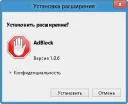
Perhaps the main problem for internet users today is blocking ads in Opera, pop-up windows and all such things. It is difficult for an ordinary user to deal with such problems, especially a beginner - because advertising follows us absolutely everywhere! Pop-up windows/ads and all similar things - must be blocked with special free ad-blocking programs. How can pop-up windows and ads harm your computer? Let's start with the fact that advertising is everywhere, advertising there, advertising here, everywhere one ad

0
Read
Recently, users are increasingly asking about security in the Opera browser, but often confuse it with network security. We talk about viruses, spam, and other horrors roaming the internet. Essentially, Opera, and any other browser, provide the maximum possible security, sometimes even warning about danger. Download free Opera browser. However, you yourself must keep your nose to the wind, because you can catch a virus online very quickly. Moreover, often pol

0
Read

Thanks to the fact that Opera switched to a new and perhaps the most powerful engine as of today, WebKit, its capabilities have expanded, and the browser's speed has increased. However, due to this event, some features and available options in the Opera browser have changed. That is why some Opera users have encountered some difficulties when setting up the browser. But this is for the best, since with the development of the Presto engine, Opera lost significant positions in the web browser market. And

0
Read

Everyone knows that Opera recently switched to the WebKit engine. Some liked it, while others stayed on versions 12.x :) The latest versions of the Opera browser have introduced some new features and, accordingly, settings. Let's discuss some interesting Opera browser settings. For those who don't know yet, you can download the Opera browser for free in Russian here. How to access Opera settings? To go to the Opera browser settings page, you need to click on the "Ope

0
Read

One of the best works of Opera is the Opera browser (download for free), and in particular, Opera Mobile. This browser differs from others in that it displays WEB pages as they should be. So, you can confidently say that the Opera Mobile browser occupies one of the leading positions in the mobile browser market. However, the standard settings of Opera Mobile only allow you to change the zoom, configure Cookies, images, and that's it. These settings, of course, are insufficient for a more precise and detailed

0
Read

The developers of the Opera browser emphasize the built-in tab system in their browser, as not every browser has such functionality in its set. Also, the Express Panel in Opera is divided into "Own Tabs" and "Piggy Bank" (in other words "Favorites"). Very interesting features, don't you think? For the first time, the free Opera browser introduced a normal bookmark system, calling it "Piggy Bank", for which we should thank its developers! Besides that, an interesting thing is the "Recommendations" section, located also

0
Read

Perhaps most Opera users wonder about the settings of this browser, especially concerning its new versions. Today we'll talk about how to configure plugins in the Opera browser. Let's start with the definition of 'Plugin'. A plugin is an auxiliary element of the browser that expands its functionality and allows many elements on WEB pages to function. For example, Adobe Reader that reads online .PDF files is a plugin, since it is an auxiliary tool. Java(TM) is also a plugin,

0
Read