Recently, users, especially gamers, are increasingly asking the question of which graphics card to choose for gaming. Indeed, this question deserves attention, as there are many graphics cards today and choosing a sufficiently high-quality and powerful one is not easy. First, to correctly choose a gaming graphics card, you must determine your budget. For example, budget graphics cards cost around $100-$150, while more powerful gaming graphics cards are priced at $300-$500. So, now p
52 programs found
If Windows takes longer than 10-15 seconds to shut down, it means something is slowing down the process. In extreme cases, shutdown takes 20-25 seconds, which is considered normal. If the shutdown time exceeds these limits, something is interfering with the computer's shutdown process, increasing the wait time. First, let's talk about how the standard computer shutdown process works. Typically, when shutting down, the computer saves all changes
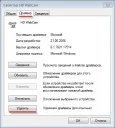
To remove a printer driver in Windows 7 or any other driver in the Windows 7 operating system, you should open "Device Manager". Opening "Device Manager" is very simple, just open the control panel and type "Device Manager" in the search, then select the appropriate item from the list. Next, take the image processing device "HD WebCam", you can choose your printer or any other device. Right-click on the selected device and click
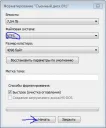
It is not uncommon to need to change the data structure type from FAT32 to NTFS, and the built-in Windows service will help us with this. For example, sometimes you have to change the data structure type of a flash drive. To change the data structure type to NTFS, right-click on the desired device and select the "Format" option. By the way, after changing the data structure type to NTFS, all contents of the flash drive will be erased, so we advise you to make a copy of the data on this flash drive.
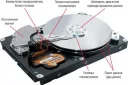
Hard drive is slow, what to do? The reason for the slow operation of the hard drive may be a lack of RAM or poor processor performance. Also, the problem may be that the hard drive is damaged or already old, which can quite realistically lead to the hard drive slowing down when the computer or laptop is running. First of all: we advise you to check the cooler, perhaps it is not working properly and therefore the system is unstable. If possible, check the temperature of the computer, it should not be higher than normal.
Generally, the Windows operating system is not particularly fast in loading, since even on super powerful computers it takes a considerable amount of time to load the operating system. Typically, on a branded computer with an Intel i7 processor, Windows 7, for example, loads in 20-30 seconds. On weaker machines, this time increases to 30-40 seconds. As for even weaker computers, the loading time can reach 50 seconds or more. If we touch on the issue of self
If Windows does not see the printer, the problem almost always lies in driver issues. However, we also recommend checking the clarity of the printer cable connections to the computer, as well as the functionality of the printer itself. If the connections are established and the printer is working, you should install/reinstall the printer driver in the Windows OS. This procedure is quite easy and will not take much time and effort. 1) Launch "Device Manager", to do this, open "Control Panel"
Sometimes it happens that after reinstalling Windows or performing another similar operation, the sound disappears. This problem can be solved very easily. The fact is that to play sound, Windows uses a so-called "sound card" that can reproduce sounds. However, to work with this device, Windows requires special software (driver). Such software allows the use of various devices, for example, a modem, USB port, etc.
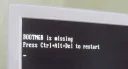
Typically, the BOOTMGR is missing error in Windows 7 occurs when the Windows bootloader fails or the BOOT settings in the BIOS are reset. Fixing this problem is quite simple. First, you should launch the Windows Recovery Console. To do this, press the F8 key during BIOS startup, after which a window will appear with options for booting the computer. Select the boot option "Troubleshoot your computer." If this option is missing, try inserting the recovery disk
A fairly common problem among users is that the computer simply does not turn on. This refers to cases where the computer does not turn on at all, meaning that even the BIOS does not load. To solve this problem, you need to identify its source and cause, and this can usually only be done by a professional. However, there is a certain range of the most popular causes of such problems, which are not difficult to identify and even fix on your own. So, to determine the source...
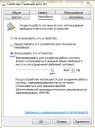
The ReadyBoost technology appeared in the Windows family starting with Vista, this technology allows you to increase computer performance using a removable device. As a removable device, a 4-8GB flash drive is typically used - ReadyBoost is a principle that allows you to boost the computer's RAM capacity using free space on a removable disk. That is, using ReadyBoost technology, the computer will use the specified removable device as additional RAM, which
If sound is missing in the Windows operating system, there may be 3 reasons for this phenomenon. First of all, you should figure out what is causing the sound to disappear. If there is no sound at all in the entire system, we recommend that you install/reinstall the sound driver for your sound card. Also, we recommend that you enable the audio playback device and enable the sound card in Windows settings. To do this, right-click on the "My Computer" icon on the desktop,