Articles & Guides

Software reviews, how-to guides, comparisons and tips.

153 articles found

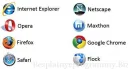
To realize the capabilities of the Internet, browsers are used. You don't need to be a great programmer to know that the quality of surfing the Internet largely depends on the browser itself. The program itself has a clear purpose – viewing and displaying web pages. That is, it is a kind of intermediary between your computer and the data storage server. The browser makes a request, after which the page you see on your monitor screen is formed. This software has received og

3 883
Read
More and more people are asking the question of which antivirus is best to choose. Indeed, if you look at this issue from a professional's point of view, you can confidently say that there are many aspects influencing the choice of antivirus software. One such aspect is the Operating System for which you need to choose an antivirus. In this article, we will discuss the selection of antivirus software for the Windows 7 OS. How does the OS affect the installed antivirus? Very simply, depending on the Operating System, you can make

3 834
Read

The Windows 7 operating system has many settings scattered across different tabs and windows, making it inconvenient even for experienced users to dig through all these windows in search of the desired settings. For beginners, it's even more of a hassle. For user convenience, developers have provided a hidden function in the OS called GodMode. This function appears at first glance as a simple folder, but when opened, it reveals absolutely all the

3 811
Read

One of the most popular operating systems is Windows 7. As everyone knows, Windows 7 uses a new architecture for data construction, computer resource usage, etc. Considering these factors, it can be confidently said that the Google Chrome browser works best on the Windows 7 operating system. Why is this? First of all, it should be noted that the Chrome browser uses a unique system for balancing the load on RAM, thereby ensuring maximum

3 783
Read

Digital technology provides users with many opportunities to view video content. TV, tablet, laptop, phone, e-book – this is just a small list of gadgets. The problem is that sometimes these devices do not support the video formats needed for viewing. Then you can spend time downloading content that the codecs will play correctly. But such a format needs to be found, and that's another plus to the time spent. It is much easier and faster to convert existing video. This does not require

3 771
Read
Transferring Firefox Settings

Transferring Firefox Settings

FireFox Settings
3.3

It is very important to keep your browser settings everywhere you go. And if you are a Firefox user, you should know how the settings of this browser are transferred. For example, you have 2-3 computers in different places, at work, at home, etc., and you want them all to keep the same settings. How would you do that? How to transfer browser settings from one computer to another safe and sound? As a rule, Firefox saves all your settings, including confidential data, an

3 684
Read

A flash drive, like a wallet and apartment keys, is constantly in the backpack or pocket of a modern person. It's hard to imagine everyday life without transferring and storing digital information. Documents, photos, audio recordings, videos, and other digital materials are stored on file drives. Small flash drives have become the most common niche in this segment, thanks to the price, quality, and offered features. [toc] However, even with the most expensive device, at an inopportune moment, it may...

3 599
Read
Firefox Themes

Firefox Themes

FireFox Settings
2.7

The Mozilla Firefox browser offers an interesting feature for modifying its theme. Actually, all modern browsers provide this ability. To change the Firefox appearance, you need to download a desired theme from the internet and then install it. For example, here's an interesting option. Or here. And now, more about Firefox themes: A theme is a special Firefox add-on that lets you customize the browser. With themes, you can make Firefox completely different from the original.

3 597
Read

Recently, users, especially gamers, are increasingly asking the question of which graphics card to choose for gaming. Indeed, this question deserves attention, as there are many graphics cards today and choosing a sufficiently high-quality and powerful one is not easy. First, to correctly choose a gaming graphics card, you must determine your budget. For example, budget graphics cards cost around $100-$150, while more powerful gaming graphics cards are priced at $300-$500. So, now p

3 512
Read

If you are experiencing issues with your graphics card driver, they can be resolved very simply. Driver problems, especially with graphics card drivers, occur very often, almost for every user. In this article, we will tell you how to easily eliminate such problems in the shortest possible time. To fix the graphics card driver issue, you should ensure that you have a stable internet connection. Perhaps, that is all that is needed to solve the driver problem. For n

3 378
Read

During operation, laptop components consume electricity, part of which is converted into heat, with the processor and graphics card heating up the most. There is a tendency that the more powerful the laptop, the more heat it will generate. [toc] Modern models, due to industry advancements, suffer from this issue to a lesser extent – they use non-thermal conductive materials, and the technology itself is thinner and more advanced. Therefore, if you compare old and new laptop models with the same power

3 211
Read

Buying a laptop is an expensive pleasure. But even an expensive model can quickly become unusable. Cleaning a laptop from dust increases its service life, minimizes breakdowns and system problems. When should you clean your laptop? It is worth removing dust from visible areas as it gets dirty. Usually, this should be done once every three days. As for deep cleaning, it is difficult to determine the condition of a laptop when it is assembled. It is more logical to determine the time interval between procedures. This will help

3 183
Read

Most often, the solution to this problem is the "USB Keyboard Support" parameter in the BIOS, which is set to "Disabled". To fix this issue, you should open the BIOS settings. To enter the BIOS settings, when turning on the computer, press the "DEL" key, after which you will enter the BIOS settings. Note that the "USB Keyboard Support" parameter is disabled. Enable the first 4 parameters listed in the screenshot, then press the "F10" key to save the settings.

3 100
Read
Import FireFox Settings

Import FireFox Settings

FireFox Settings
5.0

As in all other browsers, Firefox has a built-in settings system that is organized on the principle of profiling. That is, all your settings are saved in profiles. To be more precise, when you install Firefox, a standard profile named Default is created, which stores the settings. This system is very convenient, because once you set up the browser, you don't need to repeat it. That is why Firefox developers made a profile system to make life easier for Firefox users. If you

3 072
Read

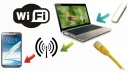
Keeping up with the development of computer technology is almost impossible, as the market segment of computer technology is overflowing with offers of mobile gadgets capable of providing a connection to the World Wide Web. [toc] Connecting to the internet is easy when you have a network router installed at home, but what to do if you only have internet via a 3G connection or an ISP connector, and you need to use the internet from a smartphone or other mobile internet device? How to share Wi-Fi from a laptop

3 039
Read
Computer Freezing

Computer Freezing

PC Setup
4.5

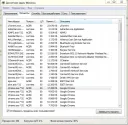
If your computer frequently freezes, there can be many reasons for this. Accordingly, by determining what exactly affects the computer freezing, you can solve this problem. But how to determine what causes the computer to freeze? Very simple, since computer freezing is usually caused by common typical problems. It should be understood that the speed of the computer is directly affected by its load, both the HDD load and the load of the operating system.

2 990
Read
Mozilla FireFox with Yandex search

Mozilla FireFox with Yandex search

FireFox Settings
3.4

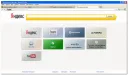
In addition to the standard FireFox browser, users have access to a modified version - FireFox with Yandex search. Namely, the browser's speed in this modification is optimized and improved, visual bookmarks have appeared, various notifications and news have appeared, a built-in translator is included, security has been enhanced, and naturally, Yandex search is built in. A special advantage of this browser is the significantly increased speed of surfing the web. In addition, a fast-working system in

2 874
Read

To create a disk image, you will need some programs, namely UltraISO or Alcohol 120%. Both programs are good, but UltraISO is better suited for slightly scratched disks, as it has the ability to try multiple times to read that spot, or eventually skip the bad sector. As for Alcohol 120%, it also does its job as well as UltraISO, but is not designed for working with damaged disks. In case there are too many bad sectors, Alcohol 1

2 817
Read

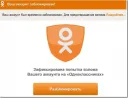
Very often, network users report that they cannot log into the popular social network "Odnoklassniki". As a rule, in such cases, almost all users with this problem receive a message on the site that their account has been blocked on suspicion of hacking. [toc] Moreover, a form for sending an SMS appears on the site to verify that it is really you. Restoring access to Odnoklassniki First of all, we advise you to use this form and restore access. If

2 815
Read

You can rename a hard disk as many times as you like, since its actual name, by which programs in the system identify it, is its letter. Disk letters are uppercase Latin letters that serve as the actual name of a local disk. Virtual local disks also have disk letters. Additionally, devices connected to the computer, such as a flash card, DVD/CD drive, external HDD, etc., also have disk letters. As a rule, the system always has a primary local disk.

2 786
Read