Articles & Guides

Software reviews, how-to guides, comparisons and tips.

153 articles found

The Internet has become a true multimedia center for many users, some of whom have even abandoned TV and radio. At the same time, many not only watch and listen to video and audio, but also collect real music collections and film libraries. To do this, you often need to download audio from Twitter.com or a video with a movie. Twitter.com itself does not provide such an opportunity. But there are sites that allow you to do this. And one of the best services for downloading video and audio from Twitter and other resources is ru.savef

2 641
Read
Daemon Tools is a program that allows you to work with disk images in .mdf format and others, most often this program is used when installing games from DVD disc images. To install this program, you should first download it, preferably the final version. Downloading the program To download this program, you can use the safest and fastest method - download Daemon Tools on our website. Or download via a torrent tracker, but I warn you right away, on this site - there may be

2 639
Read

Online Photoshop in Russian is now available for all users. If earlier this name could be considered a common noun, today the possibility of free photo editing is already accessible to many. [toc] Today, working with numerous tools, background parameters, color correction, and more is possible without prior downloading, installing the main program, or purchasing a license. Online Photoshop in Russian for free allows you to process the uploaded photo within a few minutes.

2 630
Read

Often, internet providers in their price lists and contracts add the prefix "up to" before specifying the speed, which gives them leeway and allows them not to provide the user with the stated speed. Therefore, the provider's promise of "Up to 100 Mbps" may actually turn out to be 60 Mbps, and not always even that. Using online services that offer a free Internet speed test. As is known, the internet speed stated by the provider often does not match reality and varies greatly. [toc] K

2 332
Read

Thanks to the fact that Opera switched to a new and perhaps the most powerful engine as of today, WebKit, its capabilities have expanded, and the browser's speed has increased. However, due to this event, some features and available options in the Opera browser have changed. That is why some Opera users have encountered some difficulties when setting up the browser. But this is for the best, since with the development of the Presto engine, Opera lost significant positions in the web browser market. And

2 307
Read

Audio files take up a significant amount of space on the HDD. This causes a number of problems and inconveniences, the main ones being that sending such files over the network is extremely difficult because their size is too large. This problem can be solved by specially developed audio codecs that allow encoding audio and decoding it during playback. Thus, audio files take up much less space on the HDD and are very easy to transfer over the network. The most popular audio codecs are typically: A

2 282
Read

Nowadays, almost every person has their own email account, which can be used to send electronic documents and various files. There are many services offering to register an account with them, but the undisputed leader in the world is considered Google Mail, so we will consider the procedure for registering an email account in this service. It is worth noting immediately that registering an email in Google also opens access to other company services, including Google Drive. And for synchroniz

2 279
Read

Where is the hosts file located and how to find it - this question is often asked by experienced users who need to make edits to it. The hosts file is used to map a called domain to a specified IP address. Typically, this file contains 1 line: 127.0.0.1 localhost Which essentially maps the IP address 127.0.0.1, which is the IP address of the local machine (current computer), to the domain localhost. However, this line in Windows is just for show :) If you delete it, the domain localhost

2 277
Read
Setting Up Opera Mobile

Setting Up Opera Mobile

Opera Setup
3.8

One of the best works of Opera is the Opera browser (download for free), and in particular, Opera Mobile. This browser differs from others in that it displays WEB pages as they should be. So, you can confidently say that the Opera Mobile browser occupies one of the leading positions in the mobile browser market. However, the standard settings of Opera Mobile only allow you to change the zoom, configure Cookies, images, and that's it. These settings, of course, are insufficient for a more precise and detailed

2 218
Read
Search Settings in FireFox

Search Settings in FireFox

FireFox Settings
5.0

One of the most important and necessary features of modern browsers is their friendliness to search engines. That is, built-in search systems, as well as various features to make working with search engines easier. One such improvement is the built-in search system in FireFox, which makes it easier for users to search for information on the web. Moreover, this system can also be customized, and that's what we'll talk about now. So, the search system in FireFox is implemented just like in all other browsers, via the addre

2 119
Read
Windows Freezing

Windows Freezing

PC Setup
5.0

After some time of using the Windows operating system, it starts to slow down, and this is not surprising - there is an explanation for this. In principle, all operating systems tend to slow down over time. Why does Windows XP/7/8 freeze? It's very simple - overload. It is the computer's overload that directly affects its boot and operation speed. During a reinstallation or first installation of the OS, the computer always "flies", showing the maximum possible speed.

2 033
Read
Cannot delete file

Cannot delete file

PC Setup
5.0

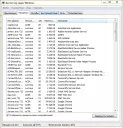
Typically, the error "Cannot delete file" appears because the file is currently being used by some program. To delete this file, you should close the program that is using it. This can be done using the Task Manager, which is part of Windows programs. In fact, almost every operating system has a Task Manager, no matter what it is called. Task Manager is a special program that allows you to monitor almost all processes active at the moment.

2 007
Read
Setting up bookmarks in FireFox

Setting up bookmarks in FireFox

FireFox Settings
3.5

As in all browsers, FireFox has the ability to add sites to bookmarks, in other words to "Favorites". This is a very necessary feature, because it often happens that some interesting site needs to be saved somewhere. And here, the bookmark system comes to the rescue. By saving a site in bookmarks, you can use it in the future. Namely, to view the list of sites you have added to bookmarks, you need to click on the "Show Your Bookmarks " button. This button is located at the top right.

1 990
Read
Which computer to buy?

Which computer to buy?

Articles
3.5

A fairly popular question among users, since there are a huge number of computers from different companies today. Acer, Dell, Apple, Samsung, LG, etc., which one to choose? In this article, we will talk about which computer is better, which is more powerful, which is more convenient, which is better for work, etc. First of all, you should decide what you need a computer for? Do you want to play branded games on it, or do you want to work on it, and also frequently browse the internet. Let's consider all 3 options. We buy a computer

1 984
Read

In this article, we will tell you how to partition a hard drive into two partitions in the Windows 7 operating system. Windows 7 has an interesting utility called "Disk Management" that allows you to partition an HDD directly while the computer is running. Why is partitioning an HDD necessary? At least to protect files from loss. The fact is that when a computer gets infected with a virus, the OS gets damaged, which often causes it to stop loading. So, during the reinstallation of the Windows OS...

1 959
Read

The ReadyBoost technology appeared in the Windows family starting with Vista, this technology allows you to increase computer performance using a removable device. As a removable device, a 4-8GB flash drive is typically used - ReadyBoost is a principle that allows you to boost the computer's RAM capacity using free space on a removable disk. That is, using ReadyBoost technology, the computer will use the specified removable device as additional RAM, which

1 899
Read

It often happens that Adobe Flash Player does not install on the system; there can be many reasons for this problem, but most often the solution lies in some small detail. To install Adobe Flash Player, you should download the latest version of Adobe Flash Player, with detailed instructions for installing Adobe Flash Player. If the latest version also fails to install, try restarting your computer and closing all running programs. Pay special attention to browsers; they all must be

1 841
Read

Hello, dear reader! Today we will talk about using the ArtMoney program, which you can download from our website. What is this program for? The ArtMoney program is designed to hack variable values in various desktop applications. Most often, this program is used to hack various values in games. For example, do you want infinite ammo, lives, energy, mana, or the like? - ArtMoney will help you with this. The principle of operation of the program is quite simple, but at the same time

1 825
Read
How to Install FireFox Browser

How to Install FireFox Browser

FireFox Settings
4.0

Today we will talk about how to install the Mozilla FireFox browser. So, first you need the installation file/archive of the Mozilla FireFox program. You can download this file on our website: Download the free Mozilla FireFox browser, or from other resources distributing similar software. For example, let's take the installation file Mozilla FireFox 23.0.1. As you can see, this file is a ZIP archive, so unzip it with WinRAR or 7Zip into a separate folder. Inside we see

1 822
Read

Lately, FireFox users, and indeed all browser users in general, have been asking about working with the browser cache. To understand how to work with the cache, you should understand what cache is. So, cache is data that the browser "caches", i.e., saves on the local computer so that in the future it does not have to be downloaded again. The files that the browser usually caches include images, scripts, styles, flash elements, etc. Perhaps, the caching system allows everything that uses i

1 820
Read