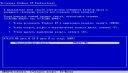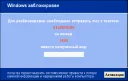
Recently, a virus called WinLocker has become very common; it blocks the computer (Windows) and asks to send an SMS to a specified number, after which Windows is supposedly unlocked. Sometimes Windows does activate after sending the SMS, but most often this does not happen. Also, in such viruses, a message often pops up: "Do not try to reinstall Windows, as this will lead to loss of information and disruption of computer operation." It should be said right away that this will not actually happen. Except perhaps some
52 articles found
Today you can check your computer for viruses completely free of charge, and with the help of the most powerful antivirus software. Antivirus software developers are loyal to users' problems and provide a 30-day trial period for their antivirus software. As a rule, there are almost no restrictions in this mode, at least virus protection will work 100%. Moreover, those users who for some reason cannot pay for an antivirus license, for example: they do not have a wallet in
Many users, after connecting their PC to the Internet and discovering that the connection speed is actually underestimated, far from matching the guaranteed tariff values, seek advice from their provider to solve this problem. But is this always necessary? Read: Why does the internet disappear? As practice shows - no, because the cause of unstable network connection, in most cases, lies in: incorrect operation of the PC's operating system (OS), usually due to accumulated errors in the
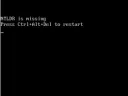
It is not uncommon for users to experience that the Windows XP operating system does not load. As a rule, this happens for no apparent reason, since the OS was loading normally not long ago, and then problems suddenly arose. There can be many reasons for this, and there are a number of the most common causes why the OS stops loading. Also, you should pay attention to how exactly the OS does not load—whether it does not load at all or stops loading after the Windows XP logo with a progress bar appears.
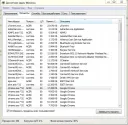
If your computer frequently freezes, there can be many reasons for this. Accordingly, by determining what exactly affects the computer freezing, you can solve this problem. But how to determine what causes the computer to freeze? Very simple, since computer freezing is usually caused by common typical problems. It should be understood that the speed of the computer is directly affected by its load, both the HDD load and the load of the operating system.
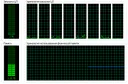
Very often users ask the question of how to speed up Windows 7, because by default the OS uses many system-loading modules, services, and effects. This negatively affects the speed of Windows, namely, the speed of launching programs, executing commands, and the like. This happens because the processor stops processing incoming commands quickly, as there are too many commands. The principle of processor operation Imagine that your processor is in a standard state
It is not uncommon for the internet to occasionally disappear, or even disappear completely. Most often, people immediately call technical specialists or contact their internet provider's support service. However, the problem often lies in some small detail that can be easily fixed on your own! First of all: you should determine the source of the problem. Does your internet disappear every half hour, or every hour? Perhaps the internet connects and Windows reports that everything is fine, but
Missing D drive
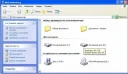
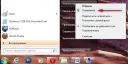
It is quite rare that a local drive with the letter "D" or "E" simply disappears. In such a case, you should not take any action if you are not a professional. Every wrong action can increase the risk of data loss on the specified HDD partition. However, this problem can still be fixed. So, to restore the missing HDD partition, you will need the Acronis Disk Director program, preferably version 11. Method #1: Go to the "Disk Management" section, where you can observe
Most often, the solution to this problem is the "USB Keyboard Support" parameter in the BIOS, which is set to "Disabled". To fix this issue, you should open the BIOS settings. To enter the BIOS settings, when turning on the computer, press the "DEL" key, after which you will enter the BIOS settings. Note that the "USB Keyboard Support" parameter is disabled. Enable the first 4 parameters listed in the screenshot, then press the "F10" key to save the settings.
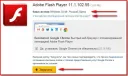
It often happens that Adobe Flash Player does not install on the system; there can be many reasons for this problem, but most often the solution lies in some small detail. To install Adobe Flash Player, you should download the latest version of Adobe Flash Player, with detailed instructions for installing Adobe Flash Player. If the latest version also fails to install, try restarting your computer and closing all running programs. Pay special attention to browsers; they all must be
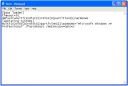
To gain access to the BOOT.INI file, which allows flexible configuration of Windows startup parameters, you should enable the display of hidden files, as this file is not displayed by default and is hidden - making it difficult to find. To enable the display of hidden files and folders in Windows, do the following: Click the "Start" button, go to "Control Panel", then find the "Folder Options" item and open it. In the window that appears, go to the "View" tab, after which
It is not uncommon to need to partition a hard drive during installation into several parts. Such a system structure not only allows you to "divide" the HDD into sectors, but is also useful when reinstalling the OS. This is especially useful when you have to reinstall Windows due to viruses, since the OS installation formats only the system drive, that is, "Local Disk `C`". During the Windows installation process, there will be a step where you are given the opportunity to build the system structure. In quality
If you are experiencing issues with your graphics card driver, they can be resolved very simply. Driver problems, especially with graphics card drivers, occur very often, almost for every user. In this article, we will tell you how to easily eliminate such problems in the shortest possible time. To fix the graphics card driver issue, you should ensure that you have a stable internet connection. Perhaps, that is all that is needed to solve the driver problem. For n
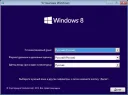
The relatively recently released Windows 8 OS is already available in almost all relevant stores. The average cost of a licensed version of Windows 8 is 4,000 rubles. However, pirated copies of this OS are also available on the internet. We strongly advise you to purchase only a licensed version of Windows 8, as problems with activation or updates may arise. Also, pirated versions of this OS may have operational issues. So, for example, let's take Windows 8 PRO 64-bit Rus. In case your
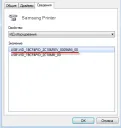
If you don't have a printer driver disk, you'll have to find the driver online. This can be done very easily, you just need to know where and how to search. In this article, we will tell you how to install a printer driver without a driver disk, that is, how to find the driver online. The Windows operating system provides the ability to find out the so-called "Device Code" for almost any device in the system, even if it is not identified. Having such a code on hand, you can easily find
In this article, we will tell you how to partition a hard drive into two partitions in the Windows 7 operating system. Windows 7 has an interesting utility called "Disk Management" that allows you to partition an HDD directly while the computer is running. Why is partitioning an HDD necessary? At least to protect files from loss. The fact is that when a computer gets infected with a virus, the OS gets damaged, which often causes it to stop loading. So, during the reinstallation of the Windows OS...
Most often, the cause of a black screen when loading Windows XP is a poorly connected HDD or a corrupted OS. To fix this problem, we recommend that you first check all connections in the system unit. In particular, we advise you to check the connections of the power supply to the motherboard and the connection of the HDD to the motherboard. If all connections are in order or Windows still does not load after improving the wire connections, then in this case, there are 2 possible solutions. First, pr
Adobe Flash Player from Adobe is required to play Flash elements on websites: flash banners, Flash elements, and watch videos using the Flash player. Without this player, browsers such as Opera, FireFox, Google Chrome, and Internet Explorer will typically display an error stating that the Flash player is missing and that you need to install Adobe Flash Player on your computer to play Flash elements. Installing Flash Player on your computer is very easy and simple; to do so, follow
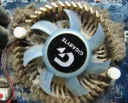
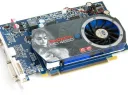
If your graphics card is overheating, you should not delay, because if you do nothing about it for a long time, the graphics card will at best burn out, and at worst, it may catch fire with a blue flame, damaging the entire computer. Overheating is very dangerous, remember that! Why is your graphics card overheating at all? Most often, the problem lies in a weak cooler that simply cannot handle the load. In this case, you should simply replace it, or even better, install
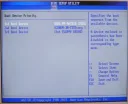
A fairly common problem - related to the computer not seeing the HDD (hard drive), is solved very simply. First: you should check the cable connections that connect the hard drive to the motherboard; if you have a laptop, you don't need to check the cables :). Second: a very common solution to this problem is to set the HDD (hard drive) as the first boot priority in the BIOS. During BIOS boot, press the "DEL" key to enter the BIOS settings. Go to the