Articles

Download free software — compare versions, ratings and sizes.

67 programs found

Online Photoshop in Russian is now available for all users. If earlier this name could be considered a common noun, today the possibility of free photo editing is already accessible to many. [toc] Today, working with numerous tools, background parameters, color correction, and more is possible without prior downloading, installing the main program, or purchasing a license. Online Photoshop in Russian for free allows you to process the uploaded photo within a few minutes.

0
Read

Buying a laptop is an expensive pleasure. But even an expensive model can quickly become unusable. Cleaning a laptop from dust increases its service life, minimizes breakdowns and system problems. When should you clean your laptop? It is worth removing dust from visible areas as it gets dirty. Usually, this should be done once every three days. As for deep cleaning, it is difficult to determine the condition of a laptop when it is assembled. It is more logical to determine the time interval between procedures. This will help

0
Read

To realize the capabilities of the Internet, browsers are used. You don't need to be a great programmer to know that the quality of surfing the Internet largely depends on the browser itself. The program itself has a clear purpose – viewing and displaying web pages. That is, it is a kind of intermediary between your computer and the data storage server. The browser makes a request, after which the page you see on your monitor screen is formed. This software has received og

0
Read

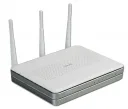
What is a router? It is a device that is a fairly powerful mini-computer with a processor and memory – both RAM and ROM. Using a router, you can combine various computer devices, tablets, and smartphones into one local network and connect them to an internet access point. A home network can include: desktop PCs; laptops; printers; scanners; Smart TVs; tablets; smartphones. Thus, all participants, by connecting to the router,

0
Read

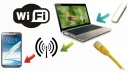
Keeping up with the development of computer technology is almost impossible, as the market segment of computer technology is overflowing with offers of mobile gadgets capable of providing a connection to the World Wide Web. [toc] Connecting to the internet is easy when you have a network router installed at home, but what to do if you only have internet via a 3G connection or an ISP connector, and you need to use the internet from a smartphone or other mobile internet device? How to share Wi-Fi from a laptop

0
Read

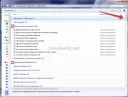
The Windows 7 operating system has many settings scattered across different tabs and windows, making it inconvenient even for experienced users to dig through all these windows in search of the desired settings. For beginners, it's even more of a hassle. For user convenience, developers have provided a hidden function in the OS called GodMode. This function appears at first glance as a simple folder, but when opened, it reveals absolutely all the

0
Read

Digital technology provides users with many opportunities to view video content. TV, tablet, laptop, phone, e-book – this is just a small list of gadgets. The problem is that sometimes these devices do not support the video formats needed for viewing. Then you can spend time downloading content that the codecs will play correctly. But such a format needs to be found, and that's another plus to the time spent. It is much easier and faster to convert existing video. This does not require

0
Read

Wireless network – what is it? This is a network in which workstations (servers, PCs, laptops, as well as tablets, smartphones) are combined into one working group via a wireless connection. Each station in the network is equipped with a network adapter, through which a connection is made to the access point(s) of the wireless network. Wireless networks by connection type are: Wi-Fi wireless network; Bluetooth wireless network; Cellular operator wireless network; Connection via IR port. By

0
Read

As is known, video or audio files take up a large amount of memory on the hard drive, which accordingly causes some inconvenience. For example, transferring a large file over a network can be an extremely difficult task, since transferring large files takes a lot of time. And it will not be possible to store many such files on a computer, since disk space is not infinite. To solve this problem, information encoding technology was invented for the purpose of compressing it. To be more precise, it was invented

0
Read

Computer virtualization is the process of creating a virtual machine based on a real computer. That is, essentially on one computer there will be a real operating system and a virtual one, with its own settings, hard drive, installed programs, etc. Thanks to virtualization, users can get acquainted with the process of installing new operating systems, see what they look like, evaluate their performance and the operation of programs under the new system. At the same time, all experiments on the virtual

0
Read

Not so long ago, a beautiful presentation with slides and music was available to few, and in most cases it was made in specialized centers for a lot of money. Now, every user has the opportunity to create an impressive presentation. With such a wonderful program as Microsoft Power Point, you can quickly and easily create beautiful presentations in Power Point for coursework and diploma projects, work presentations, etc. There are many programs for creating presentations, but the

0
Read

It's good when the computer works stably and without errors, but sometimes unpleasant situations occur that threaten valuable data. [toc] For example, the operating system has stopped loading, but to reinstall it, you need to save important files left on the desktop or in documents. Or the hard drive is temporarily missing for one reason or another, but you urgently need to go online. In fact, solving such problems is very simple, but you need to be prepared for them in advance. To avoid worrying and always

0
Read

The question of how to restore factory settings on a laptop worries device owners when the machine starts to malfunction, if the laptop is planned to be sold to a new user, or for a complete cleanup of memory and installed parameters, if there is a desire to give the device a new look. Also, this method is used instead of, or before installing a new version of the operating system, or switching to another company. It is much easier for an inexperienced user to perform a complete cleanup of the laptop

0
Read

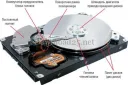
Hard drive on a PC — what is it and what is it for? Let's consider the types of HDD. Winchester, hard drive, winchester – a storage device Hard Disk Drive (HDD) with data rewriting option. This is an integral part of a PC, and the choice of this component must be taken very seriously. How to partition a computer hard drive? A magnetic HDD disk has platters, on which all data is recorded, PC information is stored, the operating system is installed, and the OS boots from it. These disks were widely used until recently. They have a large capacity

0
Read

When you purchase a new personal computer or reinstall the Windows operating system on an existing one, there is initially only one local disk. This arrangement rarely satisfies owners, as it is inconvenient and carries certain consequences. [toc] Therefore, the question of how to partition a hard drive often arises. Every person can independently split one local HDD into several, choosing the digital capacity of each element. How to achieve this is described below,

0
Read

Often, internet providers in their price lists and contracts add the prefix "up to" before specifying the speed, which gives them leeway and allows them not to provide the user with the stated speed. Therefore, the provider's promise of "Up to 100 Mbps" may actually turn out to be 60 Mbps, and not always even that. Using online services that offer a free Internet speed test. As is known, the internet speed stated by the provider often does not match reality and varies greatly. [toc] K

0
Read

192.168.0.1 is the only address of a router or modem. A home router can use this IP address to configure the default gateway. [toc] If you have such a router, you can connect to the administrative console via an internet browser by pointing it to http://192.168.0.1. Although system administrators usually manually access all these configuration parameters, it is easy to do it yourself. Each computer and device connected to the network has its own unique address for communication.

0
Read

Having special software allows you to edit videos obtained from a camera, tablet, or smartphone. [toc] To the question of how to crop video on a computer, the answer is as follows: you can download and install the appropriate software, or you can do it via the Internet using the functionality of a remote network resource. Programs for cropping video on a computer running Windows Software intended for editing video format files includes the following programs

0
Read

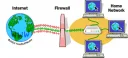
FireWall (firewall, firewall) - This is antivirus software integrated into operating systems that protects the computer from unauthorized intrusions via various types of networks. Typically, a firewall operates according to user-defined rules, filters network traffic, and protects against various attacks. As for the functionality of a firewall, it is similar to that of a network firewall, but due to its specifics, it can control and protect the computer at other stages, namely

0
Read

Many users have repeatedly heard about the system registry in Windows 7, Windows 8, Windows 10 operating systems and that its 'clutter' can negatively affect computer performance, speed, and reliability. Essentially, the Windows registry is a database of the operating system that stores information about software and system changes. [toc] Over time, this database becomes filled with various junk that needs to be periodically cleaned from the registry.

0
Read